OpenAI Platform
Developer platform for OpenAI's text and language modelsDocs, tutorials, and a playground for building with AI models
Highlights
What you can do with it
- Prototype a text generation feature in the playground
- Add translation or natural language understanding to an app
- Study the documentation and examples before building an integration
How to use it
- 1 Open the platform site and sign in or create an account
- 2 Browse the documentation and dynamic examples for your use case
- 3 Use the playground to test prompts and settings
- 4 Start with trial credits, then check the official site for current pricing
Who it is for
Pros
- Documentation, tutorials, and examples sit in one place
- The playground lets you test ideas before writing code
- Covers several capabilities, from generation to translation
- Trial credits lower the barrier to a first experiment
Limitations
- It is a developer tool, so expect a learning curve if you are new to APIs
- Trial credits run out and usage beyond them is billed, with terms set by the official site
- Model availability and pricing change over time
- Aimed at builders, not at people who only want a chat interface
What OpenAI Platform is
The OpenAI Platform is a developer platform for building with OpenAI's models. This entry points at the playground, the interactive area where you can experiment before writing integration code. According to the listing, the platform provides resources, tutorials, API documentation, and dynamic examples that help developers use the full capabilities of the technology. Its functionality spans text generation, language translation, and natural language understanding, with a high degree of customization. The listing notes it is widely used in scenarios such as writing assistants, chatbots, and speech recognition. Trial credits exist for getting started, while exact terms are set by the official site.
What you can do with it
- Read API documentation, tutorials, and dynamic examples for your use case.
- Experiment with prompts and settings in the playground before coding.
- Add text generation, translation, or natural language understanding to an application.
- Study how others build writing assistants, chatbots, and speech features.
Who it is for
- Developers building products that generate or understand text.
- Teams prototyping chatbots, writing assistants, or translation tools.
- Engineers comparing language models for a specific integration.
- Learners who want hands on practice with a model API.
What to watch out for
This is a developer tool, so there is a learning curve: you will get further if you are comfortable reading API documentation and writing code, even though the playground itself can be explored without programming. Trial credits are a starting point, and usage beyond them is billed, with rates and quotas set by the official site and subject to change. Model availability also shifts over time as versions are added and retired, so pin the versions your project depends on. Finally, the platform gives you raw capability rather than a finished product, so responsibility for how you use generated output, including accuracy and rights, stays with you.
FAQ
Is the OpenAI Platform free?
The listing mentions trial credits for getting started. Beyond the trial, usage is billed and exact terms are set by the official site.
What can I build with it?
The listing highlights text generation, language translation, and natural language understanding, used in writing assistants, chatbots, and speech recognition.
What is the playground?
It is an interactive area on the platform where you can try prompts and settings before integrating the API into code.
Do I need coding skills?
The playground can be explored without writing code, but building an integration requires development work.
Why it is free
What the official page says: trial credits
Free limits, trial length and features are decided by the official site and can change at any time.
Product preview
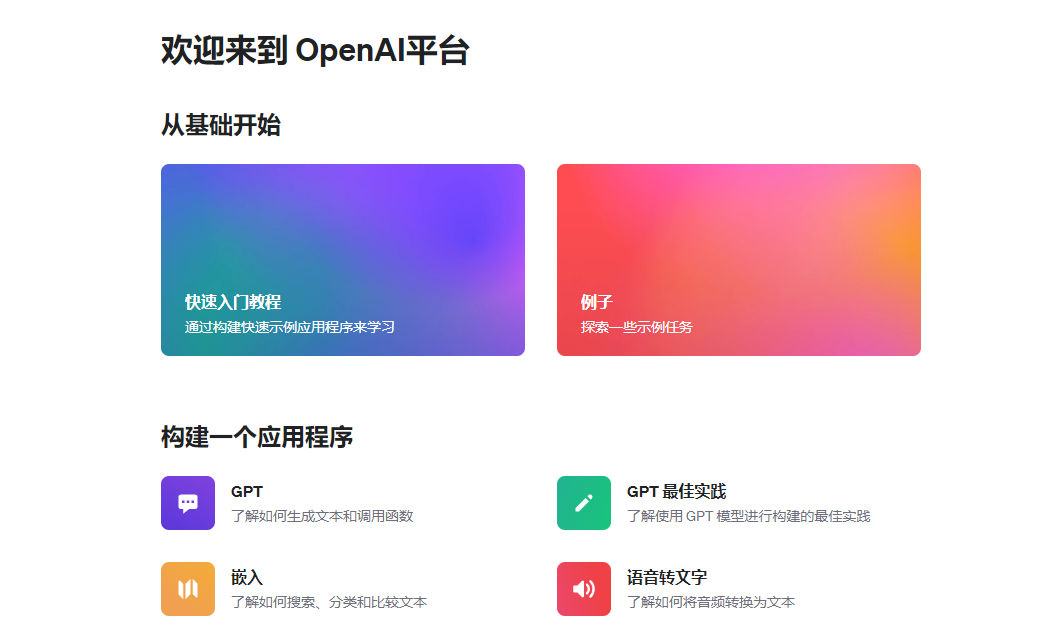
Screenshot archived from the listing page, for preview only.