
YouTube Scribe
YouTube summary and transcript toolSummaries and transcripts from YouTube
Highlights
What you can do with it
- Summarize a long tutorial before deciding whether to watch it
- Get a transcript of a lecture or talk for note-taking
- Export video text as a file for reference or quoting
How to use it
- 1 Open the YouTube Scribe website
- 2 Paste the URL of the YouTube video
- 3 Read the generated summary and transcript
- 4 Export the result as a text file
Who it is for
Pros
- No registration or login required
- Fast extraction of summaries and transcripts
- Text export makes reuse easy
Limitations
- Free to use status can change without notice
- Depends on YouTube as the source; private or removed videos will not work
- Summary accuracy depends on the video audio and content
What YouTube Scribe is
YouTube Scribe is an online tool that extracts summaries and transcripts from YouTube videos. You give it a video URL, and it analyzes the content to produce key information you can read instead of watching the whole video. The tool is free to use and requires no registration or login, and the results can be exported as text files for keeping. It is aimed at people who want the substance of a video quickly.
What you can do with it
- Paste a YouTube URL and get a summary of what the video covers
- Pull the full transcript of a video for reading or note-taking
- Export summaries and transcripts as text files for later use
- Save time on long tutorials, talks, and lectures
Who it is for
- Viewers who want the gist of a video before committing watch time
- Students and researchers who need transcripts for study and citation
- Content creators and writers gathering reference material from videos
What to watch out for
The free, no-registration model is the current offering and could change, so check the site before relying on it every day. Because the tool reads videos from YouTube, private, deleted, or region-blocked videos will not work. Transcript and summary quality depends on the original audio, so heavy accents or background noise can reduce accuracy. Always verify quotes against the video itself before publishing them anywhere. For best results, start with a small test file and review the output carefully before working on anything important. Free tiers can change over time, so it is worth checking the current limits on the official page before you rely on the tool daily.
FAQ
Is YouTube Scribe free?
Yes. It is free to use and needs no registration.
What can I export?
You can export video summaries and transcripts as text files.
Do I need an account?
No account or login is required.
Why it is free
What the official page says: no registrationfree to use
Free limits, trial length and features are decided by the official site and can change at any time.
Product preview
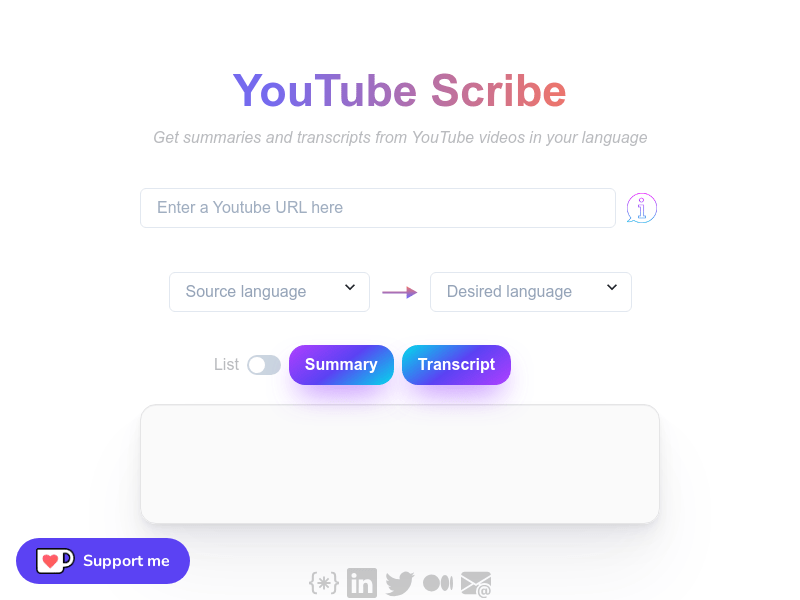
Screenshot archived from the listing page, for preview only.











