
VeoE AI Video Agent
Free AI video makerFree AI video with audio, no signup
Highlights
What you can do with it
- Turn a text idea into a short social clip
- Animate a still photo into a video
- Draft a quick product promo video
How to use it
- 1 Open veoe.ai in your browser.
- 2 Type a description or upload a reference image.
- 3 Set the aspect ratio and visibility options.
- 4 Generate, wait a moment, then download.
Who it is for
Pros
- Completely free to use with no signup
- Audio is included in the output
- The site says nothing is stored after generation
Limitations
- A free daily quota caps how many clips you can make
- It depends on Google's Veo 3 API, so uptime and rules can change
- Free access may be reduced or withdrawn later
What VeoE AI Video Agent is
VeoE is a free online AI video generator powered by Google's Veo 3 API. You describe the video you want in text, or upload a reference image, choose settings such as aspect ratio and visibility, and the system returns a short clip that includes audio. The description states there is no registration step, no subscription, and no payment, and that the site does not store your prompts or the finished videos. The interface is a web page that also works on phones and tablets, so you can create and download a clip without installing anything.
What you can do with it
- Turn a written idea into a short video with sound.
- Animate a still image using it as a visual reference.
- Set the shape and visibility of the output before generating.
- Download the clip for social media, personal projects, or a promo.
Who it is for
- Social media creators who need volume rather than polish.
- People making personal or gift videos from photos.
- Marketers who want a rough concept clip before commissioning production.
What to watch out for
The main limit is the free daily quota, which caps how many videos you can produce in a day, so this is a tool for short experiments rather than long campaigns. It also depends on Google's Veo 3 API, which means availability, speed, and rules can change outside the site's control, and free access may be reduced or withdrawn. Generated video should be checked frame by frame before you publish, since AI output can contain artefacts or content you did not intend. Avoid uploading material you do not have the rights to.
FAQ
Is VeoE free?
The description says it can be used completely free, with no subscription or payment, and no registration needed.
Do the videos have sound?
Yes. The site says it generates videos with audio, usually in a moment.
Are my uploads stored?
The description states it does not store personal input or generated videos, and deletes them after generation.
Why it is free
What the official page says: for free
Free limits, trial length and features are decided by the official site and can change at any time.
Product preview
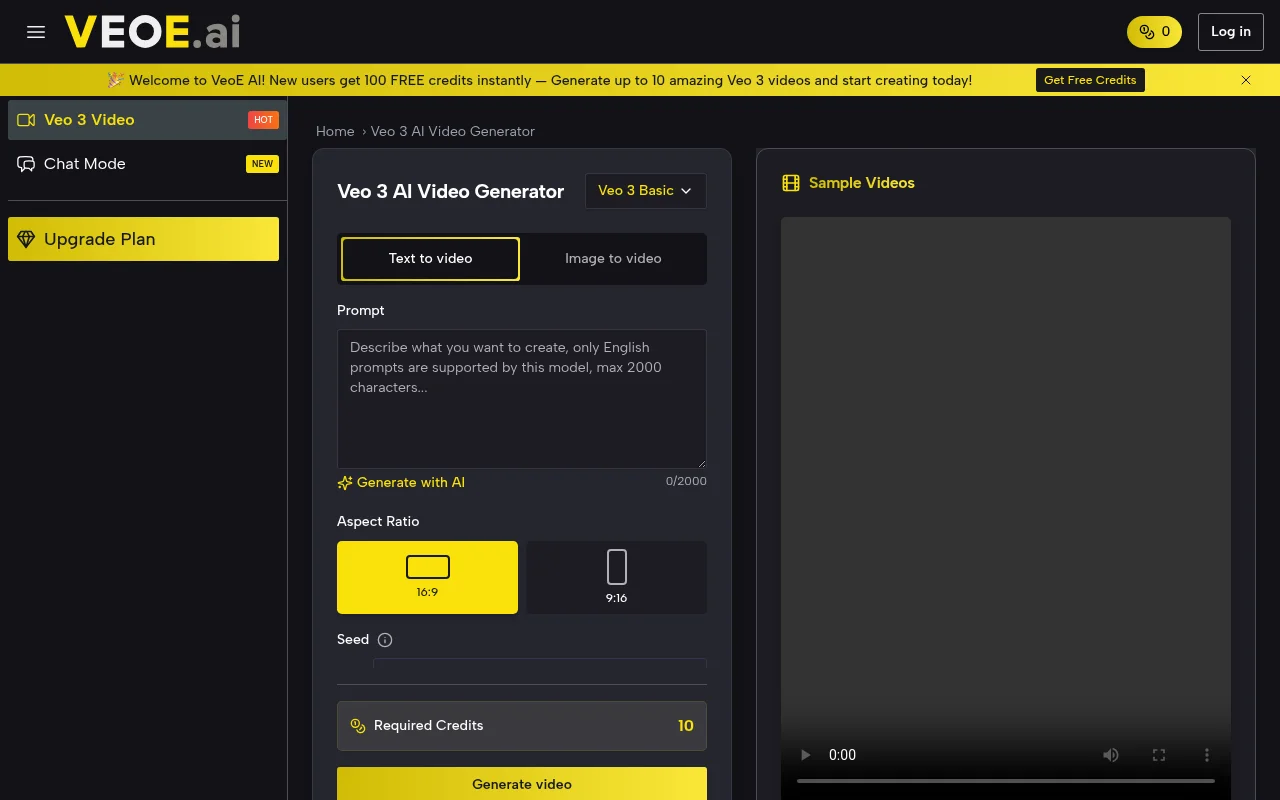
Screenshot archived from the listing page, for preview only.











