Suno V5 App
AI music generatorPrompts into finished tracks
Highlights
What you can do with it
- Generating a style-specific song from a written prompt
- Adding music generation to an app through the API
- Editing one section of a track without regenerating it
How to use it
- 1 Open the site and register or log in.
- 2 Go to the creation page and enter a prompt.
- 3 Choose the model, style, and vocal settings.
- 4 Generate the track and check it in your history.
- 5 Use localised editing to fix any section.
- 6 Export to TikTok or YouTube, or download the file.
Who it is for
Pros
- Prompt types are flexible, including text, image, and audio
- Localised editing saves a full regeneration for small fixes
- Free credits lower the cost of trying it out
Limitations
- It is a third-party tool, not an official Suno product, so naming and support can confuse buyers
- Free credits and daily check-ins run out, and pay-per-use costs add up on heavy use
- API work needs development time, and generated tracks still need a listening pass for quality
What the Suno V5 App is
The Suno V5 App is a music generator built on Suno V5 capabilities. The listing is direct about one thing first: it is an independent product, not an official one. Functionally, it takes a prompt and returns a finished track. Prompts can be text, an image, or audio, which gives more control than a single text box. Output covers studio-grade vocals, one-click backing instruments, and lyrics aligned to the generated melody, with tracks up to eight minutes long. Localised track editing lets you regenerate or improve one part instead of starting again. New users start with free trial credits, daily check-ins add more, and pay-per-use sits alongside free quotas. An API is available for developers, and songs can be exported to platforms like TikTok and YouTube.
What you can do with it
- Turn a text, image, or audio prompt into a complete track
- Add studio-style vocals and backing instruments
- Fix one section with localised editing rather than regenerating
- Export finished songs to TikTok, YouTube, or your own app via the API
Who it is for
- Creators who want usable songs without booking a studio
- Developers building music features into an application
- Startups that need cheap music prototypes
What to watch out for
Because it is not an official product, expectations about model behaviour, naming, and support should be set accordingly. Free credits and check-in rewards are finite, and pay-per-use spending grows quickly if you generate a lot, so track your usage. The API route needs real development work, including reading the documentation and handling JSON requests. Finally, generated tracks vary in quality: listen to the whole file before you publish, since vocal artefacts and lyric timing are the usual weak points, and check the licence terms before you use a track in anything commercial.
FAQ
Is this the official Suno product?
No. The listing states it is built on Suno V5 capabilities and is not an official product.
How do free credits work?
New users get trial credits and can earn more through daily check-ins, alongside free quotas.
Can I export the songs?
Yes, works can be exported to platforms such as TikTok and YouTube.
Why it is free
What the official page says: free trial
Free limits, trial length and features are decided by the official site and can change at any time.
Product preview
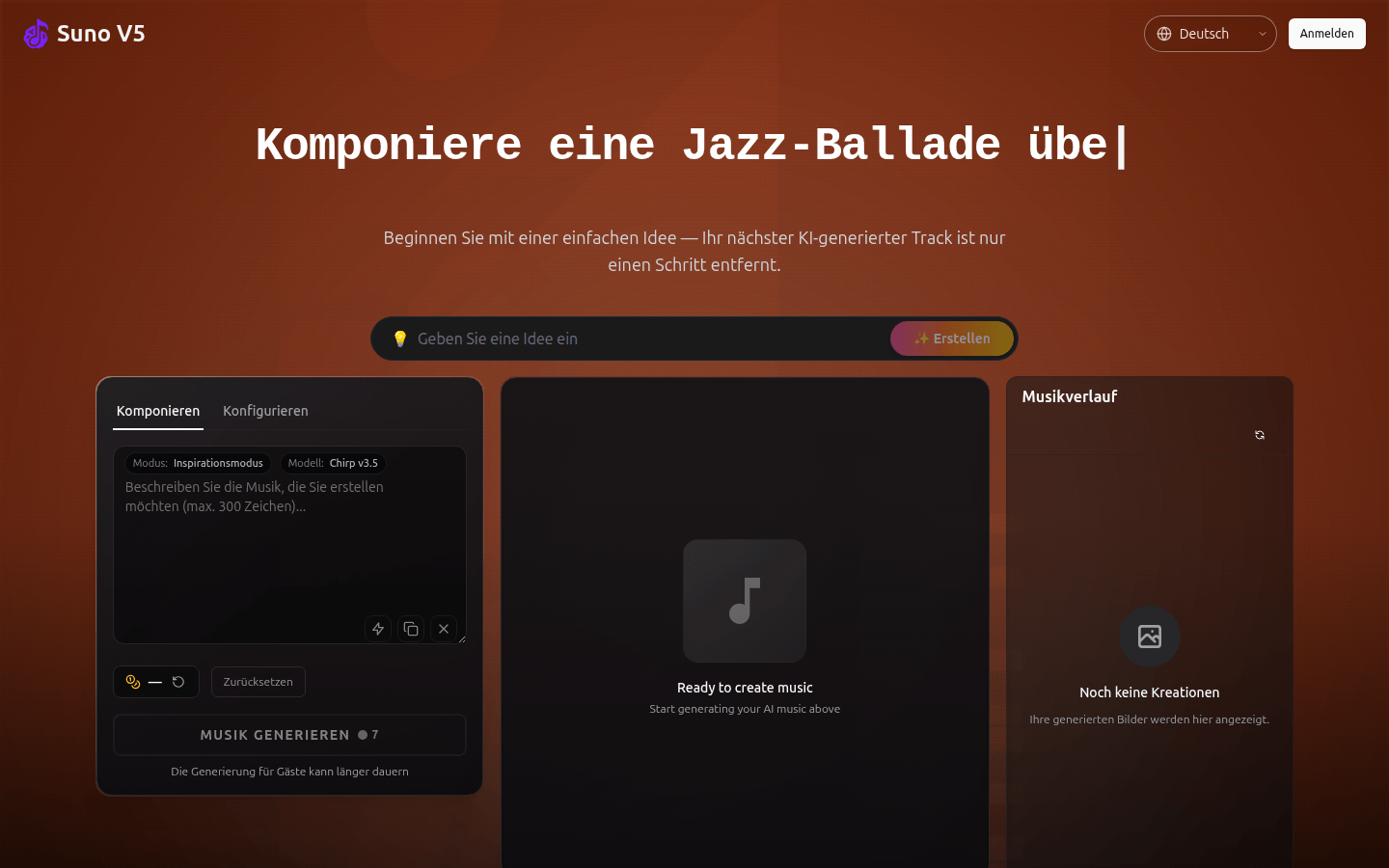
Screenshot archived from the listing page, for preview only.