
Sprite Sheet Maker
AI 2D game sprite generatorCreate, animate and export pixel art sprites as PNG, GIF or JSON
Highlights
What you can do with it
- A 2D adventure game generates a forest adventurer's sprites and animations, exported as PNG and JSON for an engine.
- A pixel RPG creates NPC, enemy and monster sprites and exports animated GIFs for preview.
- An indie mini-game designs weapon and prop sprites, edits details and exports for an engine.
How to use it
- 1 Describe the character, creature, item and visual details in the text box.
- 2 Generate and refine the sprite, choosing angle, direction, size and outline.
- 3 Pick an animation action, set frames and mode, and preview it.
- 4 Export as PNG, GIF or JSON and import into your game project.
Who it is for
Pros
- No art skills needed to get usable pixel art sprites from a prompt.
- Generation, animation, editing and export live in one tool.
- Free plan to try the core workflow before paying.
Limitations
- The free plan is limited; more credits and capacity need a paid plan.
- Generated sprites may need manual pixel editing to fit a specific style.
- Complex or very consistent sets can take several tries and credits.
What Sprite Sheet Maker is
SpriteSheetMaker is an AI-powered tool made for 2D game developers. Its purpose is to ease the art asset bottleneck in game development. You do not need art skills: you type a description of a character, item, creature or style, and it generates transparent pixel art sprites with AI. From there it can turn single sprites into coherent animation sequences, and it gives you a pixel editor to fix edges, colors and single pixels before export. It also splits sprite sheets, converts GIFs to frame sheets, scales art with crisp hard edges and packs texture atlases. A free plan lets you try the core workflow, and paid plans add more monthly credits and capacity.
What you can do with it
- Generate transparent pixel art sprites from a text prompt, then refine them.
- Animate sprites with selectable actions, frame counts and a live preview.
- Split sheets, convert GIFs to frames, scale art and pack texture atlases.
- Export as PNG, GIF or JSON, including engine-specific formats for engines and platforms.
Who it is for
- Indie game developers who lack a professional art team or budget.
- Game studios that want to speed up repetitive art asset creation.
- Game enthusiasts and students learning development without art training.
- Anyone prototyping 2D games who needs quick placeholder or final sprites.
What to watch out for
The free plan is limited, and more monthly credits and higher capacity require a paid plan, so check pricing before a big project. Generated sprites often need manual pixel editing to match a specific style or engine, and very consistent sets can take several tries and credits. It is a helper for art assets, not a full replacement for an artist on demanding projects, and output quality depends on how clearly you describe what you want.
FAQ
Is there a free plan?
Yes, a free plan lets you try the core workflow; paid plans add more monthly credits.
What can I export?
PNG, GIF and JSON, with support for engine-specific texture atlas formats.
Do I need art skills?
No, you describe what you want and the AI generates the pixel art, which you can refine.
Can it animate sprites?
Yes, it turns sprites into animation sequences with selectable actions and frame counts.
Why it is free
What the official page says: free plan
Free limits, trial length and features are decided by the official site and can change at any time.
Product preview
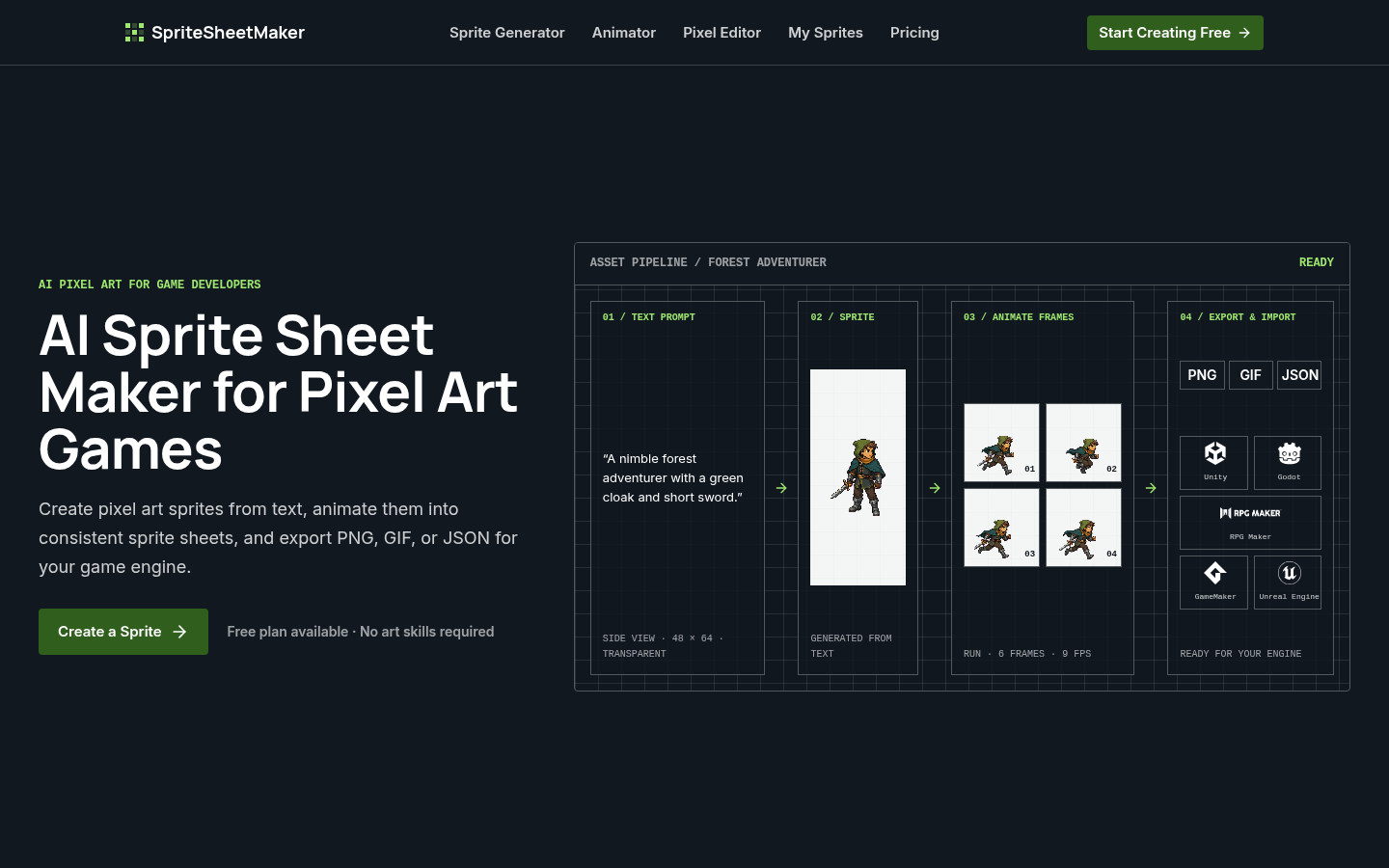
Screenshot archived from the listing page, for preview only.











