Replit
A browser IDE for writing and running code in 50+ languagesCode, run, and collaborate in one browser tab
Highlights
What you can do with it
- Start a project in any supported language without installing anything
- Collaborate with classmates or colleagues on the same code in real time
- Debug and complete code using the built in tools
How to use it
- 1 Visit replit.com and create an account
- 2 Start a new repl and pick your programming language
- 3 Write code in the browser editor and run it immediately
- 4 Use the debugger, autocomplete, and console to fix problems
- 5 Invite others to collaborate or manage versions as the project grows
Who it is for
Pros
- No local installation is needed to write and run code
- Real time collaboration makes shared projects simple
- Editing, debugging, and version control live in one place
Limitations
- The free tier has limits, and heavier or private use requires payment
- Browser based execution can be slower than a local environment for large projects
- Because code runs on Replit's servers, review data handling before storing private work
What Replit is
Replit is a powerful online IDE, compiler, and interpreter that allows you to write and run code in over 50 programming languages directly in your browser. Because everything runs in the browser, you can start a project without installing a toolchain, which lowers the barrier for beginners and makes quick experiments cheap. Replit supports real time collaboration, enabling team members to edit and run code at the same time, and it bundles a range of features including code completion, debugging tools, project management, and version control. A free tier is available, and pricing varies by user type and usage, with current plans published on the official site. For classrooms, small teams, and solo learners, it combines editor, runtime, and collaboration in a single tab.
What you can do with it
- Write and run code in more than 50 languages without local setup.
- Collaborate with teammates on the same project in real time.
- Debug and complete code with the built in debugger and autocomplete.
- Manage projects and versions without configuring a local git repository.
Who it is for
- Learners who want to start coding immediately without installing anything.
- Teachers and students who need shared projects that everyone can open and run.
- Teams that want quick collaborative editing, prototyping, and sharing of small applications.
What to watch out for
The free tier has limits, and heavier or private use requires payment, with pricing varying by user type and usage and subject to change. Browser based execution can be slower than a local environment for large projects, and some languages or packages are constrained by the sandbox. Because your code runs on Replit's servers, review the platform's data handling and privacy terms before storing private or sensitive work there.
FAQ
What is Replit?
Replit is a powerful online IDE, compiler, and interpreter for writing and running code in the browser.
How many languages does it support?
It supports writing and running code in over 50 programming languages.
Can multiple people work on the same project?
Yes. Replit supports real time collaboration, so team members can edit and run code simultaneously.
Is there a free tier?
Yes. A free tier is available, and pricing varies by user type and usage, with plans published on the official site.
Why it is free
What the official page says: free tier
Free limits, trial length and features are decided by the official site and can change at any time.
Product preview
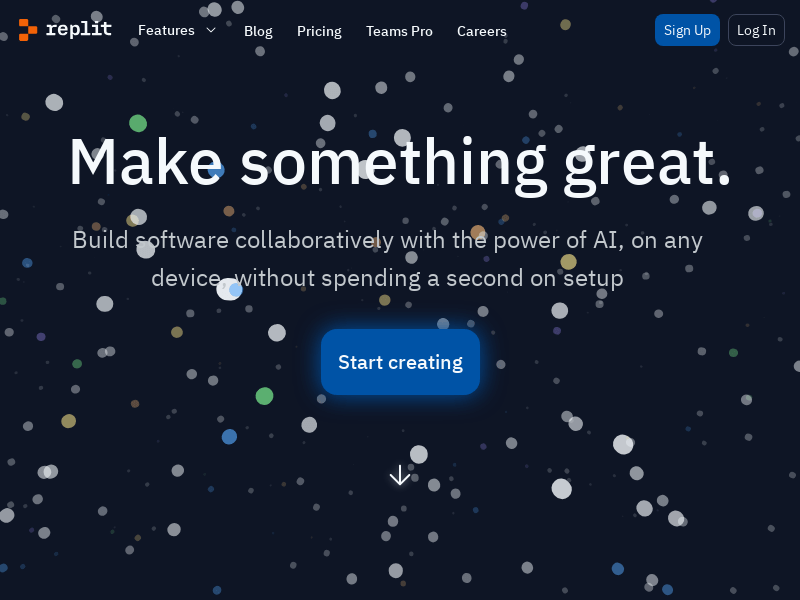
Screenshot archived from the listing page, for preview only.