
Orca
Free open-source multi-agent IDERun many AI coding agents in parallel, free
Highlights
What you can do with it
- Run different agents on auth, API logic, and front end at the same time
- Compare how different agents optimize the same algorithm
- Learn and practice with several AI coding agents on one project
How to use it
- 1 Download the Orca installer for your operating system
- 2 Install and open the Orca application
- 3 Configure the AI coding agents you want to use
- 4 Create a project and give each agent its own working tree
- 5 Start the agents and work in parallel, using the terminal and editor to manage output
Who it is for
Pros
- Free and open-source, so there is no license cost
- Isolated working trees stop agents from overwriting each other
- Runs on all major desktop operating systems
Limitations
- Free status may change if the project shifts its model
- It depends on separate AI agents, so each needs its own setup and access
- New features arrive daily, so the tool keeps changing under you
What Orca is
Orca is a free and open-source desktop application that acts as an agent development environment. It is released under the MIT license and runs on macOS, Windows, and Linux, so there is no cost to use it. Its main job is to let you run several AI coding agents at the same time, such as Claude Code, Codex, Gemini, and Cursor CLI. Each agent works inside its own isolated working tree, which keeps their edits from colliding. Orca bundles a flexible terminal with many split panes, an integrated file editor, and git tracking, so you can watch logs, edit files, and manage branches in one place. New features are released frequently, and companion apps for iOS and Android extend the workflow to mobile.
What you can do with it
- Run different agents on separate parts of a project at once, such as auth, API logic, and the front end.
- Point multiple agents at the same algorithm and compare their results.
- Use the built-in terminal, file editor, and git tools to keep work organized.
- Learn how different AI coding agents behave on real tasks.
Who it is for
- Professional developers who want to parallelize AI-assisted coding.
- AI developers who need to test and compare several agents.
- Students who want hands-on practice with AI coding tools.
- Teams that already work across macOS, Windows, and Linux.
What to watch out for
Orca itself is free and open-source, but the AI agents it runs are separate products that need their own setup, access, and possibly their own cost, so the total setup is more than just Orca. Because features ship daily, the interface and behavior can shift quickly, so expect to keep learning. Running many agents at once uses more system resources, so check that your machine can handle the load. As with any open-source tool, review releases before updating a project you depend on.
FAQ
Is Orca free?
Yes. It is completely free and open-source, released under the MIT license.
Which AI agents can it run?
It can run agents such as Claude Code, Codex, Gemini, and Cursor CLI in parallel.
What systems does it support?
It runs on macOS, Windows, and Linux, with iOS and Android companion apps.
Why it is free
What the official page says: completely free
Free limits, trial length and features are decided by the official site and can change at any time.
Product preview
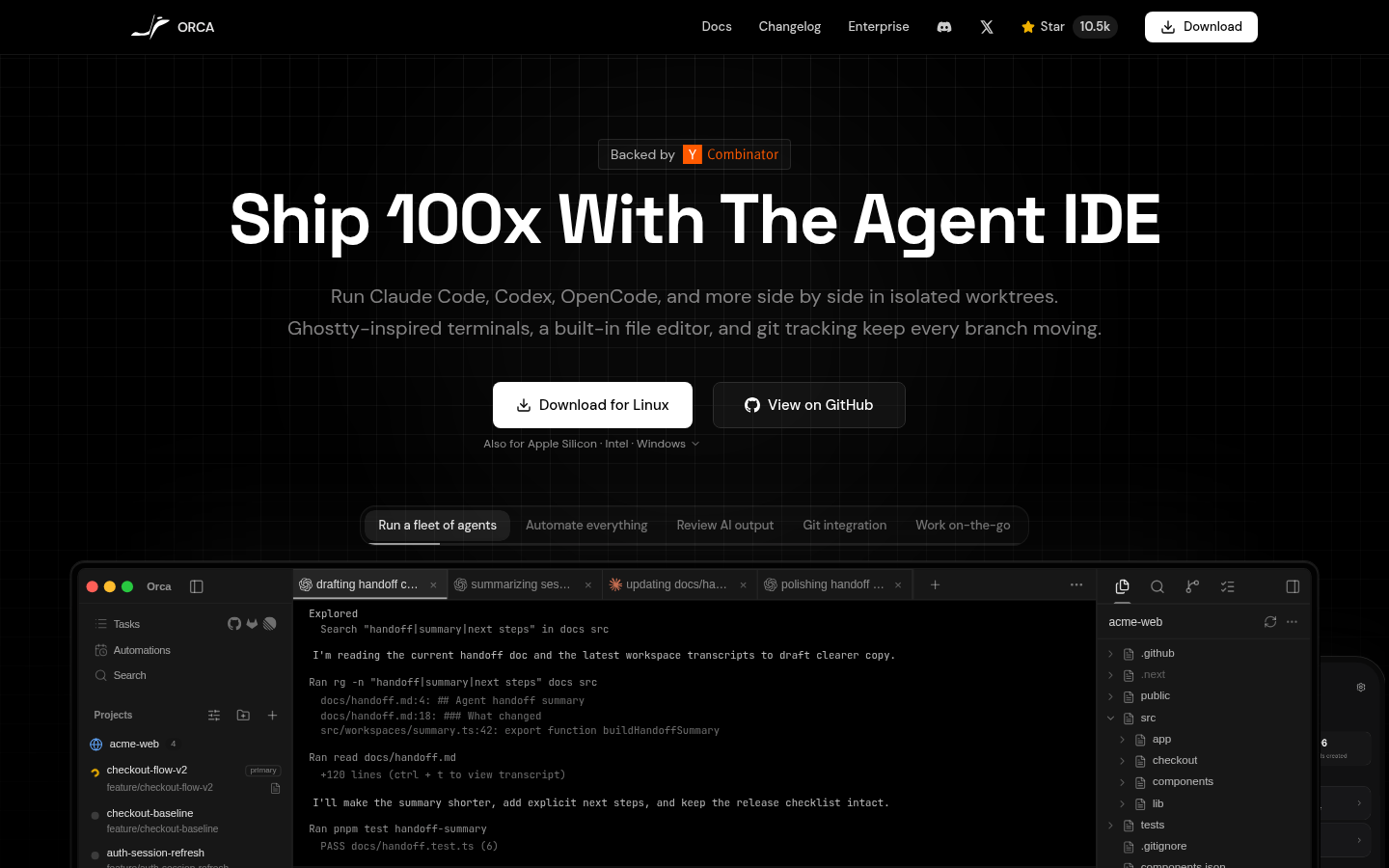
Screenshot archived from the listing page, for preview only.











