
Improve Image Quality
Free online AI image quality enhancerSharpen, restore, and upscale photos in your browser
Highlights
What you can do with it
- Restore a blurry family group photo so faces and details read clearly again
- Upscale a low resolution product image so it stays sharp on a printed poster
- Add period-appropriate color to a black and white historical photo for study or display
How to use it
- 1 Upload an image in JPG, PNG, or WebP format, up to 10MB per file.
- 2 Type a direct instruction, such as enhance clarity and keep the text unchanged, and note anything that should not change.
- 3 Generate, compare the result side by side with the original, and download if it looks right.
- 4 Adjust the instruction and run it again if you want a different outcome.
Who it is for
Pros
- No installation and no watermark, and you can try it with free credits after registering
- Six separate tools so you can target the exact problem instead of one generic filter
- Results come back fast and you can compare against the original before saving
Limitations
- Free credits are a trial allowance, so the free rules may change or run out as you use it
- Works best on clear instructions; vague prompts may need several attempts
- Scope is image enhancement only, so it does not replace full photo editing software
What Improve Image Quality is
Improve Image Quality is a free online tool that uses AI to fix common photo problems. You upload an image, describe what you want, and get a processed version back in the browser without installing anything. It is free to try: new users get credits after registering, and every operation shows the credits it costs. The output has no watermark, so you can use the result right away. Different tools inside the site target different issues, from sharpening to old photo repair, which lets you pick the one that matches your file. The aim is a fast, low-effort way to rescue pictures that are blurry, damaged, or too small to use.
What you can do with it
- Sharpen blurry or motion-affected photos and bring back edge and texture detail
- Restore old scans and prints by repairing scratches, stains, and fading
- Raise resolution so an image stays clear when printed or published
- Remove noise and grain from low-light shots without a plastic filter look
- Clean up blurry text on documents, posters, and screenshots
- Add realistic color to black and white photos based on the time period
Who it is for
- Everyday users fixing family snapshots and phone photos
- Small businesses that need a product image good enough for a poster or listing
- Researchers and hobbyists working with old, scanned, or black and white pictures
What to watch out for
The free credits are a trial allowance, so the free rules may change or your balance may run out as you work. The tool responds to written instructions, so vague prompts often need a second or third try before you get the look you want. It also covers image enhancement only, not full editing like layering or compositing, so treat it as a fixer rather than a replacement for a photo editor. Keep prompts specific and expect to iterate for the best result.
FAQ
Is it really free to use?
You can register and get free credits to try the tools. Each operation shows the credits it needs, so keep an eye on your balance.
What files can I upload?
JPG, PNG, or WebP images up to 10MB each. Photos, scans, and screenshots all work.
Will the output have a watermark?
No, the results are delivered without watermarks so you can use them right away.
Why it is free
What the official page says: for free
Free limits, trial length and features are decided by the official site and can change at any time.
Product preview
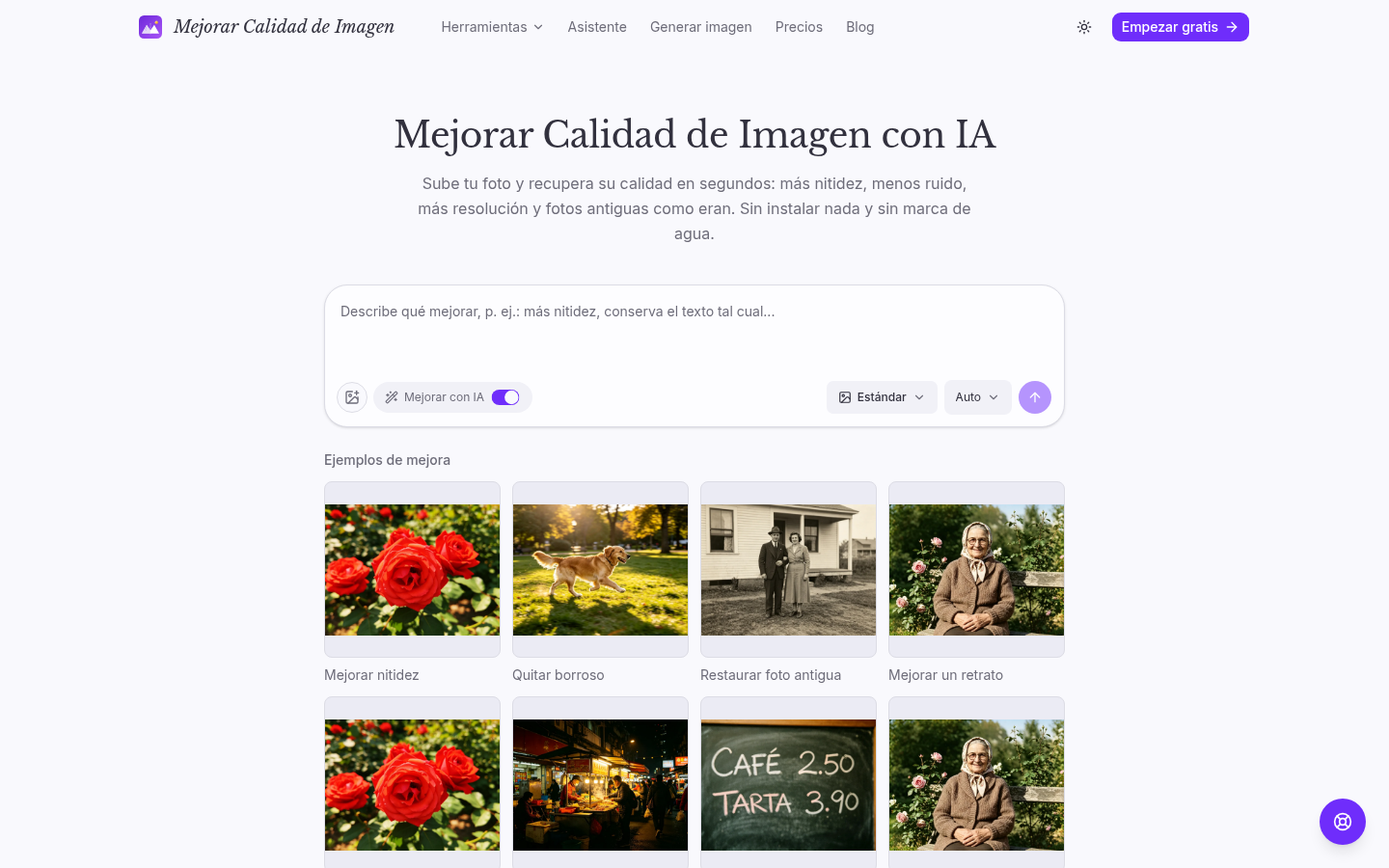
Screenshot archived from the listing page, for preview only.











