Ideogram.ai
AI images with clear textFree credits for images with text
Highlights
What you can do with it
- Logos and posters that need readable text
- Social media graphics, blog covers and illustrations
- Brand and marketing visuals for campaigns
How to use it
- 1 Go to ideogram.ai and sign in
- 2 Type a prompt that includes the text you want shown
- 3 Pick one or more predefined styles
- 4 Generate, review the result and download the image
Who it is for
Pros
- Text accuracy is a stated strength of the model
- Many predefined styles with no setup needed
- Free credits let you test quality before paying
Limitations
- Public beta status means features and styles can shift
- Free credit amounts and limits are set by the official site
- Complex prompts may still need several attempts
What Ideogram.ai is
Ideogram.ai is an AI image generation website built by a team that includes former Google Brain researchers. Its main focus is text inside images: the generator is designed to render letters, words and symbols in different fonts, sizes, colors and styles, which has long been a weak point for other AI image generators. The site runs as a public beta and offers predefined styles such as Layout, 3D rendering, film, painting, fashion, products, illustrations, conceptual art and ukiyo-e, and you can apply several styles at once. A free tier exists, and the free tier notes mention free credits; exact allowances and limits are set by the official site and can change.
What you can do with it
- Generate images with readable text and logos
- Apply styles like Layout, 3D, film and painting
- Combine multiple styles in a single generation
- Create illustrations, posters and social graphics
Who it is for
- Creative designers looking for inspiration and material
- Advertising, brand and marketing teams
- Content creators and social media managers
Prompts that mix several ideas at once tend to produce weaker results than focused ones, so keep the text short and clear.
What to watch out for
Because the product is still described as a public beta, features and styles can change between visits, and examples shared by the community do not guarantee the same result for your prompt. Free credits are limited, and the exact quota is set by the official site, so budget your generations. Text rendering is a strength, but long or unusual wording may still need several attempts. As with any generator, review outputs before publishing, and make sure you have the rights to any logos or brand names you include in a prompt.
FAQ
What makes Ideogram different?
It is built to render text inside images accurately, with fonts, sizes and colors you can control, which many other AI image generators struggle with.
Is there a free option?
The site runs a public beta and the free tier notes mention free credits. Exact quotas are set by the official site and can change.
Which styles can I use?
Predefined styles include Layout, 3D rendering, film, painting, fashion, products, illustrations, conceptual art and ukiyo-e, and you can apply several at once.
Why it is free
What the official page says: free credits
Free limits, trial length and features are decided by the official site and can change at any time.
Product preview
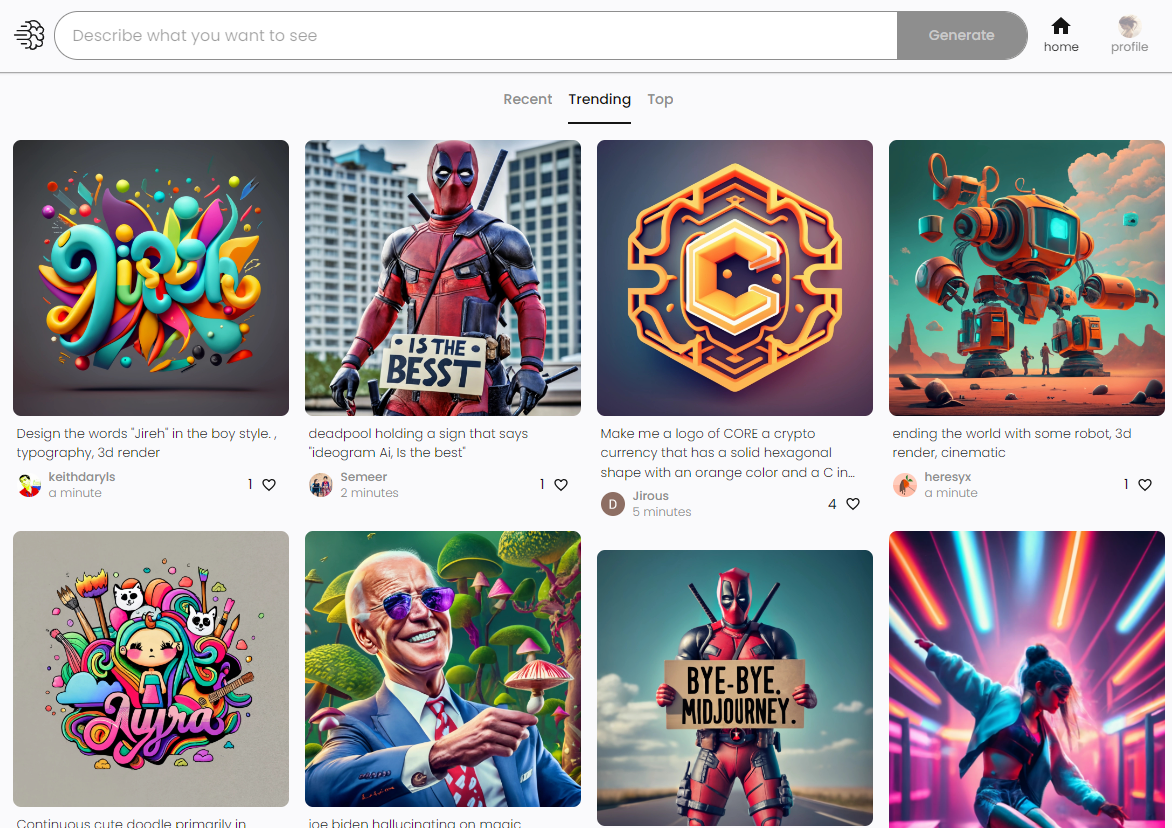
Screenshot archived from the listing page, for preview only.











