
Guse
AI workflow automation in a spreadsheetAutomate any workflow from a simple spreadsheet
Highlights
What you can do with it
- Automating an SEO content pipeline from brief to draft
- Pushing and updating records inside Salesforce from a sheet
- Turning a repeated internal process into an app teammates can run
How to use it
- 1 Register an account on the Guse website.
- 2 Create a new workflow and define the columns you need.
- 3 Reference other columns to link steps into a chain.
- 4 Run cells or rows to test the automation.
- 5 Deploy the workflow as an application and share it with your team.
Who it is for
Pros
- Free plan available without a credit card
- Familiar spreadsheet layout lowers the learning curve
- Deploying a workflow as an app makes it reusable by others
Limitations
- Advanced features and higher volume sit behind paid plans
- Automation logic still needs clear column design to stay readable
- Depends on third party integrations staying available
- Spreadsheet thinking can get messy for very complex branching
What Guse is
Guse is an AI powered automation tool built around a spreadsheet interface. Instead of dragging nodes on a canvas or writing code, you work in a grid where each column holds either raw data or an action. Other columns can reference those columns, which chains steps into a workflow. You can then run a single cell or a whole row whenever you need a result. Once a workflow is stable, it can be deployed as an application so colleagues can use it without touching the underlying sheet. The free plan lets you begin without a credit card, and paid plans add room for larger teams and heavier use.
What you can do with it
- Define data and actions as columns in a familiar grid.
- Reference columns to build multi step automation chains.
- Run individual cells or entire rows on demand.
- Deploy a finished workflow as an application for other people.
- Connect to tools such as Salesforce, Notion, and Slack.
Who it is for
- Operations and marketing teams that already think in spreadsheets.
- Small teams that want automation without hiring a developer.
- Founders who need internal tools built quickly and cheaply.
What to watch out for
Advanced features and volume sit behind paid plans, so growing workflows usually mean growing costs. Because logic lives in column references, a large sheet can become hard to read and debug without clear naming. The tool also depends on third party integrations remaining available and stable, and anything that breaks upstream can break your automation. Finally, spreadsheet style building works well for linear processes but gets awkward when you need heavy branching or exception handling.
FAQ
Do I need to code to use Guse?
No. Workflows are built by defining and referencing columns in a spreadsheet style interface.
Is there a free plan?
Yes, Guse offers a free plan that you can start without a credit card, with paid plans for larger needs.
What tools can Guse connect to?
It lists integrations with common platforms such as Salesforce, Notion, and Slack.
Why it is free
What the official page says: free plan
Free limits, trial length and features are decided by the official site and can change at any time.
Product preview
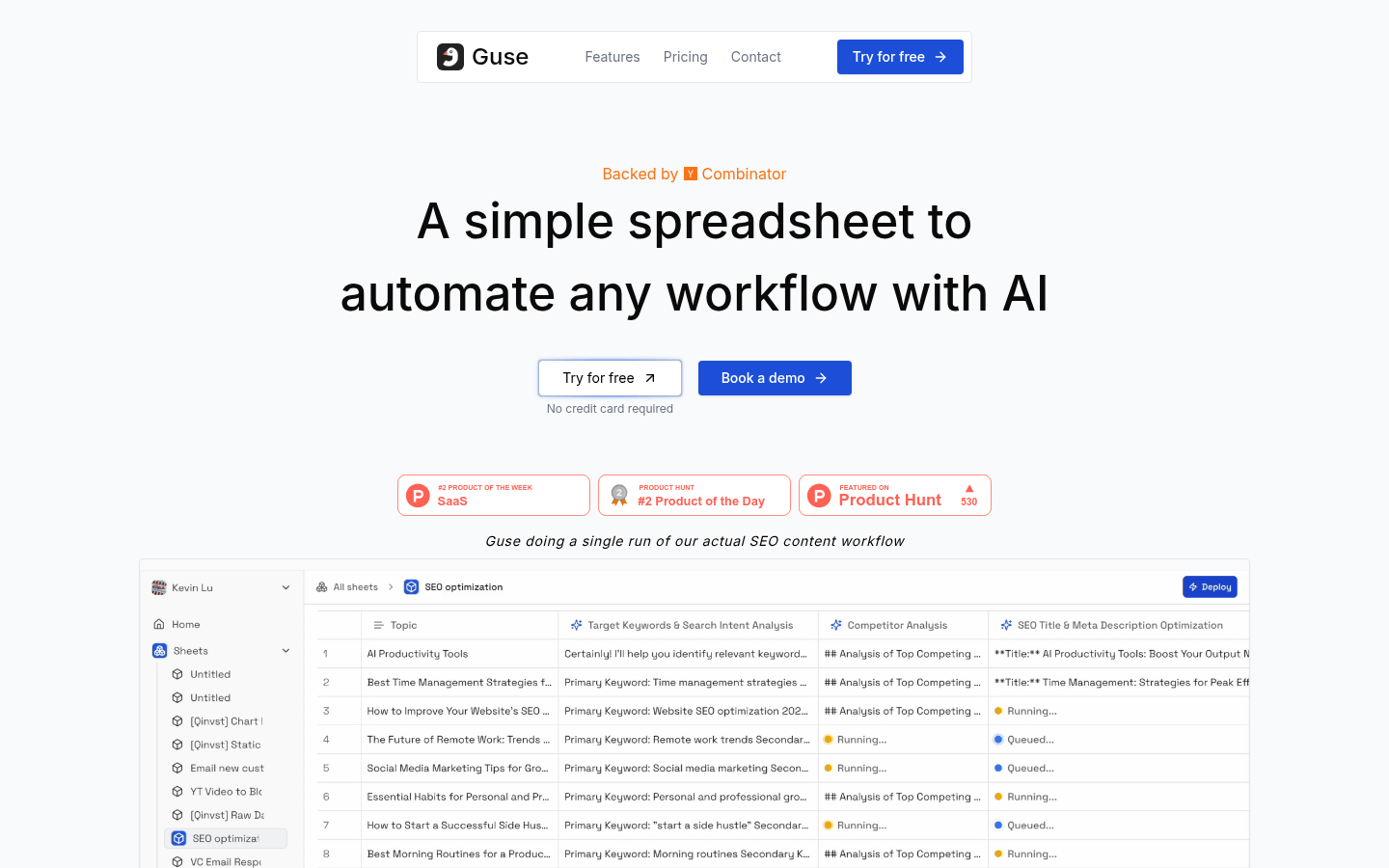
Screenshot archived from the listing page, for preview only.











