Graph Maker
Free AI chart maker from CSV or Google SheetsTurn spreadsheet data into charts in seconds with AI
Highlights
What you can do with it
- Sales teams building regional performance charts quickly
- Marketing teams visualizing campaign return on investment
- Finance teams turning numbers into clear visual reports
How to use it
- 1 Open Graph Maker and upload a CSV or connect Google Sheets
- 2 Describe the chart you want or pick a chart type
- 3 Let the AI generate the chart from your data
- 4 Customize colors, labels, and layout as needed
- 5 Export the finished chart for your report or deck
Who it is for
Pros
- Free version available with no design skills required
- Works with common CSV files and Google Sheets
- Natural language input makes chart creation fast
Limitations
- Free version limits and Pro pricing may change over time
- Chart quality depends on how clean your source data is
- Advanced customization may need a paid plan
What Graph Maker is
Graph Maker is a free AI powered charting tool built to make data visualization simple. Instead of fighting with complex spreadsheet menus, you upload a CSV file or connect Google Sheets and let the tool build the chart. It can produce bar charts, scatter plots, pie charts, histograms, and line charts. You can also describe what you want in plain language, and the AI turns that into a visual. The product exists so that people without design training can still make clear, professional looking charts from their own numbers.
What you can do with it
- Upload CSV files or connect Google Sheets as your built-in information
- Generate several common chart types from the same dataset
- Ask for a chart using natural language instead of menus
- Customize and export the result for reports and presentations
Who it is for
- Sales and marketing teams that need charts on a deadline
- Finance and operations staff who build recurring reports
- Anyone who wants a clean visual without learning design software
What to watch out for
The free version covers basic charting, and some advanced features sit behind the paid Pro plan, so review the current limits before you commit. Chart quality depends heavily on how clean and well structured your source data is, so messy spreadsheets may need tidying first. Because pricing and features can change, check the site for the latest plan details. Exported charts are a starting point that you may still want to polish for formal publications. Generated suggestions are for reference only, so verify anything that affects professional judgment or important data. Start with a small sample to confirm the output meets your expectations before processing the full batch.
FAQ
Is Graph Maker free?
It has a free version, and a paid Pro plan for users who need more features.
What built-in informations can I use?
You can upload CSV files or connect data from Google Sheets.
Which charts can it create?
It supports bar charts, scatter plots, pie charts, histograms, and line charts.
Why it is free
What the official page says: free version
Free limits, trial length and features are decided by the official site and can change at any time.
Product preview
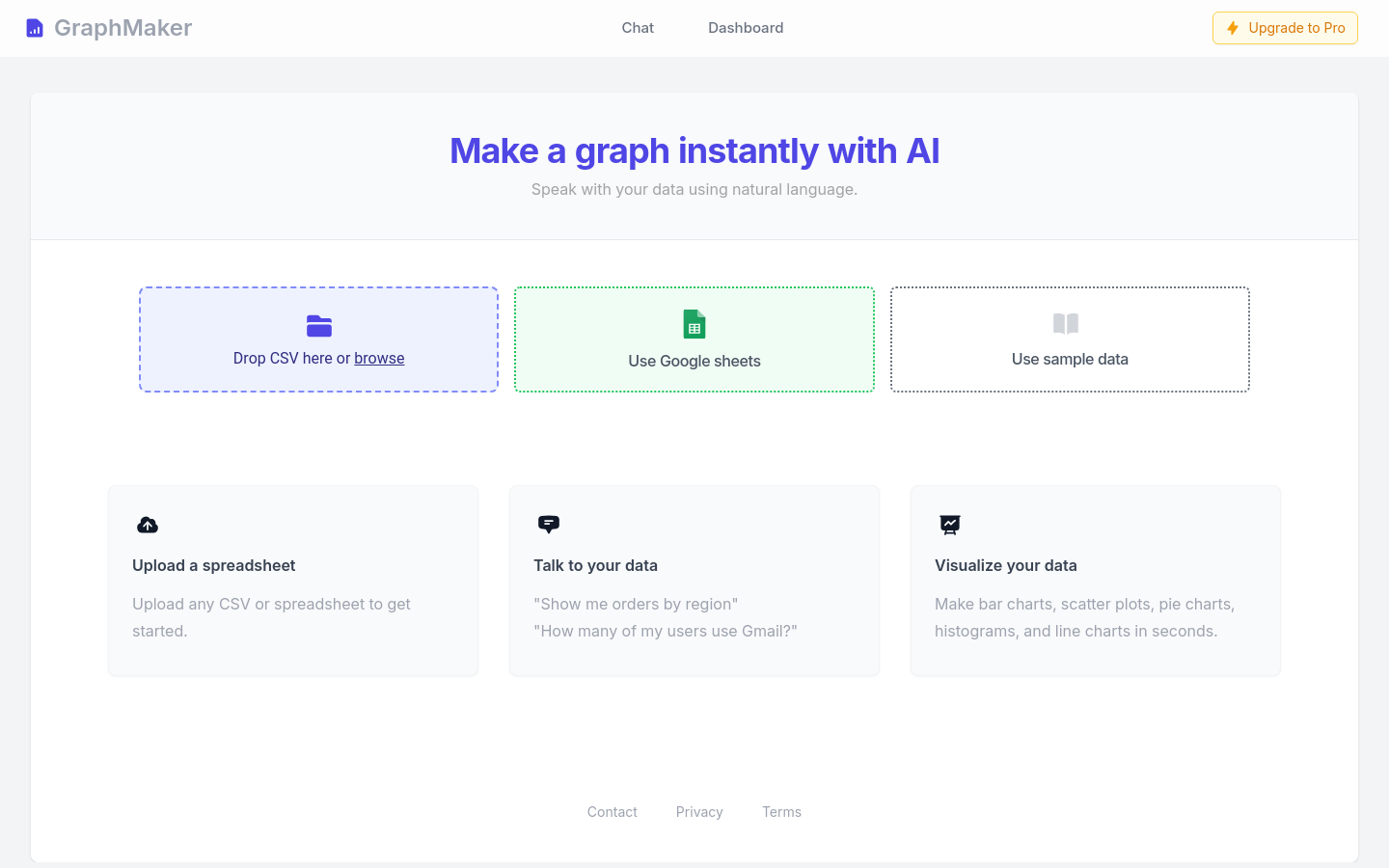
Screenshot archived from the listing page, for preview only.