
Free GPT IM
Free AI image generatorGenerate images with GPT Image 2, free
Highlights
What you can do with it
- A designer generates logo ideas in several styles for a client.
- A writer makes food images to illustrate an article.
- A student builds a scene image for a school poster.
How to use it
- 1 Enter freegpt.im in your browser.
- 2 Choose text to image or image to image.
- 3 Type your description, or upload a reference image.
- 4 Pick a preset style and set the aspect ratio if you want.
- 5 Complete the Cloudflare Turnstile check.
- 6 Click generate and wait for the result.
- 7 Save the image, then reload the page to make another.
Who it is for
Pros
- Free to use with no account or payment step.
- 13 languages for the interface and the prompts.
- Local browser storage keeps images off the site server.
- Preset styles make a first attempt quick.
Limitations
- A daily cap of 30 images per device applies.
- Only one image per page load, so you must reload to continue.
- A Cloudflare Turnstile check sits before each generation.
- The service is ad funded and depends on the upstream model, so limits and rules can change.
What FreeGPT IM is
FreeGPT IM is a free image generation website that runs on OpenAI's GPT Image 2 model. It exists so that people can make images without owning a ChatGPT account, without logging in and without entering a credit card. The site supports text to image and image to image work, offers its interface and prompts in 13 languages, and includes preset styles such as movie portraits, studio product shots and anime conversions. Images are written into IndexedDB in your own browser as binary blobs and are not held on the website server, which the site presents as a privacy measure. Running the model costs money, so the site funds itself with advertising revenue.
What you can do with it
- Turn a written description into an image.
- Upload a picture and generate a new image related to it.
- Pick a preset style to skip long prompt writing.
- Set the aspect ratio before you generate.
- Keep the result in your browser and save it locally.
- Work in any of the 13 supported interface languages.
Who it is for
- Designers exploring logo and concept directions quickly.
- Content creators who need images to match an article.
- Students and casual users making pictures for school or personal projects.
What to watch out for
The free tier is capped at 30 images per device per day, and only one image is produced per page load, so you have to reload the page to keep going. Every generation passes through a Cloudflare Turnstile check, which adds a step and can be annoying when you are working quickly. The service depends on advertising revenue and on the upstream model staying available, so the daily limit, the style list and the access rules can change without notice. Output quality still tracks your prompt, so expect to rewrite descriptions rather than get the right image on the first try.
FAQ
Do I need an account?
No. There is no registration, no login and no credit card.
How many images can I make for free?
Each device is limited to 30 images per day.
Where are my images stored?
They are kept in IndexedDB inside your browser and are not stored on the website server.
What can I generate?
Text to image and image to image results, with preset styles such as movie portraits, studio product shots and anime.
Why it is free
What the official page says: no registrationcompletely free
Free limits, trial length and features are decided by the official site and can change at any time.
Product preview
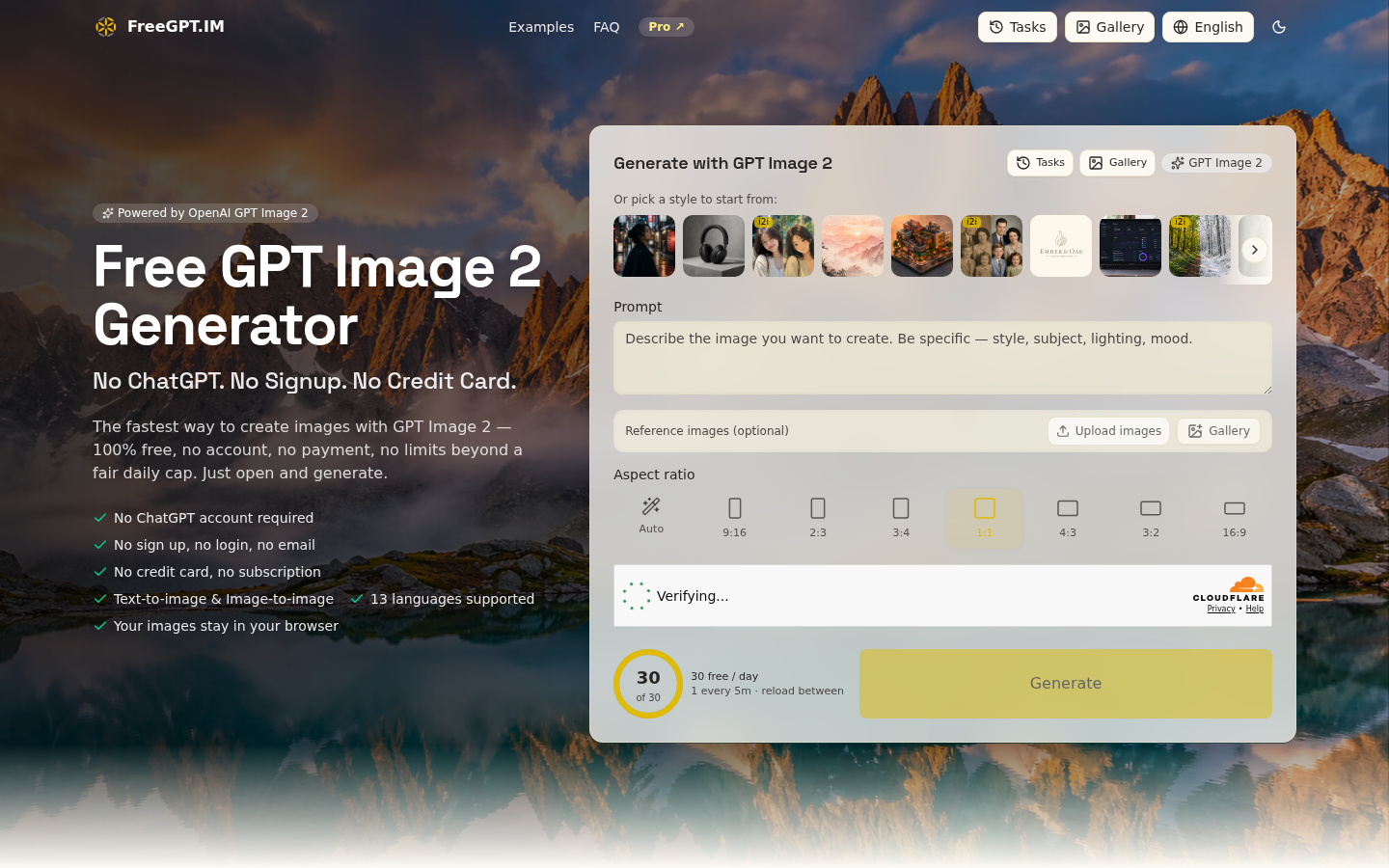
Screenshot archived from the listing page, for preview only.











