
FloorAI
AI floor plans from sketches and photosRedraw any sketch into a clean plan
Highlights
What you can do with it
- Turn a photo of an old property plan into a clean listing image
- Redraw a 1980s measurement drawing into a professional plan
- Describe a room layout in text and generate a starting plan
How to use it
- 1 Visit floorai.ai in your browser
- 2 Upload a sketch, photo, PDF, or describe the space in text
- 3 Choose a drawing style such as 2D color or 3D isometric
- 4 Generate the plan and wait for processing
- 5 Edit in the built-in editor, then export as PNG, PDF, or 3D
Who it is for
Pros
- Accepts many input types, including text
- Editable output before you export
- 3D views help non-specialists read the space
Limitations
- Free terms may change, so confirm on the site
- Accuracy depends on the quality of the input
- Complex plans still need manual editing
What FloorAI is
FloorAI is an AI floor plan generator that converts many kinds of input into clean, clearly labelled floor plans. You can upload a photo of an old drawing taken on a phone, a sketch on graph paper, a PDF, or simply describe the space in text. The tool then produces a plan you can read and share. It supports several drawing styles, including 2D color, 2D schematic, technical blueprint, and 3D isometric views, so the same input can be presented for different audiences. It can be used for free and does not require a credit card.
What you can do with it
- Turn photos, sketches, PDFs, or text into a floor plan
- Choose between 2D and 3D drawing styles
- Edit the plan by dragging walls, renaming rooms, and moving furniture
- Correct tilted or curled scans automatically and compare layout options
Who it is for
Architects who want to move quickly from a rough sketch to a professional plan, real estate agents who need to clean up old property drawings for listings, and interior designers who build layouts from a client brief all benefit from FloorAI. It also helps non-specialists, because the 3D isometric view makes a space easy to understand without training in reading plans. Anyone who needs a fast first draft of a layout will find it practical.
What to watch out for
The quality of the result depends heavily on the input, so a blurry photo or a vague text description will produce a weaker plan. Complex or irregular buildings may still need significant manual editing in the built-in editor. Free access terms can change, so check the website for current limits before you rely on it for paid client work, and treat the output as a starting point rather than a construction document.
FAQ
Is FloorAI free?
It can be used for free and asks for no credit card, and you can edit before exporting.
What inputs does it accept?
Photos of drawings, sketches, PDFs, and text descriptions of a space.
Which styles are available?
2D color, 2D schematic, technical blueprint, and 3D isometric views.
Can I edit the result?
Yes, you can drag walls, rename rooms, and move or rotate furniture in the editor.
Why it is free
What the official page says: for free
Free limits, trial length and features are decided by the official site and can change at any time.
Product preview
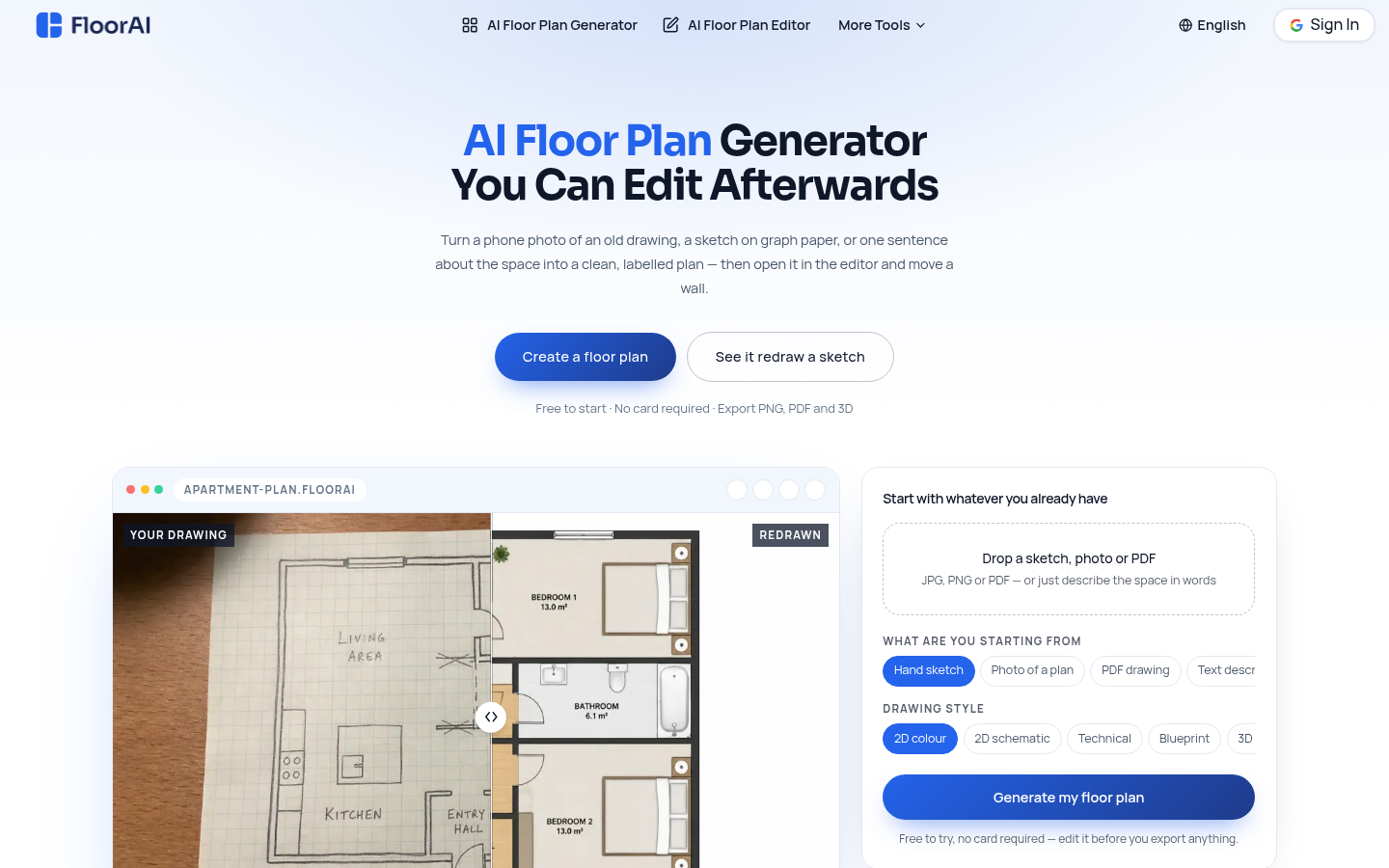
Screenshot archived from the listing page, for preview only.











