ElevenLabs
AI voice generation toolFree monthly credits for AI voices
Highlights
What you can do with it
- Narration for videos and podcasts
- Audiobook and novel readings
- Prototyping voice interfaces and demos
How to use it
- 1 Visit elevenlabs.io and sign up
- 2 Choose a voice or set up voice cloning
- 3 Enter the text you want spoken
- 4 Pick language and style settings
- 5 Generate the audio and download it
Who it is for
Pros
- A free tier with monthly credits for testing
- Multilingual voices with natural tone
- Both ready voices and custom cloning
Limitations
- Voice cloning requires consent; cloning someone without permission may break platform rules or law, and consequences rest with the user
- Free monthly credits are limited and can change
- Generated voices can still sound unnatural on complex text
What ElevenLabs is
ElevenLabs is a text-to-speech and voice cloning platform. It generates high-quality audio in different voices, styles and languages, and the feature list covers high-quality voice generation, voice cloning, multilingual support and natural sound and tone. The site positions the tools for content creators, novelists and anyone designing audio experiences that go beyond plain text. Voice cloning works from sample audio, so the quality of the result depends on the recording you provide. A free tier exists, and the free tier notes mention free monthly credits; exact quotas are set by the official site and can change.
What you can do with it
- Turn written text into spoken audio
- Clone a voice from sample recordings
- Produce multilingual narration in one workflow
- Prototype voices for apps and demos
Who it is for
- Content creators adding narration to video
- Authors and audiobook producers
- Developers building voice features
Multilingual support means the same script can be turned into audio for different audiences without rerecording.
Keep sample recordings clean, since background noise carries into the cloned voice, and short samples limit how natural the result sounds.
Keep sample recordings clean, since background noise carries into the cloned voice, and short samples limit how natural the result can sound.
What to watch out for
Voice cloning raises serious consent questions. Only clone a voice you own or have clear permission to use; cloning someone without consent may violate platform rules or the law, and the consequences fall on you, not the platform. Free monthly credits are limited and can change. Generated speech can still sound flat or mispronounce unusual names, so review every track before publishing, and check platform rules if you publish generated audio publicly.
FAQ
What is ElevenLabs used for?
Turning text into speech, cloning voices, and creating multilingual audio for videos, podcasts, audiobooks and prototypes.
Is ElevenLabs free?
A free tier exists with free monthly credits. Exact quotas are set by the official site and can change.
Can I clone any voice?
Only use voices you own or have permission to clone. Cloning a person without consent may violate platform rules or law, and the user carries the consequences.
Why it is free
What the official page says: free monthly credits
Free limits, trial length and features are decided by the official site and can change at any time.
Product preview
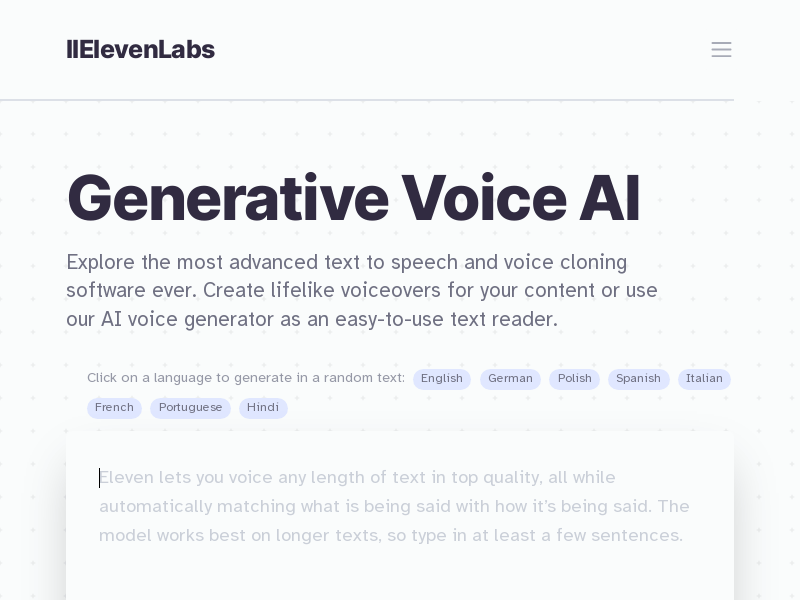
Screenshot archived from the listing page, for preview only.