Dictanote
Voice-to-text note-taking appDictate notes and transcribe speech in real time
Highlights
What you can do with it
- Dictate notes instead of typing them
- Transcribe speech in real time during a talk
- Capture ideas hands-free with voice commands
How to use it
- 1 Open the Dictanote app or website
- 2 Start voice input with a shortcut or click
- 3 Speak and watch the text appear in real time
- 4 Use voice commands to add punctuation or fix errors
- 5 Save and organize your notes
Who it is for
Pros
- Free to use for voice note-taking
- Real-time transcription with high claimed accuracy
- Wide language and dialect support
Limitations
- Free version has limits; advanced features are paid
- Accuracy drops with noise, accents, or fast speech
- Needs a working microphone and a quiet setting
What Dictanote is
Dictanote is a note-taking app with voice recognition that lets you input text using your voice. It transcribes your speech to text in real time, and you can add paragraphs, punctuation, and even emojis as you speak. It supports more than 50 languages and 80-plus dialects, and it offers voice commands to insert punctuation and technical terms or to correct errors, along with keyboard shortcuts to start or stop dictation and switch languages. The site states that recognition accuracy exceeds 90 percent, which it says is above most offline services. You can use Dictanote for free, with paid subscriptions for more advanced features.
What you can do with it
- Dictate notes and transcribe speech in real time
- Add punctuation, terms, and emojis by voice command
- Switch between many languages and dialects
- Capture ideas hands-free while you talk or think
- Save and organize the notes you dictate
Who it is for
- People who prefer speaking over typing
- Note-takers who want hands-free capture
- Users who work in more than one language
- Anyone who wants to draft text while walking or multitasking
What to watch out for
Dictanote is free to start, but advanced features require a paid subscription, and the free limits and pricing can change. Voice recognition accuracy depends on your microphone, background noise, accent, and speaking speed, so expect to edit the transcript, especially for technical terms or names. Because it listens to your voice, use it in settings where recording is appropriate, and review the text before you rely on it for anything important, since a misheard word can change the meaning of a note.
FAQ
Is Dictanote free?
Yes. You can use Dictanote for free, and paid subscriptions unlock additional advanced features.
How accurate is it?
The site says recognition accuracy exceeds 90 percent, which it says is above most offline services.
How many languages does it support?
It supports more than 50 languages and 80-plus dialects, with voice commands to switch languages.
Why it is free
What the official page says: for free
Free limits, trial length and features are decided by the official site and can change at any time.
Product preview
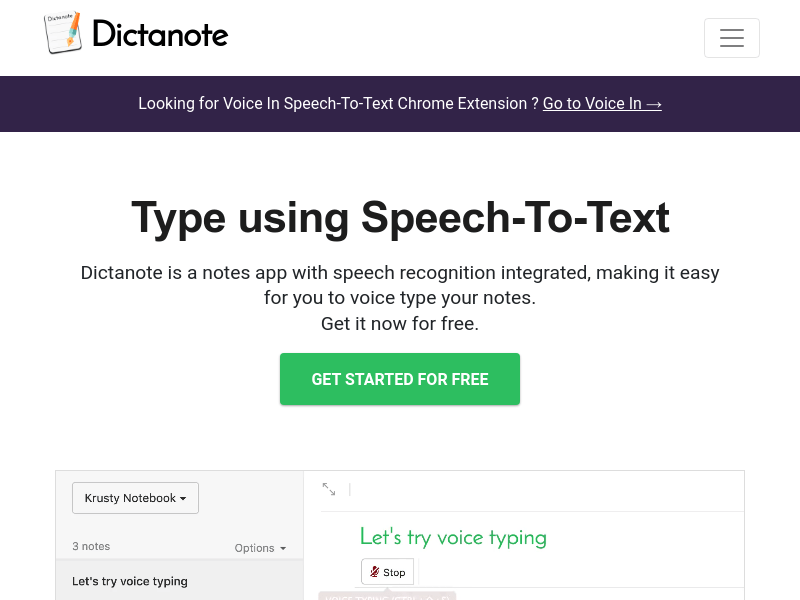
Screenshot archived from the listing page, for preview only.