Devstral 2 Next
Open source coding model and CLISoftware engineering help from an open model
Highlights
What you can do with it
- Professional developers fixing vulnerabilities across a large codebase
- Small enterprises running Devstral Small 2 locally on consumer GPUs
- Large enterprises customising Vibe CLI for an internal codebase
How to use it
- 1 Install Mistral Vibe CLI with the published curl command
- 2 For data centre use, prepare at least 4 H100 class GPUs and set temperature to 0.2
- 3 For local or edge use, run Devstral Small 2 on consumer grade GPUs
- 4 Add the Zed extension or connect another IDE through the Agent Communication Protocol
Who it is for
Pros
- Open source model with a permissive licence family
- Handles multi-file changes with architectural context
- Local deployment option for teams that cannot send code out
- Free API access at the moment
Limitations
- Data centre deployment needs serious GPU capacity, at least 4 H100 class cards
- Free API access is current, and per-token pricing is planned for later
- Benchmark numbers come from the vendor and may not match your workload
- Command line workflow has a learning curve compared with an editor plugin
What Devstral 2 Next is
Devstral 2 is an open source coding model with 123B parameters and a 256K context window, released alongside Mistral Vibe CLI, an open source command line coding assistant. The listing reports 72.2 percent on SWE-bench and describes the model as cost effective for software engineering work. Licensing is a modified MIT licence for the model and Apache 2.0 for the CLI. There are two deployment shapes: Devstral 2 for data centres, and Devstral Small 2 for local and edge machines, which also accepts image input. Access through the API is free right now, with future pricing listed between 0.40 and 2.00 dollars per million tokens.
What you can do with it
- Explore a codebase and make coordinated changes across several files.
- Track framework dependencies and retry failed steps automatically.
- Scan file structure and git status for project aware context.
- Auto-complete referenced files and run shell commands from the assistant.
- Keep persistent history and customise the look of the CLI.
- Run it inside Zed or another IDE through the Agent Communication Protocol.
Who it is for
- Professional developers maintaining large or multi-package codebases.
- Small enterprises that want local deployment without a large hardware bill.
- Large enterprises customising a coding assistant for internal standards.
- Researchers who want an open model they can inspect and benchmark.
What to watch out for
The serious deployment path is expensive. The listing states at least 4 H100 class GPUs for data centre use, and Devstral Small 2 still needs a capable consumer GPU. Free API access is a current condition rather than a guarantee, and per-token pricing is planned, so cost planning matters. The reported benchmark score comes from the vendor and may not transfer to your codebase or language mix. Finally, a command line assistant has a learning curve, and teams used to editor plugins should budget time to adapt their workflow before judging the results.
FAQ
Is Devstral 2 free?
It is currently free to use through the API. Future pricing is listed between 0.40 and 2.00 dollars per million tokens.
What licences apply?
The model uses a modified MIT licence and Mistral Vibe CLI uses Apache 2.0.
What hardware do I need?
For data centre deployment the listing says at least 4 H100 class GPUs. Devstral Small 2 runs on consumer grade GPUs for local and edge use.
Can it work with my editor?
Yes, Vibe CLI ships as a Zed extension and can connect to other IDEs through the Agent Communication Protocol.
Does the small version take images?
Yes, the listing says Devstral Small 2 supports image input.
Why it is free
What the official page says: for free
Free limits, trial length and features are decided by the official site and can change at any time.
Product preview
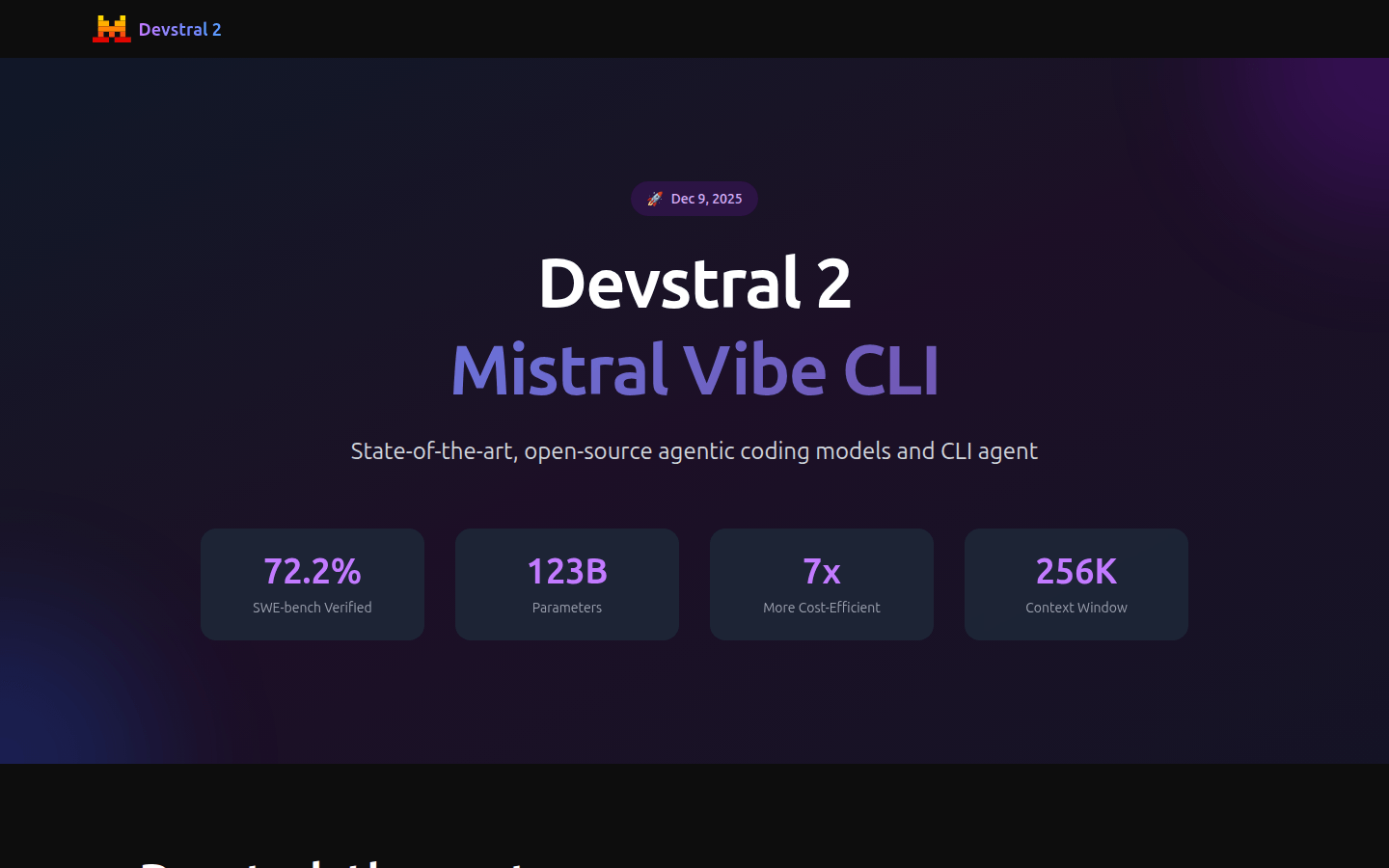
Screenshot archived from the listing page, for preview only.