
ZOOOP
Browser canvas for AI image, video, and audio workGenerate images, video, voice, and motion on one canvas
Highlights
What you can do with it
- An illustrator drafts and refines work from text prompts
- A marketing team builds promo video from product features
- An audiobook studio turns text into natural narration
How to use it
- 1 Visit https://zooop.ai and register; new users get startup credits.
- 2 Choose the module you need, such as AI pictures, AI videos, or AI audio.
- 3 Search for a template or publish your own in the creator center.
- 4 Enter text or upload image and video material, then generate.
- 5 Refine the result with tools like background removal and HD enhancement.
Who it is for
Pros
- Several model families without switching tools
- Startup credits and free team seats to begin with
- Image cleanup tools included for fixing materials
Limitations
- Credits run out, and heavier use means buying packages
- AI motion cloning copies human movement; only use footage you have rights to and check platform rules
- Model availability can change as providers update their services
What ZOOOP is
ZOOOP is an AI native creative platform that runs in the browser. It generates images from text or pictures, video from text or pictures, and natural voices from text, drawing on models such as GPT Image 2, Seedream 5, Seedance 2, Veo 3.1, ElevenLabs, and Minimax. Beyond generation it lists AI motion cloning driven by reference video, specialized image tools such as background removal, high definition enhancement, and partial redrawing, and a template system where published templates can earn credit revenue. The personal plan is pay as you go with startup credits for new users, and the team version starts free with three creator seats.
What you can do with it
- Generate images, video, and voice from one canvas
- Drive character motion from a reference video
- Clean up materials with background removal and HD enhancement
- Build, iterate, and publish storyboards and templates in the browser
Who it is for
- Individual creators who want several model families in one workspace
- Teams that need shared creation and review
- Commercial users producing brand promotion and product content
What to watch out for
Credits are the currency here, and heavier use means buying packages, so model your spend before you commit to a project. AI motion cloning copies real human movement, so only use footage you have the rights to, and remember that platforms and institutions may prohibit cloned likenesses, with the consequences falling on you. Model availability can change as upstream providers update or withdraw services, which can break a workflow you rely on. Finally, generation quality still depends on prompt detail and clean input material. When quality matters, export a small draft first to confirm the result before producing the final file.
FAQ
Which models does it use?
The site names GPT Image 2, Seedream 5, Seedance 2, Veo 3.1, ElevenLabs, and Minimax among the integrated models.
How does pricing work?
The personal plan is pay as you go with startup credits for new users, and purchased credit packages do not expire.
Is there a free team option?
Yes, the site says the team version starts free with three creator seats, with a Pro subscription for larger teams.
Why it is free
What the official page says: for free
Free limits, trial length and features are decided by the official site and can change at any time.
Product preview
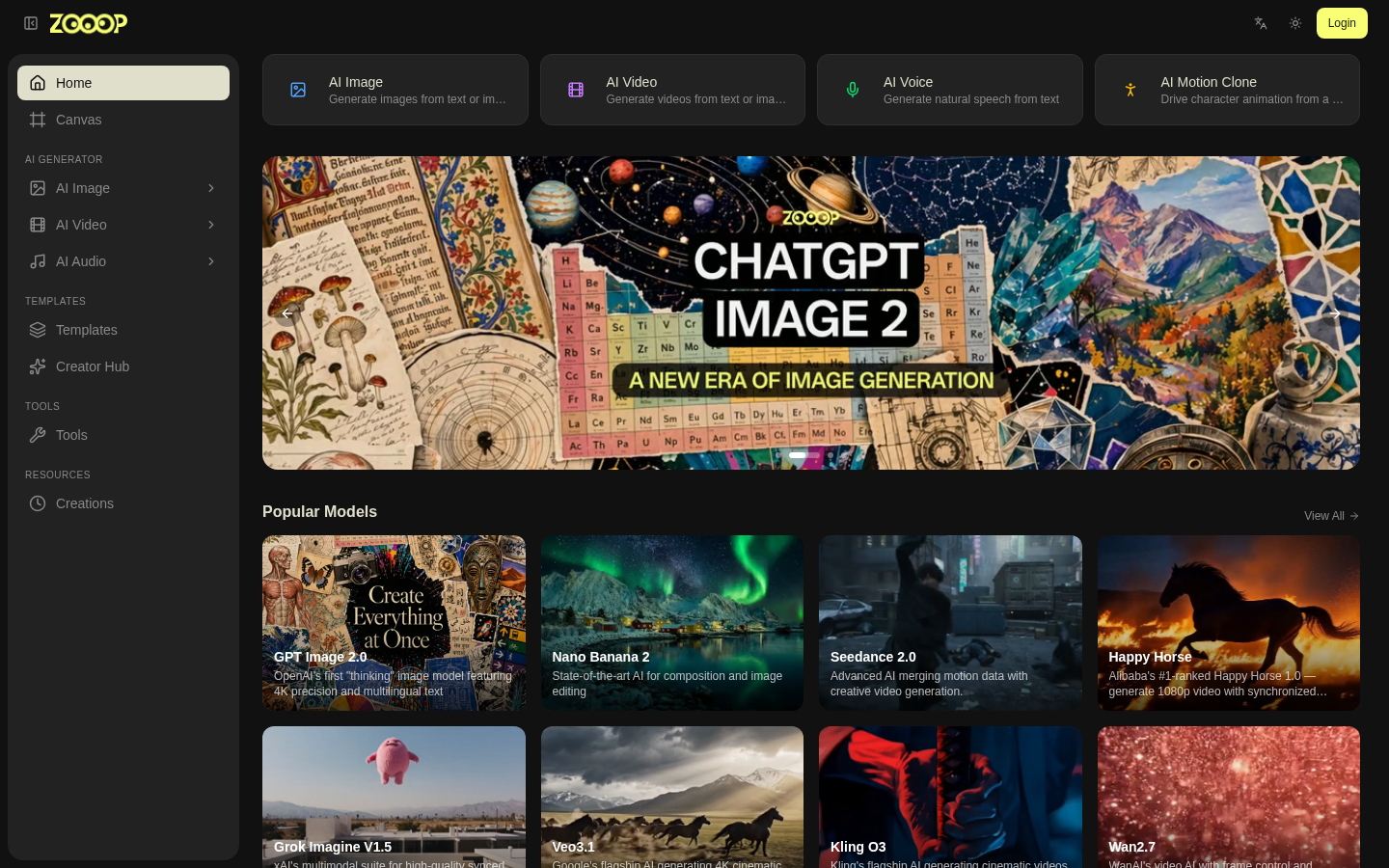
Screenshot archived from the listing page, for preview only.











