Highlights
What you can do with it
- Preparing lesson plans and teaching material before class
- Building practice question sets and checking student submissions
- Getting explanations and study support outside class hours
How to use it
- 1 Open the Zida AI site and create an account.
- 2 Pick the teacher or student mode that matches your task.
- 3 Describe the lesson, question or topic you need help with in plain language.
- 4 Review the generated material and adapt it to your own class.
- 5 Save or export what you want to reuse next time.
Who it is for
Pros
- Built on an education specific model instead of a generic assistant
- Large knowledge base that covers common school subjects
- Covers both sides of the classroom, teaching and studying
- A free trial may be available before any paid upgrade
Limitations
- Pricing is not published on the page, so real costs are unclear
- Free rules and daily quotas can change as the product updates
- Generated lesson content and grading still need teacher review
- Mainly useful for text based school work, not lab or hands on tasks
What Zida AI is
Zida AI, also written as Zhida AI Assistant, is an educational AI assistant built for teachers and students. It runs on an education specific large model and draws on a knowledge base of more than ten million entries. The page describes it as an all purpose helper for teaching and learning: teachers use it for lesson preparation, question creation and grading, while students use it as a study companion that explains topics and supports practice. On price, the page does not publish exact numbers. It points to a mix of free and paid features and the possibility of a free trial, so check the current terms on the site before you rely on any quota.
What you can do with it
- Prepare lessons and teaching material with AI help instead of starting from a blank page.
- Build practice question sets and check student submissions.
- Get explanations and study support outside class hours.
- Reduce routine workload so more time goes into actual teaching.
Who it is for
- Classroom teachers who want to cut prep and grading time.
- Students who need extra practice and plain language explanations.
- Teaching teams that want one shared assistant for course material.
What to watch out for
Pricing is vague on the page, so treat any free access as temporary. Free rules, daily quotas and model updates can change without notice, and some features may need a school or institutional account. The output is generated by a model, so lesson content, questions and grading suggestions should be reviewed by a teacher before they reach students. Avoid pasting student personal information into any AI tool unless your school policy allows it.
FAQ
Is Zida AI free to use?
The page does not give exact pricing. It suggests a mix of free and paid features, and a free trial may be available. Check the current terms on the site before you rely on any quota.
Who is Zida AI built for?
It is built for teachers and students. Teachers use it for lesson preparation, question creation and grading, and students use it as a study companion.
What model does it run on?
The product comes with an education specific large model and a knowledge base of more than ten million entries.
Can it replace a teacher?
No. It is described as an assistant that reduces workload. Lesson content, questions and grading suggestions should be reviewed by a teacher before they reach students.
Why it is free
What the official page says: 免费试用免费
Free limits, trial length and features are decided by the official site and can change at any time.
Product preview
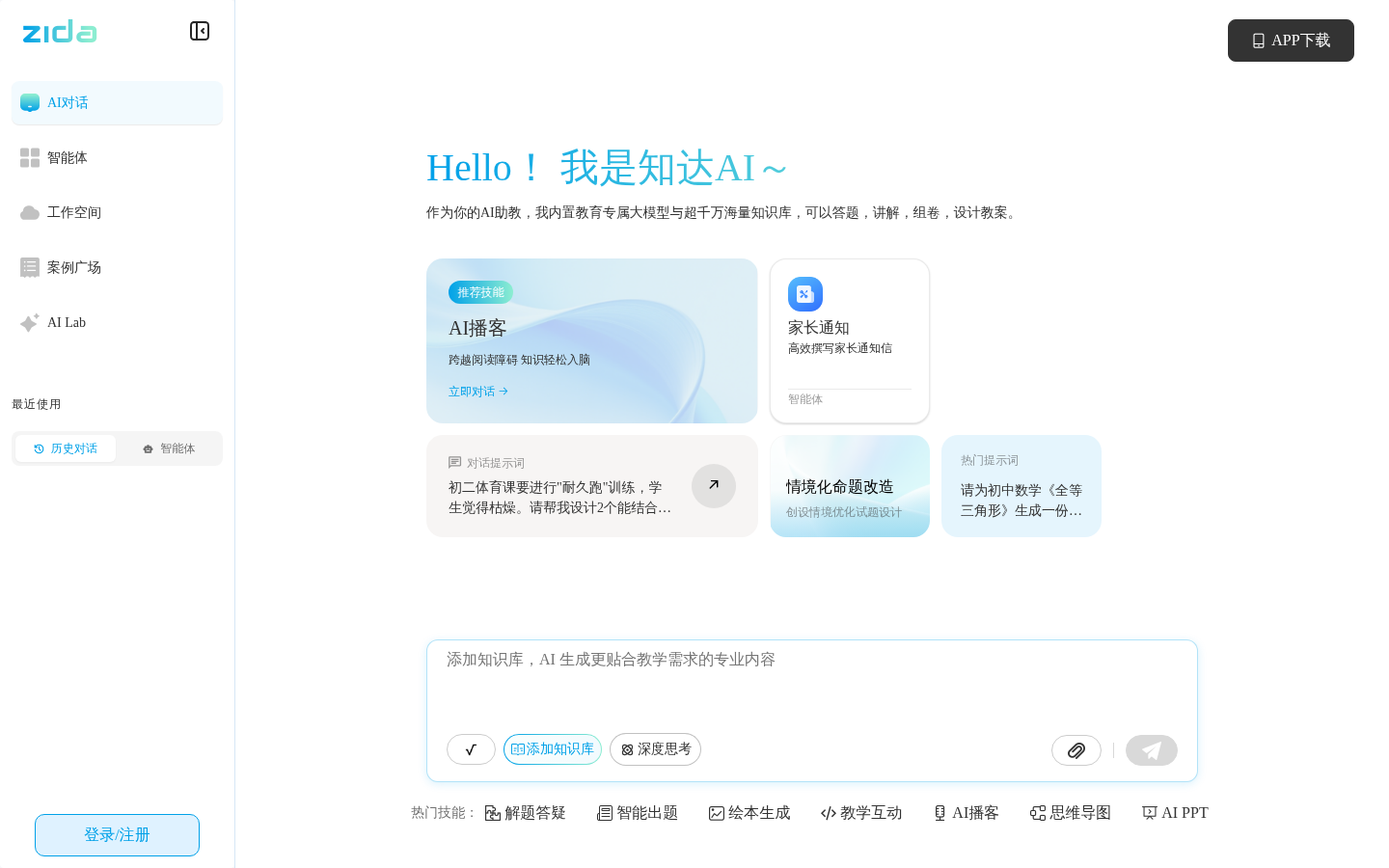
Screenshot archived from the listing page, for preview only.