
Youdao AI PPT
AI PPT generator from text or topicType a topic, get a deck
Highlights
What you can do with it
- A student builds a coursework presentation quickly
- An employee prepares a project report the night before a meeting
- A teacher assembles public class materials
How to use it
- 1 Visit the Youdao AI PPT site and log in.
- 2 Choose text generation, theme generation or PPT inspiration.
- 3 Enter your outline text or a theme title.
- 4 Review the generated draft and adjust content, layout and design.
- 5 Pick templates, preview, then export as PDF or PPT.
Who it is for
Pros
- Very low input requirement for a first draft
- Template library covers common scenarios
- Automatic layout saves manual arrangement
- Export options suit sharing and printing
Limitations
- Free trials are limited in number
- Full pricing and positioning appear only after login
- Generated layouts may need manual correction
- Content accuracy is your responsibility
What Youdao AI PPT is
Youdao AI PPT is a presentation creation tool from NetEase Youdao. Instead of starting from a blank canvas, you give it material: an outline, a single theme title, or an existing deck you want reworked. The system then produces a draft with content arranged, templates applied and a design you can adjust. The goal is speed for people who need a presentable deck without spending an evening on alignment. The product offers a limited number of free trials, and more detail on pricing appears after you log in.
What you can do with it
- Turn pasted text or an outline into a slide draft.
- Generate a deck from nothing but a theme title.
- Rework an existing PPT with intelligent modification and re-creation.
- Choose from templates for education, business and personal introductions, then export in one click.
Who it is for
- Students facing coursework presentation deadlines.
- Office workers preparing project reports before meetings.
-Teachers assembling materials for public classes.
What to watch out for
Free trials are limited in number, so heavy users will hit a paywall, and the pricing detail is only visible after login. Automatic layout is helpful but not always right, so expect to fix spacing, hierarchy and image placement by hand. The tool does not check your facts, so figures and claims in the draft need your review before you present. Finally, exported files can differ from the on screen preview, so open the final file once before the meeting. Features and interface details may change between versions, so review the latest notes on the page before you start. For team use, agree on naming and editing conventions in advance to avoid version conflicts or duplicated work.
FAQ
How do I create a PPT with Youdao AI PPT?
You can use text generation, type only a theme title, or use PPT inspiration to rework an existing document.
Is there a free trial?
Yes, a limited number of free trials is offered, with more detail available after logging in.
Who makes Youdao AI PPT?
It is launched by NetEase Youdao.
Can I export the finished deck?
Yes. It supports one click export in multiple formats such as PDF and PPT files.
Why it is free
What the official page says: free trial
Free limits, trial length and features are decided by the official site and can change at any time.
Product preview
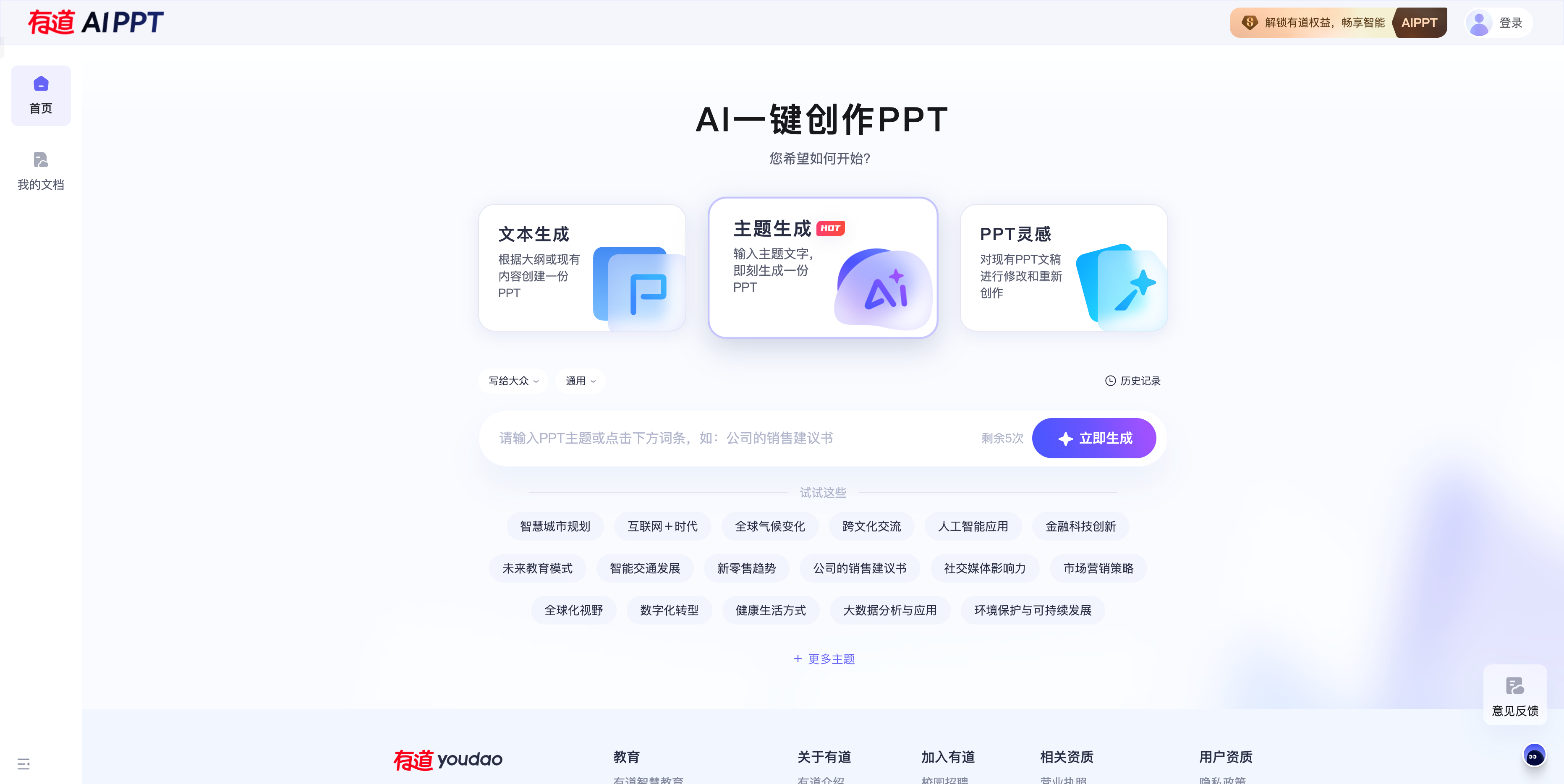
Screenshot archived from the listing page, for preview only.











