
Yepic Studio
Online video production with AI avatarsMake videos with AI avatars in your browser
Highlights
What you can do with it
- Create a product introduction video with an avatar presenter
- Turn course material into an instructional video
- Produce promotional videos with the Studio Pro toolset
How to use it
- 1 Register an account on the Yepic Studio site.
- 2 Click Create to start a new video.
- 3 Choose Studio Express or Studio Pro.
- 4 Upload your materials and add avatars and scripts.
- 5 Edit, preview, then export and publish.
Who it is for
Pros
- Avatar presentation removes the need to appear on camera
- Two production modes for quick and detailed work
- Runs online, so no heavy local software
Limitations
- Credits show as zero for guests; the free allowance is not clearly stated
- Avatar quality and lip sync vary by script and voice choice
- A virtual presenter may not suit every brand or audience
- Export limits and watermarking are not described on the page
What Yepic Studio is
Yepic Studio is an online video production platform. It is built for creating and editing video content of the kind businesses and creators need, including talking photo videos, professional videos, and videos fronted by AI virtual avatars. The stated aim is producing high-quality video quickly, with personalized avatars so a brand can have a consistent presenter without filming one. There are two production modes. Studio Express handles fast work with avatars, voices, and scripts. Studio Pro opens up more advanced tools, including music, images, and video. Several preset avatars are available, and video tutorials walk new users through the interface.
What you can do with it
- Create a video with an AI avatar as the presenter.
- Produce a quick version in Studio Express or a detailed one in Studio Pro.
- Add music, images, and video alongside the avatar and script.
- Export the finished video to share or publish.
Who it is for
- Businesses that need presenter-style video without a studio.
- Educators turning course material into instructional video.
- Marketing teams producing promotional content on a schedule.
What to watch out for
The page shows a guest state with credits set to zero, which suggests a free trial or a basic free tier, but it does not state the allowance or what happens when it runs out. Avatar quality and lip sync depend heavily on the script and the voice you pick, so expect to rewrite lines that read badly aloud. A virtual presenter is not right for every brand or audience, and some viewers react badly to it. Export limits, watermarking, and resolution are also not described, so check before you plan a campaign around it.
FAQ
What is Studio Express?
A fast production mode for creating videos with virtual avatars, voices, and scripts.
What does Studio Pro add?
More advanced tools including music, images, videos, and additional editing options.
Is it free to try?
The page shows a guest state with zero credits, which suggests a free trial or basic free service, but pricing details are not given.
Why it is free
What the official page says: free trial
Free limits, trial length and features are decided by the official site and can change at any time.
Product preview
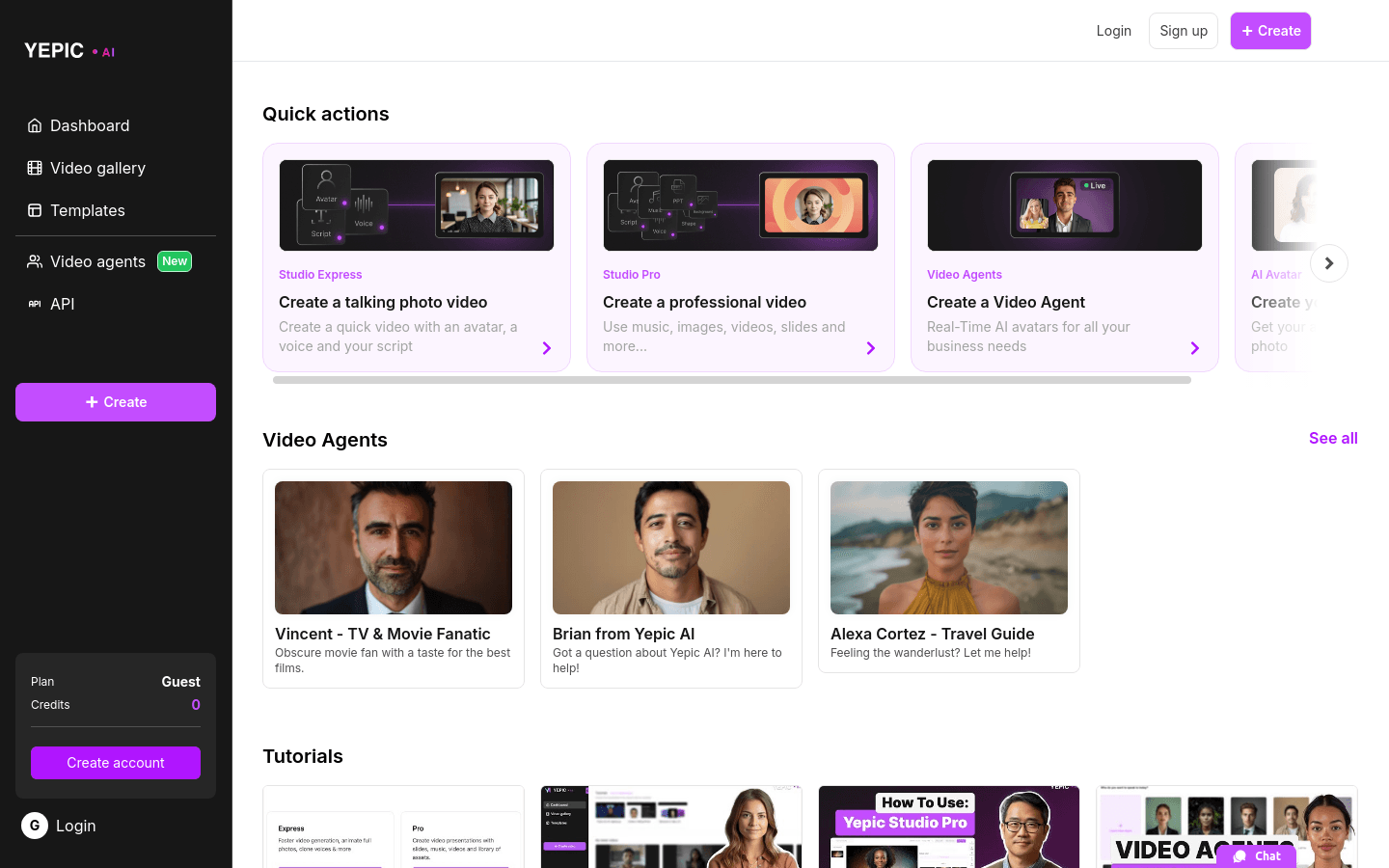
Screenshot archived from the listing page, for preview only.











