XspaceGPT
Twitter Spaces to MP3 and textTranscribe, summarise, and download
Highlights
What you can do with it
- Save a Twitter Space as an MP3 to listen to later
- Read a transcript and summary instead of listening to the whole recording
- Download a Twitter video as an MP4 file
How to use it
- 1 Open XspaceGPT in your browser
- 2 Paste the link to the Twitter Space you want
- 3 Choose MP3 or text output and start the conversion
- 4 Read or download the transcript, summary, or mind map
Who it is for
Pros
- Handles both audio and text output from the same source
- Summaries and mind maps make long recordings scannable
- Video downloader included alongside the audio tools
- Described as fast, reliable, and free
Limitations
- It depends on the Twitter platform, so upstream changes can break conversion
- Transcript accuracy varies with the audio quality of the Space
- Downloading third-party content raises permission questions you need to settle yourself
What XspaceGPT is
XspaceGPT converts Twitter Spaces into files you can keep. Paste a link and it produces MP3 audio, a text transcript, or both, then adds value on top of the raw conversion by generating summaries and mind maps from what was said. That last part is the practical difference, since a ninety-minute audio discussion is hard to search and easy to abandon, while a transcript with a summary can be read in a few minutes. A Twitter video downloader that outputs MP4 is included alongside the audio tools, and the whole service is presented as fast, reliable, and free.
What you can do with it
- Convert a Twitter Space into MP3 audio for later listening
- Convert the same Space into a text transcript
- Read a generated summary or mind map instead of the full recording
- Download a Twitter video as an MP4 file
Who it is for
- Listeners who want to archive Spaces as audio files
- Researchers and note-takers who prefer text to audio
- Anyone who needs a Twitter video in MP4 form
What to watch out for
The tool sits on top of another platform, so when Twitter changes its API or its page structure, conversion can break without warning, and there is nothing you can do about it from the outside. Transcript quality tracks the source audio: overlapping speakers, background noise, and heavy accents all reduce accuracy, so check a transcript before quoting it. Downloading content you did not create also raises permission and rights questions that are yours to resolve, and a free service can change its terms or disappear. For team use, agree on naming and editing conventions in advance to avoid version conflicts or duplicated work.
FAQ
What does XspaceGPT convert?
Twitter Spaces into MP3 and text, and Twitter videos into MP4.
Does it summarise the transcript?
Yes. It generates summaries and mind maps from the converted content.
Is it free?
The service is described as fast, reliable, and free. Check the site for current terms.
Why it is free
What the official page says: 免费
Free limits, trial length and features are decided by the official site and can change at any time.
Product preview
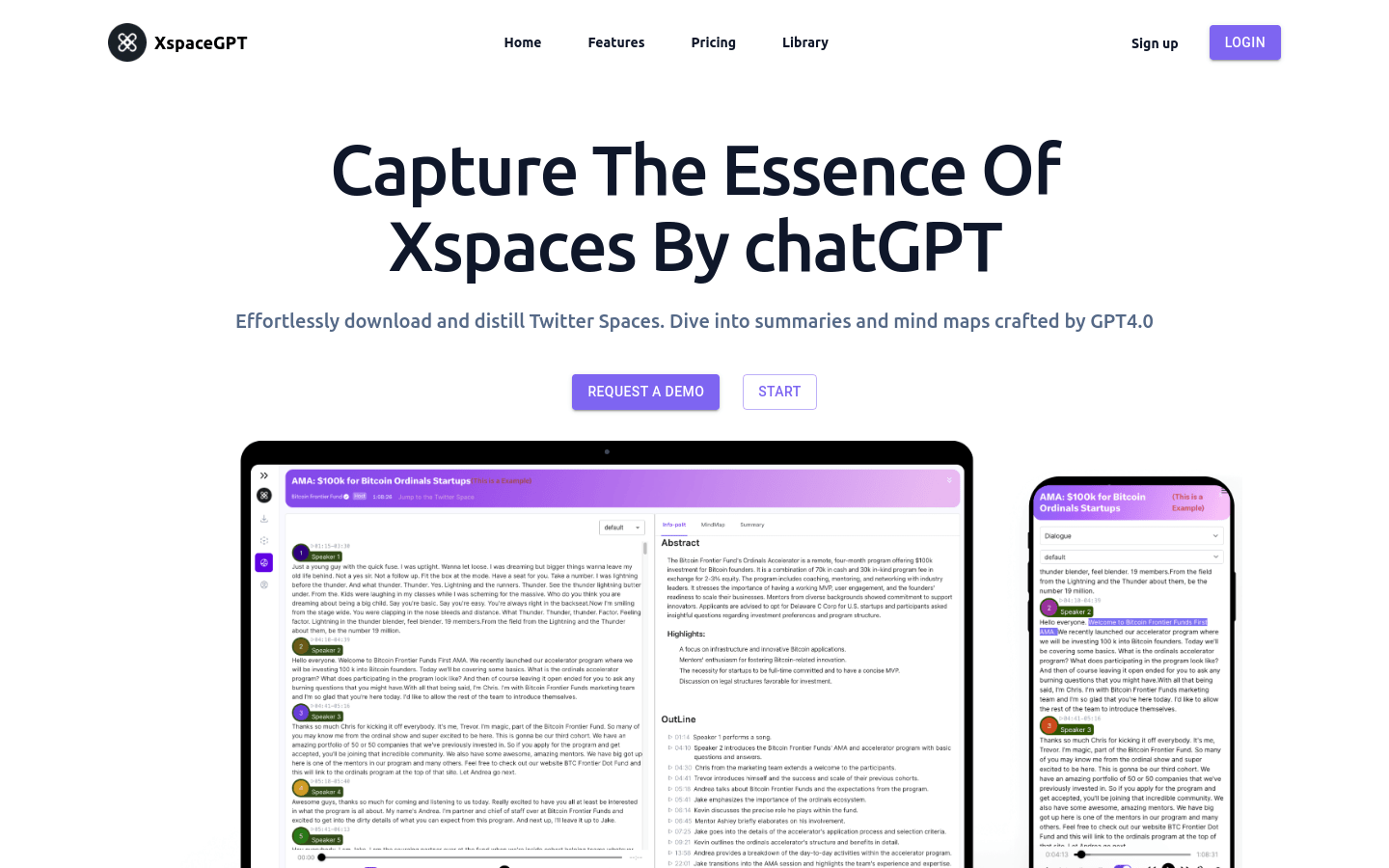
Screenshot archived from the listing page, for preview only.