
WowTo
Free video knowledge base software for support, training, and teaching.Build a YouTube-style video knowledge base for free.
Highlights
What you can do with it
- A support team publishes how-to videos that answer common tickets
- A trainer turns a slide deck into a training video library
- An educator builds a multilingual course video base for students
How to use it
- 1 Open wowto.ai and start with the free video editor
- 2 Create a video from text steps, a PDF or PPT, or a screen recording
- 3 Organize videos into a knowledge base with a familiar player
- 4 Embed the base or specific videos in your site or app
Who it is for
Pros
- Free video knowledge base software to start with
- Multiple video creation paths including PDF, PPT, and screen capture
- Embeds easily into your own website or app
Limitations
- It is positioned as free today, but terms can change over time
- Focused on knowledge base video, not general editing
- Smart voice and multilingual quality can vary by language
What WowTo is
WowTo is free video knowledge base software. Its video editor helps you create step-by-step how-to videos as well as support, training, and educational content, then host them in a professional knowledge base that feels familiar, like a YouTube-style player. You can embed support videos directly inside your own website or app so users get answers where they already are. It offers several ways to produce video, including converting PDF or PPT files and recording your screen, and it supports multilingual videos with smart voice synthesis.
What you can do with it
- Create step-by-step how-to and training videos with AI tools
- Build and host a video knowledge base with a familiar player
- Embed support videos inside your website or app
- Turn PDF or PPT files and screen recordings into video
Who it is for
- Support teams that want to cut repetitive tickets with video answers
- Trainers building a searchable training video library
- Educators creating and hosting multilingual course videos
What to watch out for
The software is presented as free today, but free terms can change, so confirm current access before you build on it. It is focused on knowledge base video rather than general-purpose editing, so complex productions may need other tools. Smart voice synthesis and multilingual support can vary in quality by language, so review output before publishing widely. When quality matters, export a small draft first to confirm the result before producing the final file. Generated suggestions are for reference only, so verify anything that affects professional judgment or important data. Free tiers and usage limits can change, so check the current rules on the official page before relying on it long term.
FAQ
Is WowTo free?
It is presented as free video knowledge base software.
What videos can I make?
How-to, support, training, and educational videos, including from PDF or PPT and screen recordings.
Can I embed it on my site?
Yes, you can provide support videos within your own website or application.
Why it is free
What the official page says: 免费
Free limits, trial length and features are decided by the official site and can change at any time.
Product preview
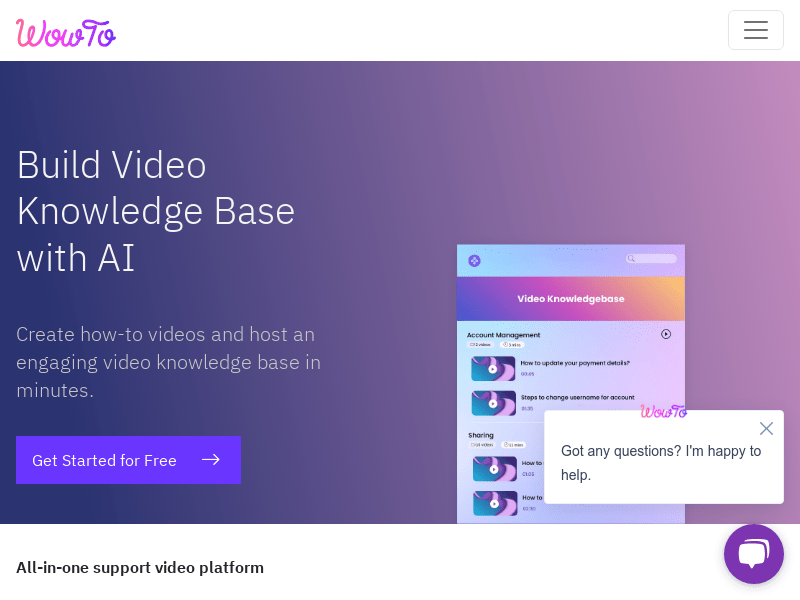
Screenshot archived from the listing page, for preview only.











