Wondershare Filmora
AI assisted video editor for creators and teamsProfessional video editing with AI tools and a large asset library
Highlights
What you can do with it
- A short video creator uses AI auto editing and dynamic subtitles for trending content
- A marketing team builds product promos from built in commercial templates
- An educator records a screen and adds animated charts for teaching videos
How to use it
- 1 Download and install the Filmora desktop client from the official site
- 2 Import video, image and audio files into the media library
- 3 Drag clips to the timeline and apply AI tools such as the AI eraser
- 4 Add motion paths with the pen tool and keyframes where you need them
- 5 Layer in filters, text templates and background music from the library
- 6 Export in your target format or upload straight to a social platform
Who it is for
Pros
- AI features sit inside a familiar timeline workflow
- A large royalty free asset library reduces the need for outside sources
- A free trial lets you test before buying, with plans for individuals, teams and education
Limitations
- Free trial limits apply and paid terms can change, so check before a long project
- It is desktop software, so it needs a capable machine for heavy AI tasks
- The very large feature and asset set takes time to learn
- AI results still need manual review, especially subtitles and color matching
What Wondershare Filmora is
Wondershare Filmora is a video editing program that combines a standard timeline editor with AI assisted tools. The current release, Filmora 15, includes AI text to video, AI video scaling that improves clarity and fills the frame, AI audio to video, silence detection, automatic beat synchronization and AI music generation. On the editing side there is a pen tool for drawing motion paths with anchor points and keyframes, dynamic subtitles and AI generated subtitles, dual timeline editing, sub project import and AI color matching for consistent looks across shots. The bundled asset library is listed at more than 2.9 million royalty free items covering stock media, templates, transitions and effects. A free trial version is offered, with paid plans for individuals, teams and education.
What you can do with it
- Generate video from text, then scale and clean it up with AI tools.
- Sync audio automatically with silence detection and beat matching, or generate music.
- Animate elements along custom paths using the pen tool and keyframes.
- Add dynamic or AI generated subtitles.
- Assemble projects on a dual timeline and match color across clips.
Who it is for
- Short form creators publishing to YouTube and TikTok.
- Marketing teams producing promotional and presentation videos.
- Educators who record screens and build explainer content.
What to watch out for
The free trial has limits and the paid plans and prices can change, so confirm terms before starting a long project. This is desktop software, and the AI features such as scaling and generation will tax an older machine, so check the hardware requirements before you buy. The feature set and asset library are large, which means a real learning cost before you are fast. AI outputs, particularly auto subtitles and color matching, still need a human pass, since errors in names and on screen text are easy to miss and expensive to ship. Budget time for review, not just for rendering.
FAQ
What AI features does Filmora include?
AI text to video, AI scaling, AI audio to video, silence detection, beat sync, AI music generation and AI subtitles.
Is there a free trial?
Yes, there is a free trial version, with paid plans for individuals, teams and education.
How many assets are included?
The site lists over 2.9 million royalty free stock media items, templates and effects.
Why it is free
What the official page says: free trial
Free limits, trial length and features are decided by the official site and can change at any time.
Product preview
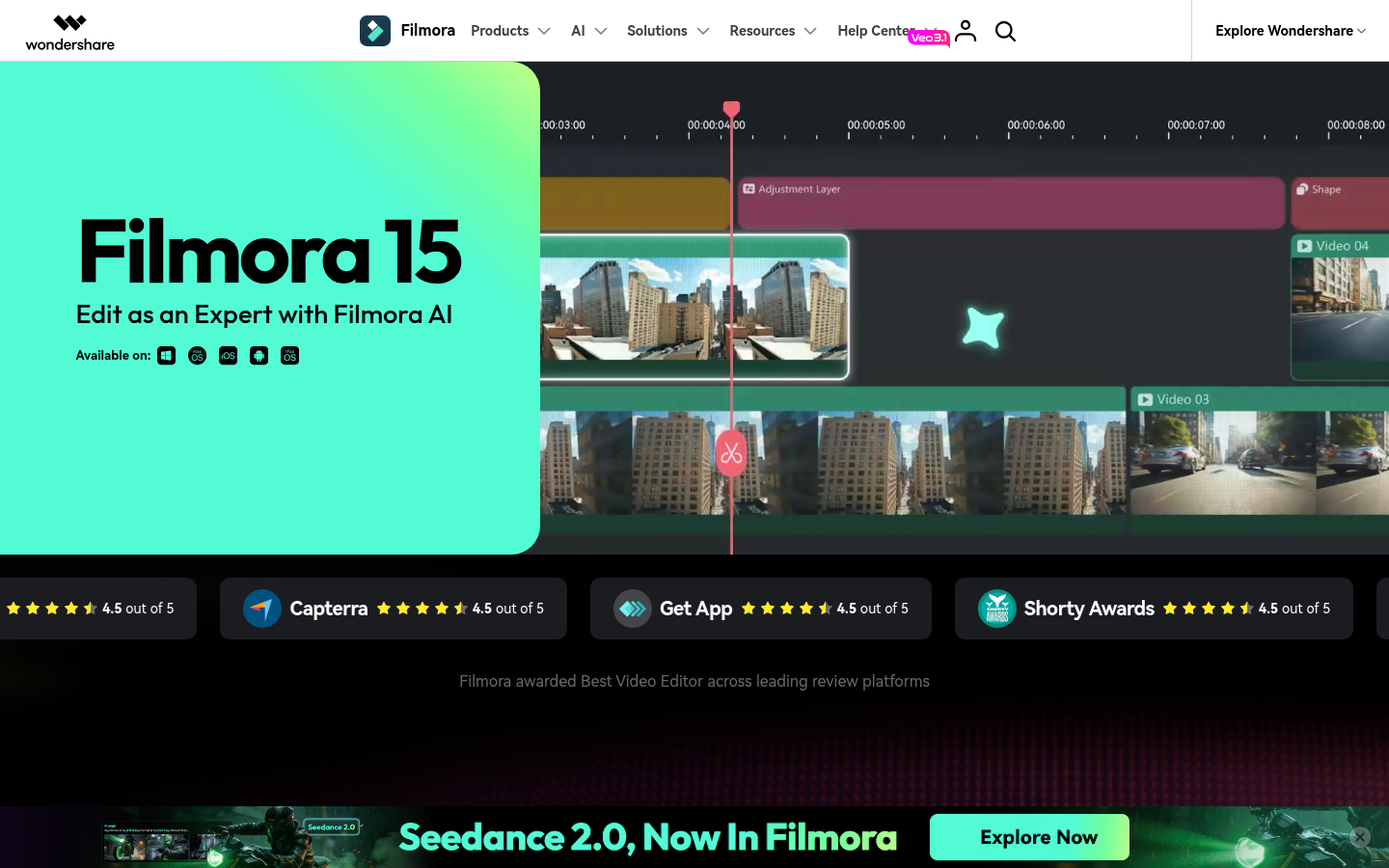
Screenshot archived from the listing page, for preview only.