wink
AI video and image quality restoration toolFix blur and noise with AI enhancement
Highlights
What you can do with it
- Streamers clean up recordings before publishing
- Photographers rescue soft or noisy stills
- Social creators lift video quality for more views
How to use it
- 1 Visit the Wink site and register an account.
- 2 Choose the image or video quality enhancement tool.
- 3 Upload the file you want to improve.
- 4 Pick a mode such as HD or Ultra HD.
- 5 Start processing, then download the result.
Who it is for
Pros
- Handles several quality problems in one tool
- Modes for portraits, gaming, anime, and night scenes
- Free trial available before you commit
Limitations
- Free trial is limited, so real volume needs payment
- Enhancement cannot invent detail that was never captured
- Large files take time to process
What Wink is
wink is an AI video editing tool built around quality restoration. Rather than a full timeline editor, it takes a file you already have and improves it: the algorithms target blur and noise and rebuild apparent detail so footage and stills look cleaner. Alongside the core restoration it offers HD and Ultra HD modes, portrait enhancement that focuses on faces, scene modes tuned for gaming and anime, frame interpolation to smooth motion, AI colour grading, and a night scene mode for low-light material. The site positions it for individual creators, enterprises, and social media users, and says a free trial is available so people at any skill level can try it.
What you can do with it
- Clean up blurry or noisy video and images
- Switch between HD and Ultra HD restoration
- Enhance portraits and apply scene presets
- Smooth motion with frame interpolation and regrade colour
Who it is for
- Social creators who need better looking uploads
- Streamers and gamers cleaning up recordings
- Photographers repairing soft or noisy stills
- Small teams without a dedicated editor
What to watch out for
A free trial tells you how the tool behaves, not how much you can process. Trial limits and paid tiers can change, so check current terms before you plan a batch job. Restoration improves what is there but cannot recover detail the camera never captured, and aggressive settings can introduce a plastic or over-sharpened look, so test on a short section first. Large or long files take real processing time, and results vary with source quality. Keep your originals safe until you have compared the enhanced version, because the process is not reversible and a ruined master is worse than a soft one.
FAQ
What does Wink restore?
It improves video and image quality, addressing blur and noise, and adds portrait, scene, colour, and night enhancements.
Is there a free option?
The product currently offers a free trial. Longer or commercial use sits behind paid plans.
Which mode should I pick?
Use HD for moderate fixes and Ultra HD when you need the most detail, then compare results on a short clip first.
Why it is free
What the official page says: free trial
Free limits, trial length and features are decided by the official site and can change at any time.
Product preview
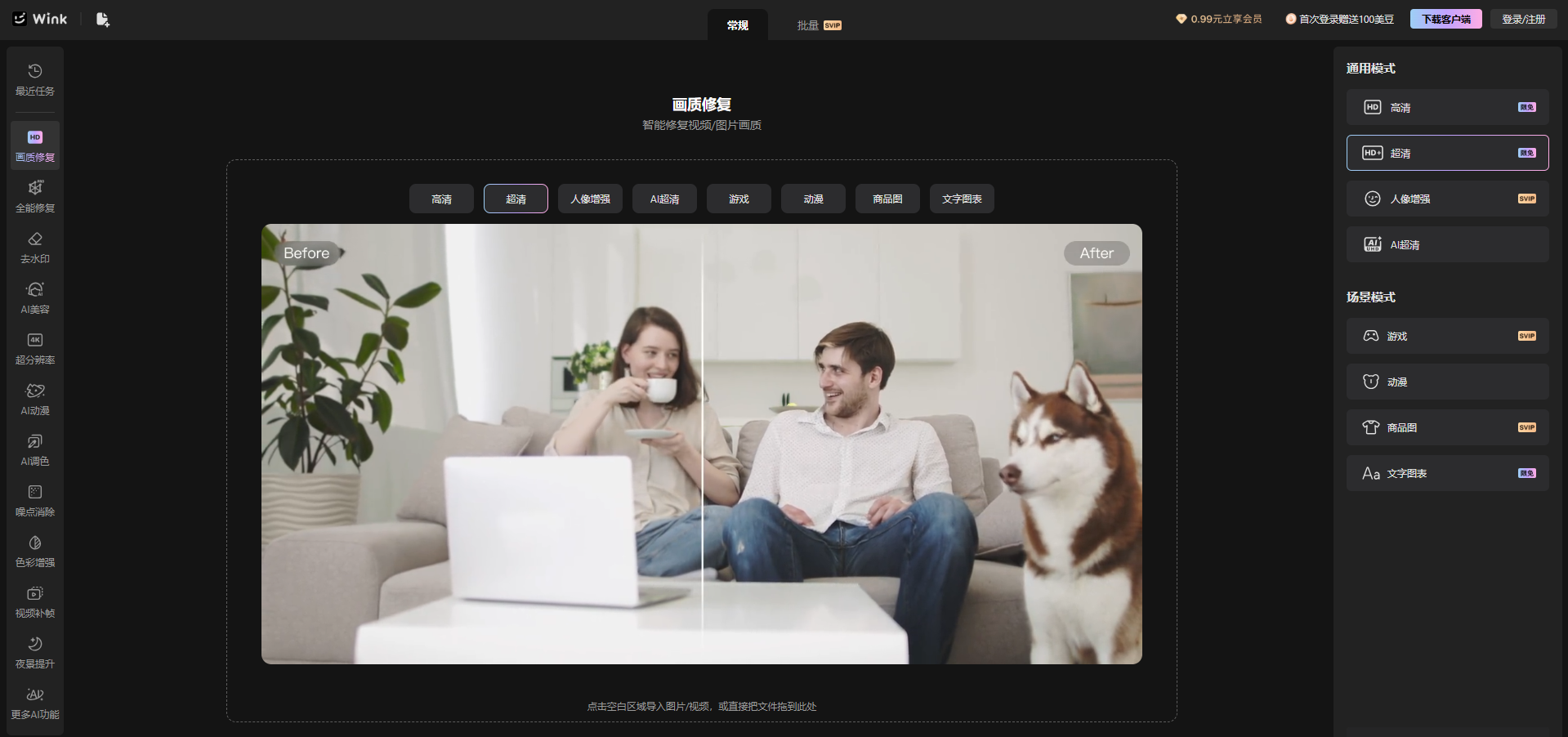
Screenshot archived from the listing page, for preview only.