Whisk AI Image Generator
Image blending platform backed by Google Labs for high-quality 4K generation.Blend subject, scene, and style into one image.
Highlights
What you can do with it
- Designers generate styled drafts for advertising and posters
- Photographers transform photos into oil painting or anime styles
- Creators illustrate articles with prompt-generated images
- Marketers produce product pictures and promotional materials
How to use it
- 1 Choose Whisk AI Image Generator as your tool
- 2 Upload an image in JPG, PNG, or WEBP up to 10MB, or prepare a text prompt
- 3 Describe changes: color, lighting, style, composition, mood
- 4 Let the AI enhance and generate the image
- 5 Download the watermark-free high-quality result
Who it is for
Pros
- Free trial without credit card details
- 4K, watermark-free output suits professional use
- Reference-image workflow beats pure text prompting for style control
Limitations
- Blending results need iteration to match intent
- 50 percent annual discount is a limited-time offer
- Trial terms and output limits can change over time
What Whisk AI Image Generator is
Whisk AI Image Generator is an image blending platform supported by Google Labs. Its distinctive workflow lets you upload three kinds of reference images, a subject, a scene, and a style, and the AI analyzes and blends them into a coherent new image. If you prefer text, Whisk enhances your prompts automatically, adding professional terminology, lighting details, and composition guidance that improve results. Generation is quick, typically 15 to 30 seconds, with 4K resolution support and watermark-free output. Uploads accept JPG, PNG, and WEBP files up to 10MB. A free trial is available without credit card information, and a limited-time 50 percent discount applies to the annual plan.
What you can do with it
- Blend subject, scene, and style references into unique design drafts for ads and posters
- Transform your photos into different artistic styles such as oil painting or anime
- Generate article illustrations from enhanced text prompts
- Edit and enhance existing images by describing color, lighting, style, and mood changes
Who it is for
- Designers who want controlled style exploration without starting from scratch
- Photographers experimenting with artistic reinterpretations of their work
- Content creators who need quality visuals to accompany written content
- Marketers producing product images and promotional materials
What to watch out for
Blending depends heavily on your references: a weak or mismatched style image produces muddled results, so expect to iterate a few times before a blend matches your intent. Style transfer raises rights considerations; make sure your reference images and intended use are legally clear. The free trial is a good evaluation window, but the 50 percent annual discount is explicitly limited-time, and trial terms, generation limits, and output caps can change over time. Check the current terms before building a production workflow around the tool.
FAQ
Is Whisk AI free to try?
Yes. It offers a free trial without requiring credit card information. There is also a limited-time 50 percent discount on the annual plan.
What image formats and sizes are supported?
Uploads accept JPG, PNG, and WEBP formats with a maximum size of 10MB.
Are generated images watermarked?
No. Generated images have no watermark, ensuring professional appearance and privacy.
Why it is free
What the official page says: free trial
Free limits, trial length and features are decided by the official site and can change at any time.
Product preview
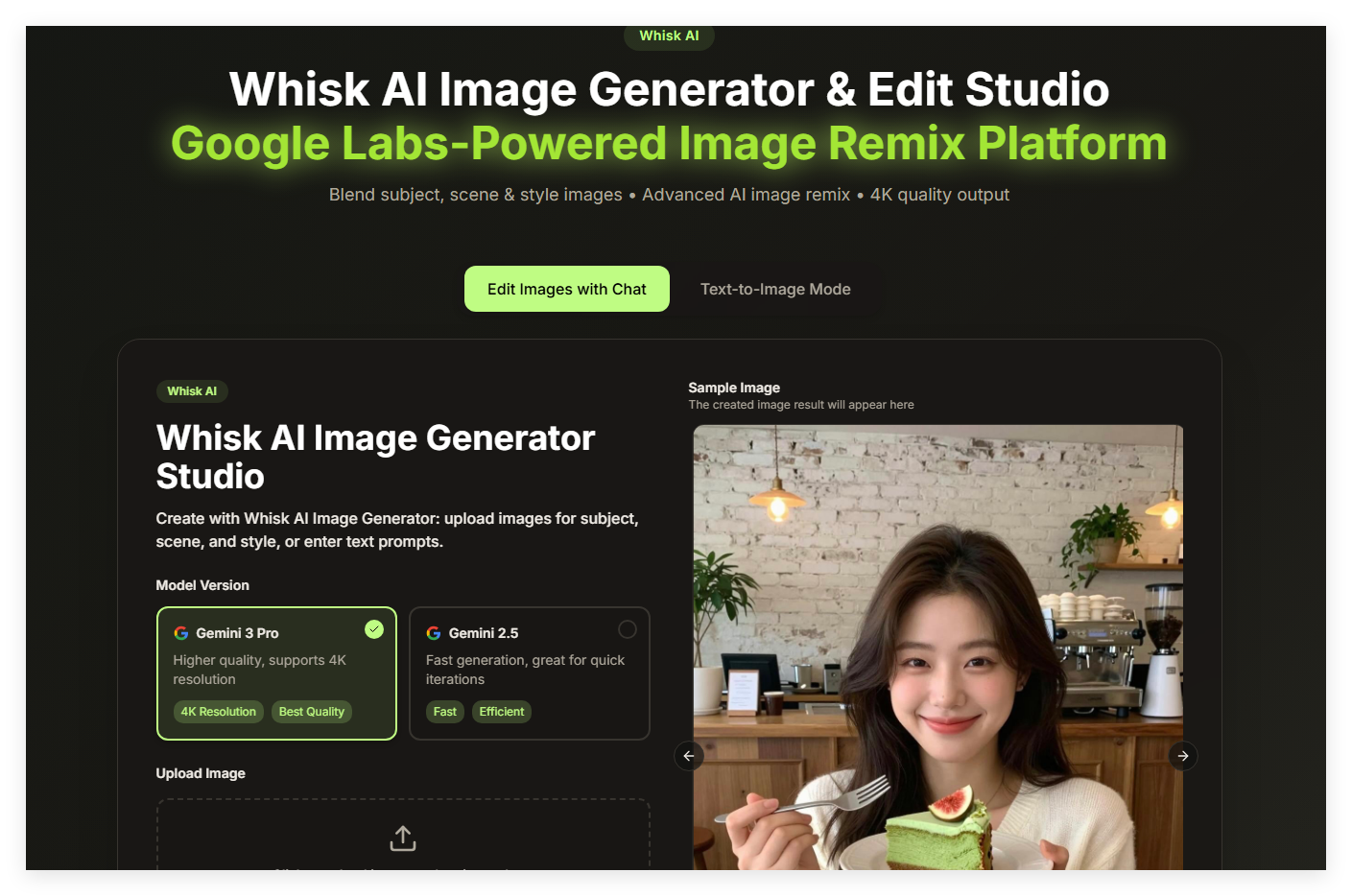
Screenshot archived from the listing page, for preview only.











