Wheat AI Image Translation
Free local AI image translation toolTranslate images offline with editable results
Highlights
What you can do with it
- Translate charts and figures in academic papers
- Translate image files sent by clients
- Translate product manual images for foreign trade
- Batch-process image text for localization
How to use it
- 1 Download the Windows or MacOS version from the site
- 2 Install and open the software
- 3 Click Select Image and choose the image to translate
- 4 Let the tool translate it automatically
- 5 Edit the text, font, and color as needed
- 6 Save the result or use Batch Process for many files
Who it is for
Pros
- Completely free with unlimited usage
- Local processing keeps images private
- Fast batch translation, 1 to 2 seconds each
- Editable output with font and color control
Limitations
- Desktop only, so it needs Windows or MacOS
- Local model quality may vary by language
- Free rules and features may change
- Extra translation APIs may have their own terms
What Wheat AI Image Translation is
Wheat AI Image Translation is a free desktop tool that translates text inside images using a local AI model. It runs on your own computer and does not rely on a server, so your images stay on your machine and processing stays fast. It supports batch image processing and dozens of mainstream languages. After translation, you can edit the result, including the background, text, font, and color. Each image is processed in about one to two seconds, and the tool includes built-in Chinese and English fonts. It can also connect to translation services such as Baidu, Google, OpenL, and Yandex.
What you can do with it
- Translate text inside images without uploading them
- Batch-process many images at once
- Edit background, text, font, and color after translation
- Save results back to the original image folder
- Use several translation APIs for different languages
Who it is for
This tool suits students who need to translate charts in academic papers, translators who receive image files from clients, and foreign trade staff who translate product manual images. Designers localizing screenshots can use it too. It also helps anyone who works with image text often and wants results they can adjust. If you handle many images and want them processed locally on your own machine, it fits that workflow well.
What to watch out for
It is a desktop program for Windows and MacOS, so you need to download and install it rather than use it in a browser. Local model quality can vary by language and by how clear the source text is, so you may need to edit some results. The extra translation APIs may have their own terms and limits. Since the tool is free, its features and access rules can change over time, so keep local copies of important files and check the official site for the current version before you install.
FAQ
Is Wheat AI Image Translation free?
Yes. The tool offers unlimited free usage with no restrictions, and it runs from a desktop client.
Does it upload my images to a server?
No. It uses a local AI model that runs on your own computer, so images are processed without relying on a server.
Can I edit the translation result?
Yes. You can adjust the background, text, font, and color before you save the image.
Which languages does it support?
It supports dozens of mainstream languages and can connect to translation services such as Baidu, Google, OpenL, and Yandex.
Why it is free
What the official page says: completely free
Free limits, trial length and features are decided by the official site and can change at any time.
Product preview
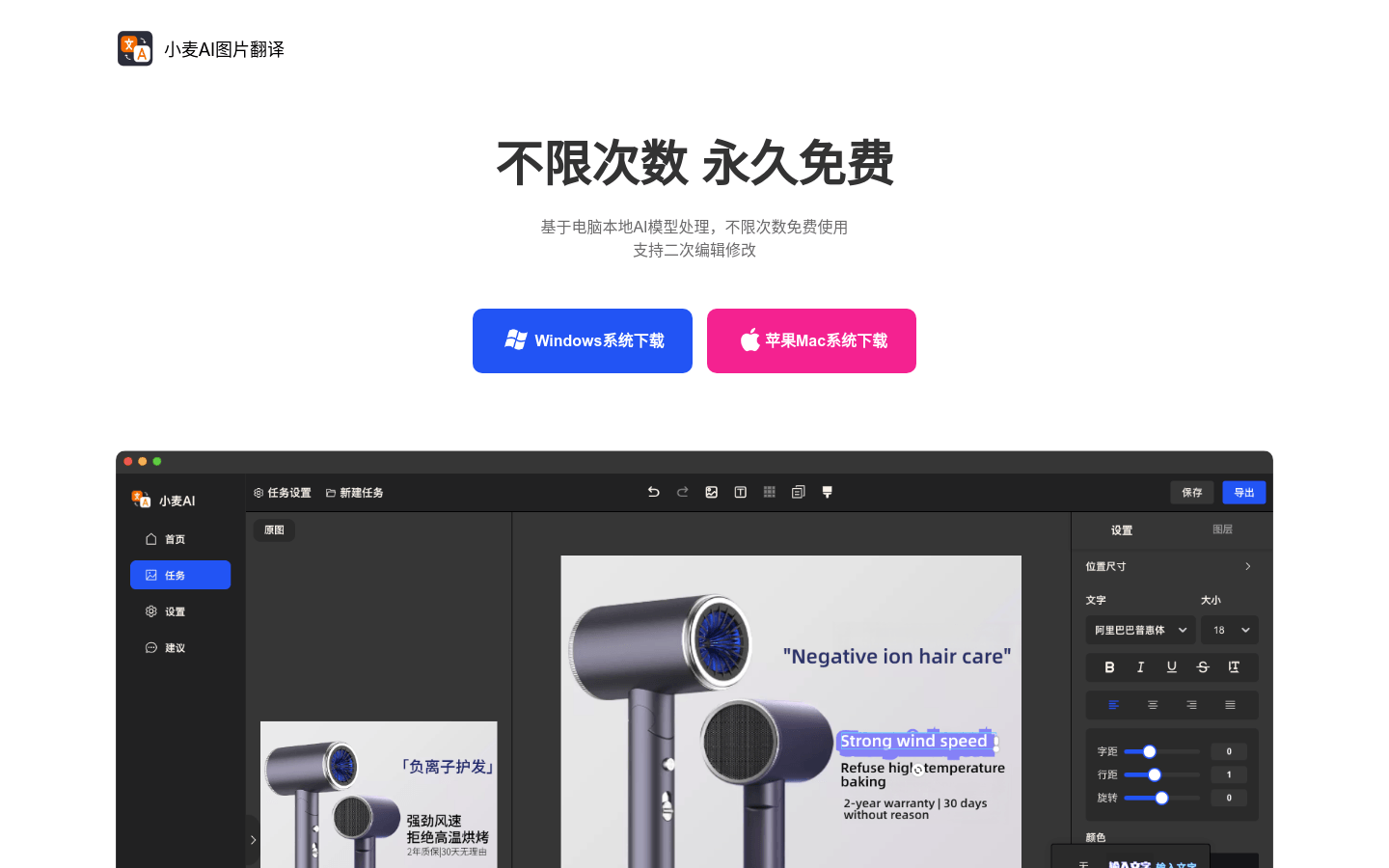
Screenshot archived from the listing page, for preview only.











