
Volcano Writing
Free AI writing pluginReal time correction for Chinese and English
Highlights
What you can do with it
- A student edits and rewrites an essay
- A translator checks and polishes translated text
- An editor rewrites an article for clarity
How to use it
- 1 Install the Volcano Writing or Writingo plugin
- 2 Open your usual editor and start typing or paste text
- 3 Read the real time suggestions it offers
- 4 Apply the corrections and rewrites you agree with
- 5 Review the final text before you send it
Who it is for
Pros
- It works as you type, inside your normal editor
- It covers both Chinese and English
- The plugin is offered for free
Limitations
- Suggestions are advice, and a human still has to decide
- Plugin compatibility with every editor will vary
- Free status and features can change
What Volcano Writing is
Volcano Writing, also seen under the name Writingo plugin, is a free tool for Chinese and English writing. It sits next to your text and gives real time suggestions as you type, including simplification, error correction, editing, and rewriting. The stated goal is a smoother writing experience: you focus on the content while the plugin watches for mistakes and awkward wording, so the final text reads as accurate, fluent, and natural.
What you can do with it
- Get real time suggestions while you type.
- Simplify long or tangled sentences.
- Correct smart errors in Chinese and English.
- Rewrite and edit a passage without leaving your editor.
Who it is for
- Students editing essays and assignments.
- Translators checking bilingual text.
- Editors polishing articles for clarity and flow.
What to watch out for
The suggestions are advice, not orders, and the final call is yours, especially for meaning and tone. Plugin support varies by editor, so check compatibility before relying on it daily. Since it is a free tool, features and access can change, so keep a backup of your own work. Run one full task end to end first, then expand once you are comfortable with the workflow and the result quality. Behavior may vary across browsers and devices, so test before production use and consult the help docs if errors appear. Save a backup of the original file before large batch jobs, and keep an exported copy of key results in case the page or service becomes temporarily unavailable. Save a backup of the original file before large batch jobs, and keep an exported copy of key results in case the page or service becomes temporarily unavailable.
FAQ
Is Volcano Writing free?
Yes, the site presents it as a free AI writing plugin.
Which languages does it handle?
It is built for Chinese and English writing.
Where does it run?
It runs as a plugin alongside your editor and gives suggestions in real time.
Can it rewrite text?
Yes, editing and rewriting are listed among its features.
Why it is free
What the official page says: 免费
Free limits, trial length and features are decided by the official site and can change at any time.
Product preview
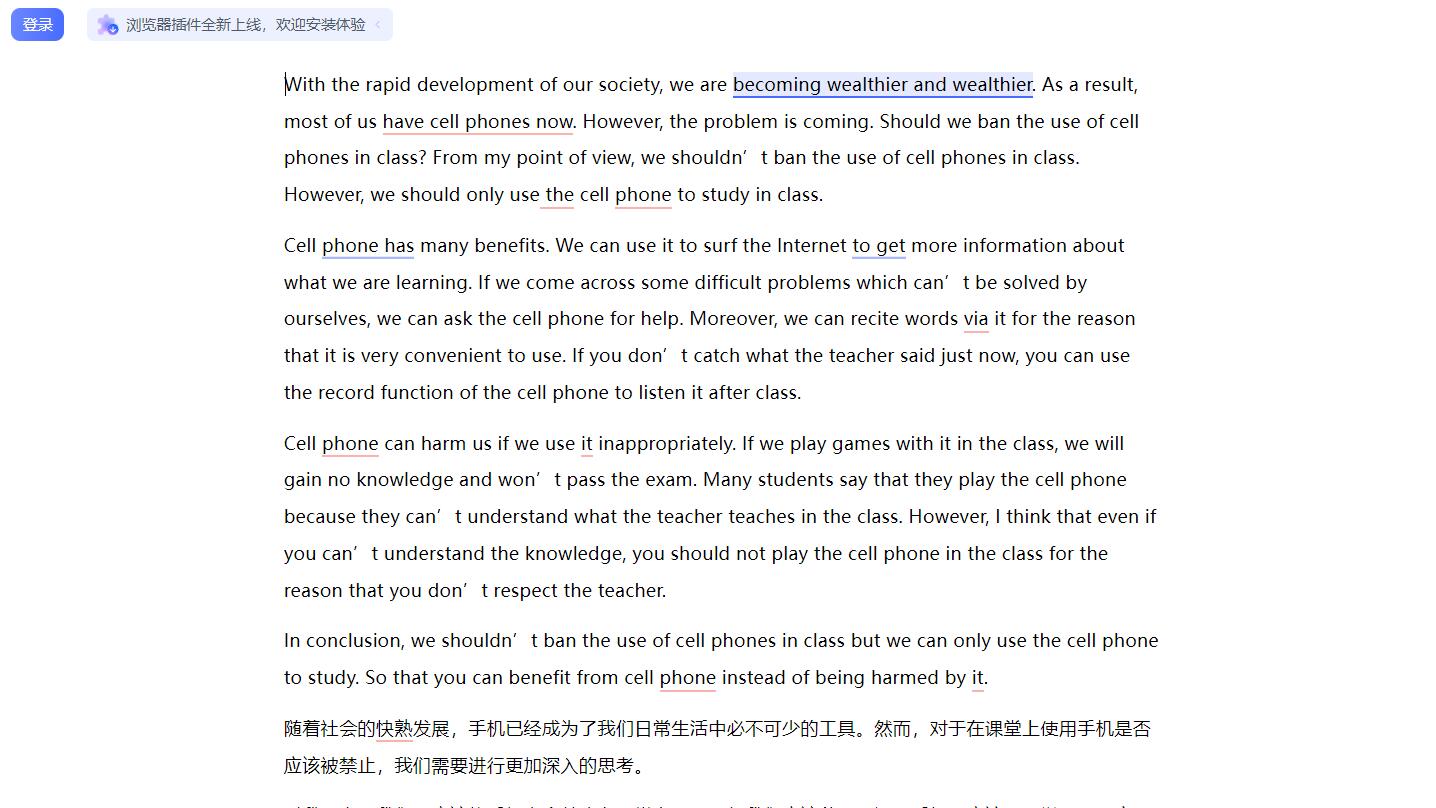
Screenshot archived from the listing page, for preview only.











