
VO4 AI Video Generator
Free all in one AI studio for video, images, and musicText or image to video, stills, and music without watermarks
Highlights
What you can do with it
- Short social media videos built from a written idea
- Product promo videos built from photos plus generated music
- Course assignments that turn notes and pictures into video
How to use it
- 1 Go to https://vo4.org and click Start for Free.
- 2 Register an account if you want to keep your credits.
- 3 Pick video generation, image generation, or music generation.
- 4 Enter your prompt or upload the image you want to use.
- 5 Set resolution, duration, and ratio, then generate, preview, and download.
Who it is for
Pros
- Video, stills, and music live in one place
- Free credits on signup plus a daily bonus
- The site states uploads and creations are not collected
Limitations
- Free usage is capped by credits, and unlimited generation sits behind the paid plan
- Speed and quality depend on the model you pick and the current queue
- Downloading and republishing video can run into platform rules; check terms before posting
What VO4 AI Video Generator is
VO4 AI is a free online AI video studio that combines text-to-video, image-to-video, AI image generation, and AI music generation in one place. It works with models such as Veo 3.1, Kling AI, Luma AI, Nano Banana, and Seedream, so you can switch style without leaving the site. New users get 40 credits to start, and the site says signing in daily adds 20 more. A paid plan sits alongside the free tier and removes the caps. The company states that downloads are watermark free and that it does not collect personal data from your uploads or creations.
What you can do with it
- Write a prompt and get a short video back
- Turn a photo or product shot into a moving clip
- Generate images for artwork, product shots, or portraits
- Turn a prompt into royalty free background music for your video
Who it is for
- Individual creators posting to social platforms
- Businesses that need promo videos, product images, and music together
- Students turning reports and slides into video assignments
What to watch out for
Free use is limited by credits, and unlimited generation is a paid feature, so heavy output needs a budget. Queue length and model choice affect how long a render takes and how it looks, so test a few before committing to a workflow. The site claims it does not collect personal data from uploads, but you should still avoid sending sensitive material to any online generator. Finally, downloading and republishing video can conflict with the rules of the platform you post to, and that responsibility stays with you.
FAQ
What can I generate?
Video from text or images, images from text or photos, and music from text prompts, all in the same studio.
How many free credits do I get?
New users get 40 credits, and the site says signing in daily adds 20 more.
Are downloads watermark free?
The site states that videos, images, and music download without watermarks.
Why it is free
What the official page says: for free
Free limits, trial length and features are decided by the official site and can change at any time.
Product preview
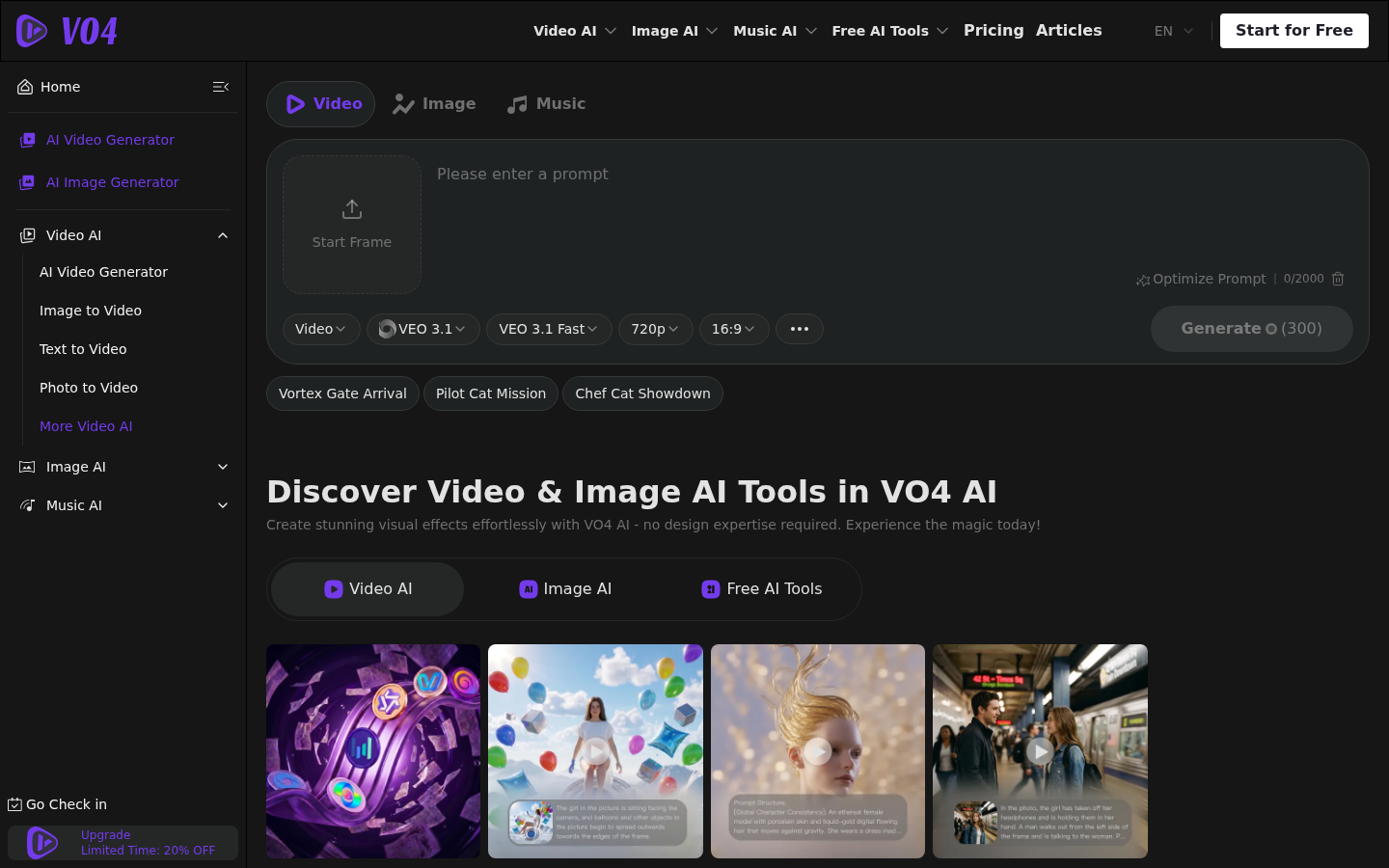
Screenshot archived from the listing page, for preview only.











