Vizbl Photo to 3D
Photo to 3D model generatorTurn product photos into 3D and AR assets
Highlights
What you can do with it
- Generate a sofa model from a photo and embed it on a product page for AR try-on
- Create a USDZ pendant lamp model for Apple Quick Look preview
- Let jewellery and watch shoppers preview items on themselves via the phone camera
- Print a QR code on a trade show poster so visitors scan and view the product in AR
How to use it
- 1 Register on the Vizbl site and claim the 1,000 free tokens
- 2 Choose Photo to 3D and upload one to six clear photos covering different angles
- 3 Click generate and wait about fifteen minutes for the model to land in your library
- 4 Open the model and rotate, zoom and inspect it in the built-in viewer
- 5 Use the AR button to place it at true scale in a real environment
- 6 Copy the embed code, share the link or QR code, or download the GLB or USDZ file
Who it is for
Pros
- No modelling software, 3D artist or manual cleanup in the process
- Fifteen minutes per product makes batch digitisation realistic
- AR placement directly addresses the size and fit problem for large items
- Free tokens with no card let you verify quality before spending
Limitations
- The 1,000 free tokens are a one-off grant, and continued use depends on paid pricing not shown on the page
- Model quality depends on photo coverage, lighting and how cleanly the product is cut out
- Complex, transparent or highly reflective products may still need manual 3D work
What Vizbl Photo to 3D is
Vizbl Photo to 3D is an AI image-to-3D tool for product photography. You upload one to six photos of an item, and the system recognises shape, material, texture and proportions, returning a usable 3D model in about fifteen minutes. The model is hosted on the Vizbl platform with a built-in interactive viewer, so customers can rotate, zoom and inspect seams and detail without installing anything. Each model also gets an embed code, a share link and a QR code, and downloads are available in GLB and USDZ for use across web, iOS, Android, Quick Look and mainstream 3D tools. New users get 1,000 free tokens at registration with no credit card required.
What you can do with it
- Convert product photos into GLB or USDZ models without modelling software
- Host the model with a 360 degree viewer on your own product page
- Let shoppers place the item at true scale in their room using AR
- Share the model by link or QR code, or download the file for other platforms
Who it is for
- E-commerce sellers adding 3D viewing and AR try-on to detail pages
- Furniture, lighting and rug merchants where size in a real room is the deciding factor
- Brand marketers producing interactive 3D for websites, social and email
- Developers integrating 3D display without hiring a modelling team
- Retailers with large SKU counts and trade show planners using QR codes on booth material
What to watch out for
The 1,000 free tokens are a one-time grant, and the paid pricing is not shown on the page, so large catalogues will need a budget conversation. Model quality depends heavily on the photos: clean backgrounds, even lighting and full coverage of the outline give far better results than a single casual snapshot. Very complex, transparent or highly reflective products can still fall short and need manual 3D work, so test your hardest product first before committing a whole catalogue.
FAQ
How many photos do I need?
One to six photos, ideally covering different angles and the full outline of the product.
How long does modelling take?
About fifteen minutes per product, according to the vendor.
Is there a free option?
New users get 1,000 free tokens at registration with no credit card required. Further use depends on paid pricing.
Can customers view it in AR?
Yes. The hosted viewer includes an AR button that places the product at true scale using the phone camera.
Why it is free
What the official page says: no credit card
Free limits, trial length and features are decided by the official site and can change at any time.
Product preview
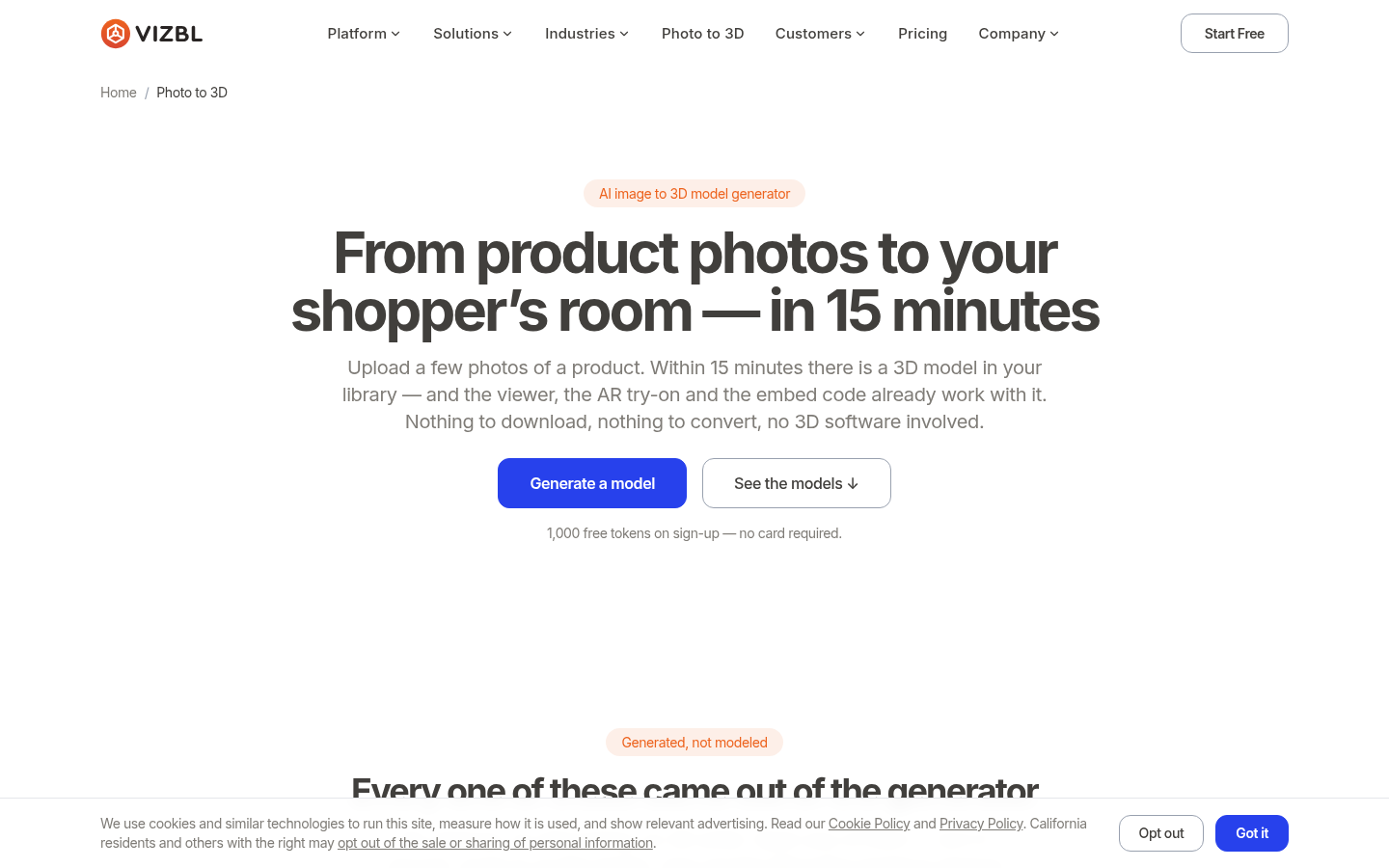
Screenshot archived from the listing page, for preview only.