
VisualQR
AI tool for beautiful QR codesDesign custom QR codes with colors and icons
Highlights
What you can do with it
- Printing a branded QR code on product packaging
- Adding a styled code to a business card or flyer
- Creating campaign codes that match a visual identity
How to use it
- 1 Open VisualQR and start a free trial.
- 2 Enter the link or content the code should carry.
- 3 Customize colors, icons, and background.
- 4 Export the finished code for print or screen use.
Who it is for
Pros
- Produces codes that look intentional rather than generic
- Customization covers color, icon, and background
- Free trial available before you buy a package
Limitations
- Heavy styling can hurt scan reliability if contrast drops
- Free trial is limited and paid pricing can change
- Design choices need testing on real phones before print
What VisualQR is
VisualQR is a tool that uses artificial intelligence to generate QR codes that look designed rather than default. A standard QR code is a black and white square, and this service exists to change that. You can adjust colors, swap in icons, and set backgrounds so the code fits a brand or a campaign. The stated use cases are marketing promotion, product packaging, business cards, and anywhere a plain square would look out of place. A free trial is offered, with flexible paid packages after that.
What you can do with it
- Generate a QR code that carries your link or content.
- Change colors so the code fits a brand palette.
- Add icons and backgrounds for a custom look.
- Export codes for print or screen use.
Who it is for
- Marketers running campaigns that need on-brand materials.
- Small businesses printing packaging or flyers in house.
- Designers who need a styled code inside client work.
- Anyone who finds a plain black square unattractive.
What to watch out for
Styling a QR code is a trade off. The more you push contrast down with light colors or busy backgrounds, the harder the code becomes to scan, and a code that fails on an older phone camera is worthless. Always test the final file on a real device before you send it to print, especially at small sizes. The free trial is limited, and paid package pricing can change without notice. Exact pricing is not given in the listing, so check the site for current rates. Run one full task end to end first, then expand once you are comfortable with the workflow and the result quality.
FAQ
Can I change the colors?
Yes, customizable colors, icons, and backgrounds are listed features.
Is there a free trial?
The listing describes a free trial with flexible paid packages.
Where are these codes used?
Marketing promotion, product packaging, business cards, and similar scenarios.
Why it is free
What the official page says: free trial
Free limits, trial length and features are decided by the official site and can change at any time.
Product preview
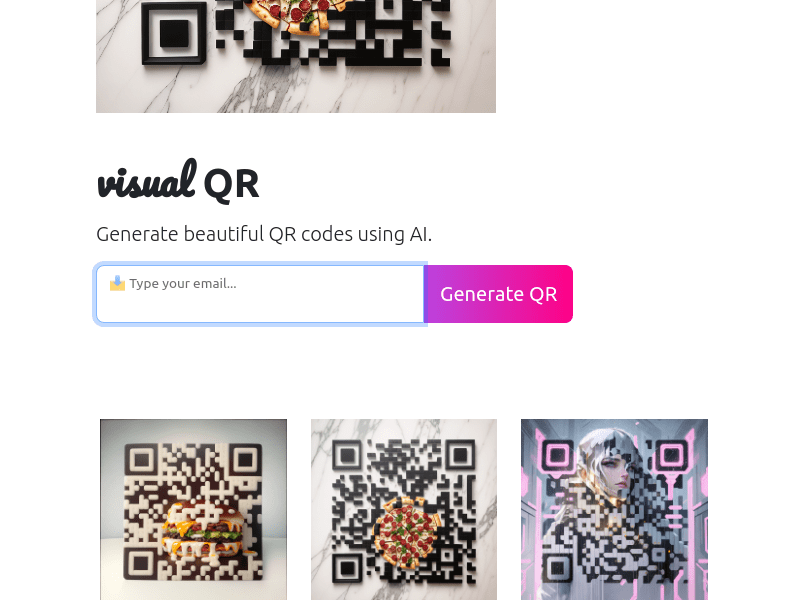
Screenshot archived from the listing page, for preview only.











