
VisualGPT
Free AI image toolkitGenerate, edit and enhance images online
Highlights
What you can do with it
- Design social media ads and brand materials for marketing campaigns
- Test design ideas and enhance photos before deeper creative work
- Improve room photos and brochures for real estate and hotel listings
How to use it
- 1 Open visualgpt.io in your browser
- 2 Upload an existing image or describe your idea in plain language
- 3 Pick the tool you need, such as editing or background removal
- 4 Fine-tune the generated or edited image until it looks right
- 5 Download the finished image, no extra software required
Who it is for
Pros
- Free to use with a wide tool set in one place
- Simple workflow that does not demand design experience
- Covers both generation and editing, so fewer tools to juggle
Limitations
- The free offering can change over time, so check the site before relying on it
- Output quality depends on the underlying models and on how clearly you write prompts
- Complex or precise briefs may still need manual touch-ups
What VisualGPT is
VisualGPT is a free to use AI image platform that collects hundreds of image tools on a single site. It runs models such as Nano Banana, Flux Kontext Pro, and Stable Diffusion, and it covers generation, editing, enhancement, and conversion in one place. You can upload a photo or describe an idea in plain language, then choose the tool that fits the job. The platform is built for a zero learning curve, so first-time users and professionals can both start without a long setup. It aims at social media graphics, marketing visuals, advertising, research, fashion design, and real estate work, where clear images matter and turnaround is usually short.
What you can do with it
- Generate images from text prompts and edit existing photos with AI
- Remove backgrounds in batches, including hair edges and fine details
- Redesign rooms with interior design, room planning, and cleaning previews
- Enlarge small images and build visual cards, infographics, flowcharts, or mind maps
Who it is for
- Marketing and social media professionals who need steady visual output
- Designers and creative artists testing styles and retouching photos
- E-commerce and retail teams that need clean, consistent product images
- Educators and researchers preparing visuals for reports and lessons
What to watch out for
The platform is presented as free to use, but free offerings can change, so check the site before you build a workflow around it. Results depend on the underlying models and on how clearly you describe what you want, so detailed briefs may still need manual touch-ups. Because everything runs in the browser, a stable connection matters, and heavy batch jobs can take time. Treat generated images as drafts and verify important details before you use them commercially.
FAQ
Is VisualGPT free?
The platform is presented as free to use. Paid limits or advanced features could be added later, so check the site for current terms.
Do I need design skills?
No. The platform is built around a zero learning curve: upload an image or describe your idea in simple language.
What tools are included?
Image editing, background removal, interior design, visualization, image enlargement, room planning, and room cleaning previews.
Why it is free
What the official page says: free to use
Free limits, trial length and features are decided by the official site and can change at any time.
Product preview
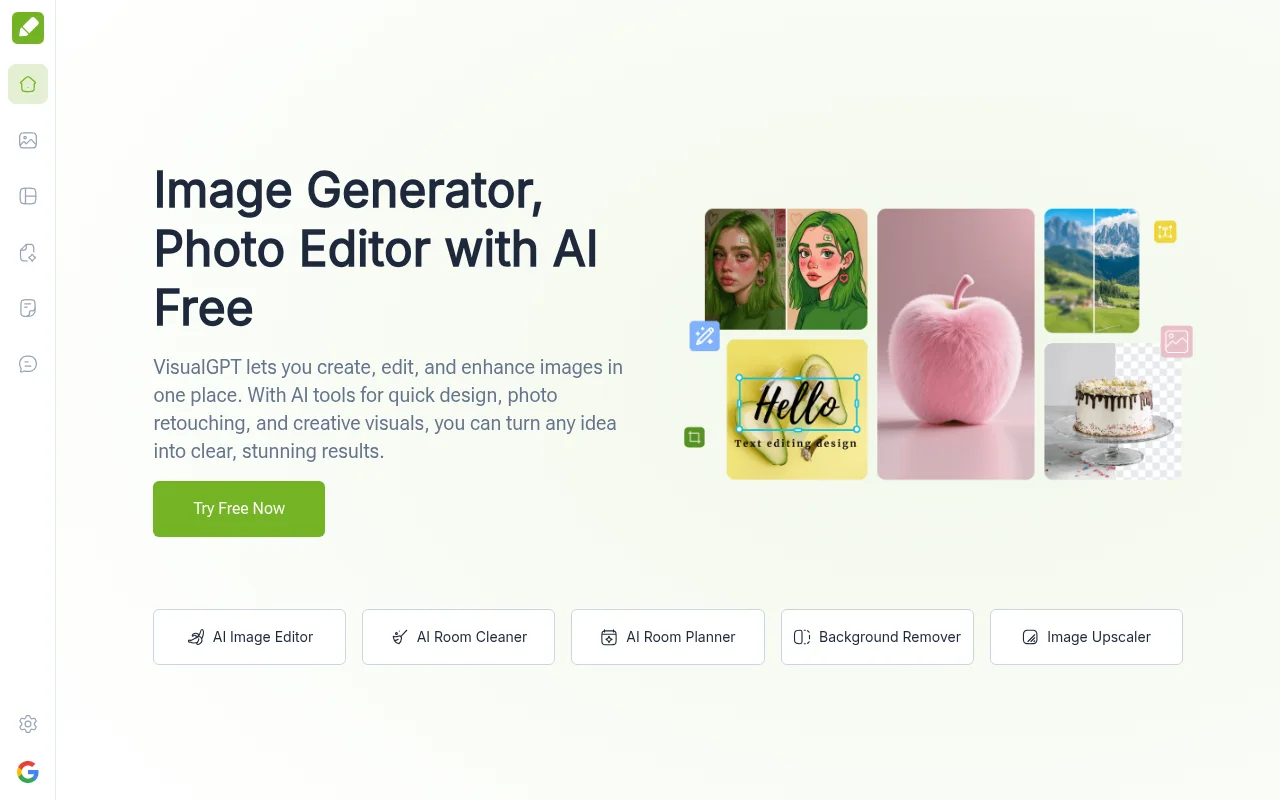
Screenshot archived from the listing page, for preview only.











