
Vimi
AI photo to video generator with filtersTurn a photo into a moving moment
Highlights
What you can do with it
- A user uploads a photo in traditional dress and applies a warm, soft-light filter to create a short atmospheric clip
- A couple turns a group photo into a romantic video to mark an occasion and share online
- A craftsperson turns a photo of finished pottery into a short process video to attract attention
How to use it
- 1 Visit the Vimi website
- 2 Browse the filter library and pick the style you want
- 3 Click upload and choose the photo to transform
- 4 Wait for the system to process the photo and generate the video
- 5 Preview the result and adjust the settings or regenerate if needed
- 6 Download the video or share it directly to social media
Who it is for
Pros
- Very short learning curve, since the flow is pick a filter and upload
- Wide range of styles and themes to experiment with
- Free trial lets you check output quality before subscribing
Limitations
- Results depend heavily on the source photo, and weak input produces weak motion
- There is little frame-level editing, so precise cuts are out of scope
- Trial limits, watermarking and pricing can change, so check terms against how often you would use it
What Vimi is
Vimi is an all-in-one AI image and video generator. The core idea is simple: pick a filter, upload a photo, and the system turns a still image into a short moving clip. Styles range from cute 3D worlds and festival atmospheres to more artistic treatments, and there are themed options for things like couple moments and pet scenes. It is built for people who want to post something more interesting than a static photo without learning editing software. A free trial is listed so you can test the output before deciding whether to pay for continued use, and finished clips can be downloaded or shared to social media.
What you can do with it
- Apply filters and artistic styles to a photo before generating video.
- Turn a single still image into a short animated clip.
- Create themed videos for couples, pets, festivals and hobbies.
- Generate output quickly after uploading and choosing settings.
- Download and share the result to social media.
Who it is for
- Photography enthusiasts who want their stills to move
- Social media users who post visual content regularly
- Creative workers experimenting with stylized short video
- Families turning photo albums into short keepsake videos
What to watch out for
Results depend heavily on the source photo. Low resolution, odd crops and busy backgrounds tend to produce weaker motion, and the filter does most of the work rather than fine control. There is little frame-level editing here, so if you need precise cuts or timing control this is the wrong tool. A free trial is offered, but trial limits, watermarking and pricing can change, and the long-term cost of a subscription is worth weighing against how often you would actually use it. The themed styles may not suit professional brand work where consistency matters.
FAQ
How does Vimi work?
You choose a filter, upload a photo, and the system processes the image into a short video. You can preview the result, adjust the settings or regenerate, then download or share it.
What kind of styles are available?
There are artistic styles such as cute 3D worlds, festival atmospheres and more general artistic treatments, plus themed presets for scenarios like couple moments and pet scenes.
Is there a free trial?
A free trial is listed. Trial length, output limits and pricing can change, so check the current terms before subscribing.
Can I edit the generated video frame by frame?
No. Vimi is built around filter-driven generation from a still photo rather than a full editor. If you need precise cuts, timing control or multi-track work, a dedicated video editor is the better fit.
Why it is free
What the official page says: free trial
Free limits, trial length and features are decided by the official site and can change at any time.
Product preview
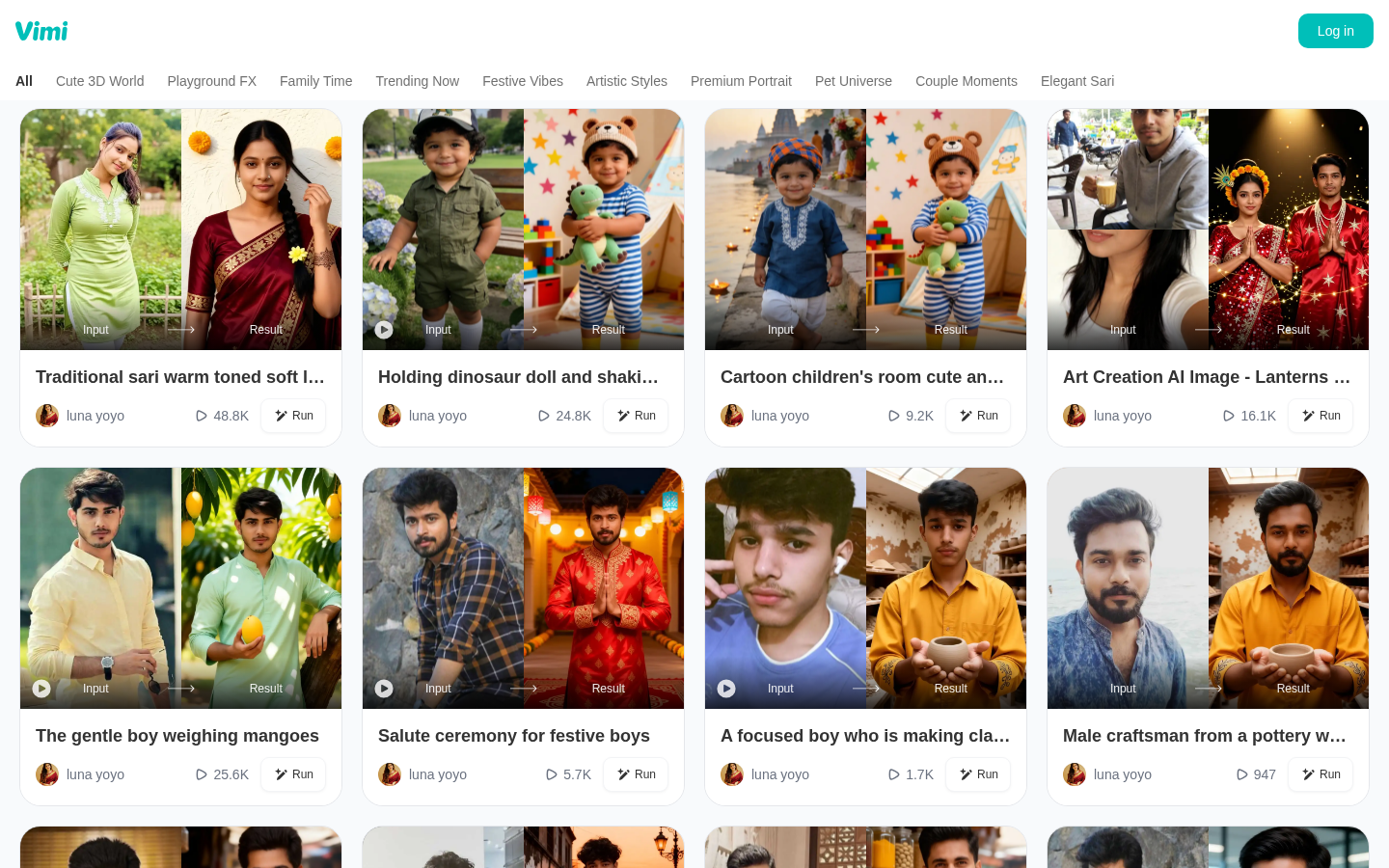
Screenshot archived from the listing page, for preview only.











