viewmax.studio
AI video for social mediaPhotos to video in seconds
Highlights
What you can do with it
- An influencer animating life photos
- A marketer making product promo videos
- An artist turning artwork into motion
How to use it
- 1 Upload a JPG, PNG, or WebP image
- 2 Add a prompt describing motion and effects
- 3 Choose an AI model
- 4 Download the video and share it
Who it is for
Pros
- Very fast generation
- Multiple models for different looks
- Free starting credits
Limitations
- Credit costs vary by model
- Free credits run out quickly
- Motion control is limited to prompt guidance
What viewmax.studio is
Viewmax Studio is an AI video editing suite built around image-to-video generation. You upload a static image, describe the motion and effects you want, and the platform produces a dynamic video with a cinematic feel. Text-to-video is also available for creators who prefer to start from a description. Several AI models, including Kling and Runway, cover different styles and quality levels, and templates match popular social media formats so output is ready to post. Generation typically finishes in 30 seconds to two minutes, and the result is high definition.
What you can do with it
- Turn JPG, PNG, or WebP images into moving video
- Create video from a written description
- Choose between multiple AI models for different looks
- Download high-definition video for social and creative work
Who it is for
- Influencers who need to post frequently
- Content creators working across formats
- Product marketers making promotion videos
- Artists and animators exploring new styles
What to watch out for
Credits are consumed per generation and different models cost different amounts, so the free starting credits go quickly. Motion control comes from the prompt, which means fine control over camera moves is limited compared with manual editing. Check each clip before publishing, and remember that quality still depends on the source image and the clarity of your description. Behavior may vary across browsers and devices, so test before production use and consult the help docs if errors appear. Features and interface details may change between versions, so review the latest notes on the page before you start. Free tiers and usage limits can change, so check the current rules on the official page before relying on it long term.
FAQ
Which models can I use?
Several AI models are available, such as Kling and Runway, suited to different styles and quality levels.
How long does generation take?
Usually between 30 seconds and 2 minutes.
Is it free to start?
New users get free credits for a trial, and additional credits can be purchased as needed.
Why it is free
What the official page says: 免费
Free limits, trial length and features are decided by the official site and can change at any time.
Product preview
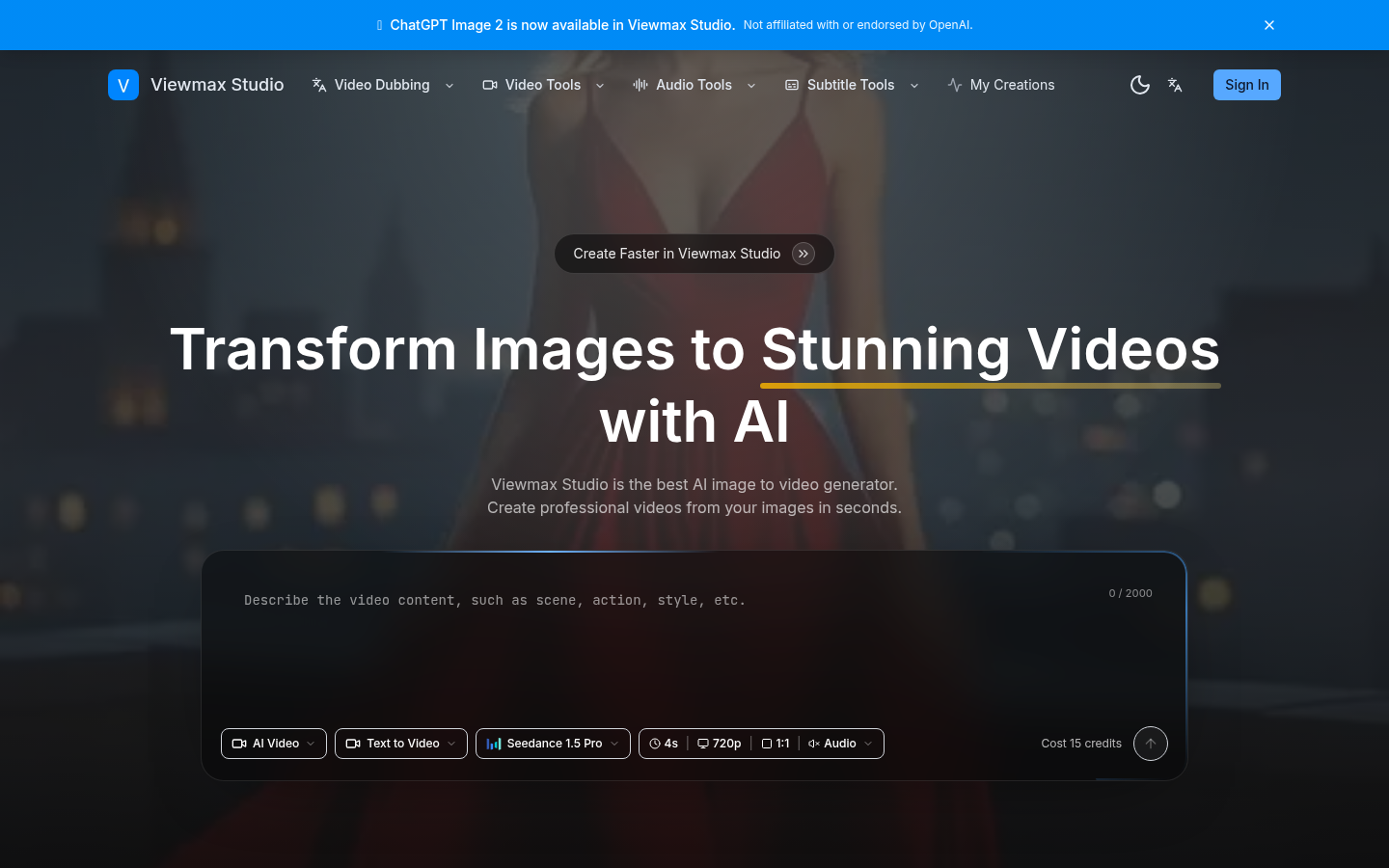
Screenshot archived from the listing page, for preview only.