
Vidux AI
All-in-one AI video creation and processing platformText or image in, finished video out
Highlights
What you can do with it
- Turn article content into promotional videos for social media
- Produce product videos with batch processing and API integration
- Improve the picture quality of home videos before sharing
How to use it
- 1 Open the Vidux AI website and register with Get Started Free, or sign in
- 2 Choose the function you need, such as AI Video Generator or Video Downloader
- 3 Follow the prompts, for example entering text or choosing style parameters
- 4 Wait for processing to finish
- 5 Download or share the finished video
Who it is for
Pros
- A free version is available for trial
- Many functions sit in one place, from generation to enhancement
- Batch processing and API support suit repeat work
- No professional editing skills are required to start
Limitations
- The free version is a trial, with commercial use on the paid plan
- Downloading video from other platforms raises copyright and terms-of-service questions that are your responsibility
- AI generation quality varies with the prompt and source material
- Large files and 4K output need patience and bandwidth
What Vidux AI is
Vidux AI is a video creation and processing platform built on AI models. It brings together text-to-video, image-to-video, compression, enhancement and format conversion in one place, and it can download high-definition video from around 100 platforms and convert between formats with support for roughly 200 codecs. The point is to remove the editing bottleneck: you describe what you want or upload material, and the models produce the result, so professional editing skills are not required. A free version is available for trial, and a paid commercial version exists for teams that need more.
What you can do with it
- Turn a text prompt into a finished short video
- Animate a still image into a moving clip
- Download HD or 4K video from supported platforms
- Convert formats, compress files and enhance picture quality
- Create battle or kissing style videos for specific creative needs
Who it is for
- Content creators who publish video on a schedule
- Enterprise teams making promotional or training material
- Ordinary users who want better-looking home videos
- Anyone who needs batch processing or API integration
What to watch out for
The free version is a trial, and commercial work is expected on the paid plan, so budget accordingly if this is for a business. Downloading video from other platforms raises copyright and terms-of-service questions, and the consequences of ignoring them sit with you, not the tool. AI output quality varies with the prompt and source material, so expect to retry and refine. Large files and 4K results also take time and bandwidth, which matters if you are on a slow connection. Features and interface details may change between versions, so review the latest notes on the page before you start.
FAQ
Is Vidux AI free?
There is a free version for trial use, and a paid commercial version for heavier work.
What can it generate?
Text-to-video and image-to-video, plus enhancements such as 4K super-resolution, background removal and noise reduction.
Can it download videos from other sites?
It supports downloading HD video from about 100 platforms, though you are responsible for respecting copyright and platform terms.
Do I need editing skills?
No. The tools are designed so you can work from text prompts and presets.
Why it is free
What the official page says: free version
Free limits, trial length and features are decided by the official site and can change at any time.
Product preview
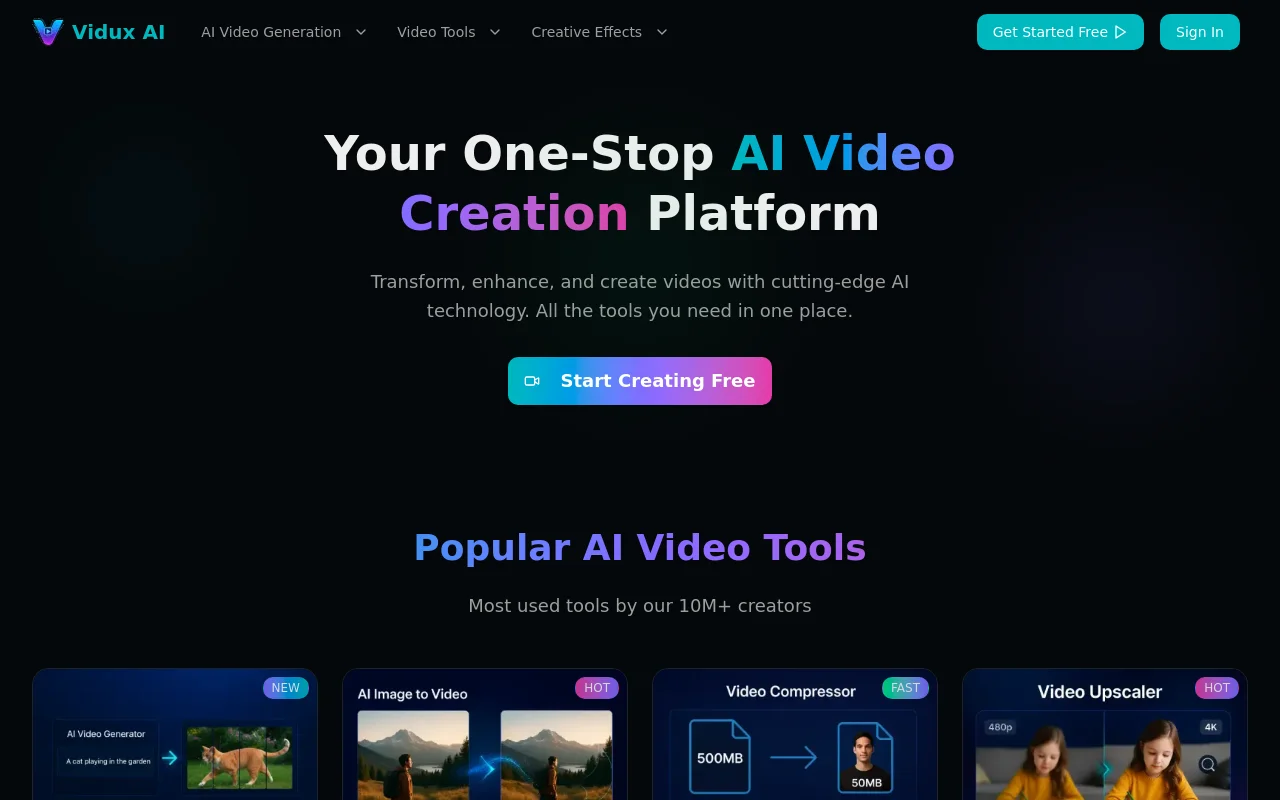
Screenshot archived from the listing page, for preview only.











