
VidFlux
All-in-one image to video platformOne place, several image-to-video models
Highlights
What you can do with it
- Turning a photo into a short video clip
- Comparing how different models handle the same image
- Producing social video content from still images
How to use it
- 1 Log in to vidflux.ai and open the image-to-video tool
- 2 Upload the image you want to animate
- 3 Pick a model and generate the video
- 4 Download the result or try another model
Who it is for
Pros
- Several models available without leaving the site
- Free generation once logged in
- Single interface for image-to-video work
Limitations
- Some features require credits, so costs can add up
- Depends on upstream models such as Veo 3 and Sora 2, which may change
- Free generation terms are not guaranteed long-term
What VidFlux is
VidFlux is an online platform that turns images into videos using several AI models in one place. The site says it supports six image-to-video models, including Veo 3 and Sora 2, so you can try different engines without opening separate websites. Some features require credits, and users can log in to generate videos for free. It is aimed at creators who need efficient image-to-video conversion without managing multiple accounts and workflows. The platform is positioned as a single workspace for image-to-video work rather than a collection of bookmarks to different model sites.
What you can do with it
- Turn a still photo into a short video clip
- Compare how different models handle the same image
- Produce social video content without switching tools
- Log in and generate videos for free before spending credits
Who it is for
- Creators who want image-to-video output in one interface
- Users comparing several AI video models side by side
- Social media creators working from still photography
- Marketers who need quick video variants from existing product images
What to watch out for
Some features require credits, so costs can add up if you generate often, and the listing does not publish credit prices. The platform depends on upstream models such as Veo 3 and Sora 2, so model availability and behavior may change over time. Free generation terms are not guaranteed long-term, so check the site before relying on them. Results vary between models, so expect to test more than one to find the look you want. Behavior may vary across browsers and devices, so test before production use and consult the help docs if errors appear.
FAQ
Which models does VidFlux use?
The site says it supports six image-to-video models, including Veo 3 and Sora 2.
Can I use it for free?
Users can log in to generate videos for free, but some features require credits.
Do I need multiple accounts?
No. The point of the platform is to use several models from one place instead of separate sites.
Why it is free
What the official page says: 免费
Free limits, trial length and features are decided by the official site and can change at any time.
Product preview
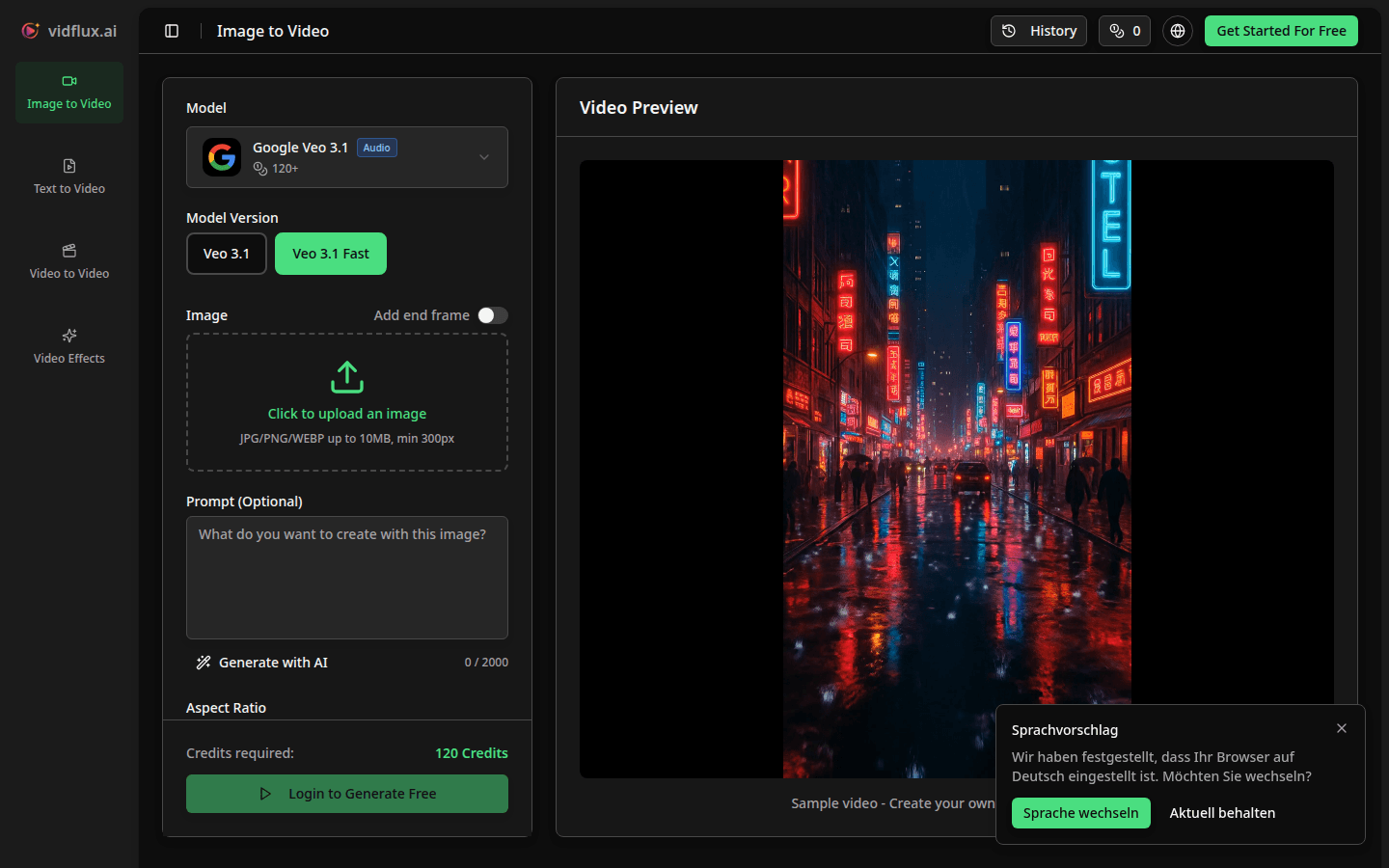
Screenshot archived from the listing page, for preview only.