
Vectorizer AI
AI image vectorizerTurn JPEG and PNG into clean vectors
Highlights
What you can do with it
- Converting a bitmap logo into clean vector shapes
- Preparing artwork for high resolution or large format printing
- Cleaning up raster art for reuse in other design tools
How to use it
- 1 Upload the JPEG or PNG you want converted.
- 2 Let the automatic engine analyze the pixels into shapes.
- 3 Check the edges, corners and curves in the preview.
- 4 Adjust settings if the shape breakdown needs tuning.
- 5 Download the result as SVG, PDF, EPS, DXF or PNG.
Who it is for
Pros
- Fully automatic processing removes tedious manual tracing
- Multiple export formats cover most design and print tools
- Full color and transparency support keeps detail intact
- Free to use according to the product page
Limitations
- Free use terms and processing limits can change at any time
- Automatic output still needs a visual check before production
- Detailed photographs are a poor fit for vector conversion
- Fine lines and gradients may not trace cleanly
What Vectorizer AI is
Vectorizer AI is a fully automatic image to vector converter. You give it a JPEG or PNG and it returns vector graphics, most commonly SVG. Instead of manual tracing, the engine runs on GPU and multi core CPU processing, breaks the picture into geometric shapes and curve types, keeps full 32 bit color and transparency, and optimizes edges and corners. Because the result is vector, it can be scaled up or printed at high resolution without the pixel limits of the original file. Output formats include SVG, PDF, EPS, DXF and PNG, and the page says the tool is free to use.
What you can do with it
- Convert a JPEG or PNG logo into clean vector shapes.
- Scale artwork for large format printing without quality loss.
- Export to SVG, PDF, EPS, DXF or PNG for different tools.
- Clean up bitmap art for reuse in design work.
Who it is for
- Designers who need a bitmap logo converted quickly.
- Print shops preparing art for large output.
- Anyone who wants vector files without manual tracing.
What to watch out for
Free use is stated on the page, but free limits, file size rules and processing terms can change, and the page does not describe paid tiers in detail. Automatic conversion still needs a visual check, especially on logos with fine lines or gradients. Highly detailed photographs are a poor fit for vector output, so pick images with clear shapes and flat color for the best result. For best results, start with a small test file and review the output carefully before working on anything important. Free tiers can change over time, so it is worth checking the current limits on the official page before you rely on the tool daily.
FAQ
Is Vectorizer AI free?
The page describes the tool as free to use. Paid tiers and limits are not described in detail, so check the site for current terms.
What formats does it support?
It converts JPEG and PNG input into vector output and supports SVG, PDF, EPS, DXF and PNG for the result.
Do I have to trace the image myself?
No. The processing is described as fully automatic, with the engine breaking pixels into geometric shapes and curves.
Will it work on a photograph?
Vector output suits clear shapes and flat color best. Highly detailed photos usually convert poorly, so pick images with simple edges.
Why it is free
What the official page says: free to use
Free limits, trial length and features are decided by the official site and can change at any time.
Product preview
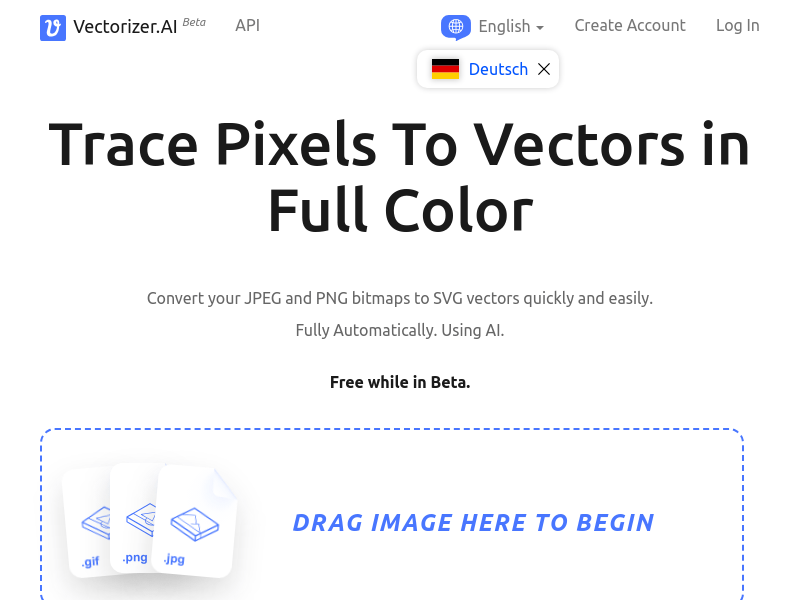
Screenshot archived from the listing page, for preview only.











