
UniMusic AI
AI music generator with royalty-free commercial useDescribe a song and get vocals, melody, and arrangement
Highlights
What you can do with it
- Create background music for a travel video
- Produce original music for an advertising campaign
- Write and share a personal original song
How to use it
- 1 Describe your idea, or paste lyrics, into the generator.
- 2 Click generate and let the AI build melody, rhythm, vocals, and production.
- 3 Preview the track on the player page.
- 4 Download the royalty-free file or share it.
- 5 Use the vocal removal or track separation tools if you need to edit.
Who it is for
Pros
- No musical training needed to get a complete track
- Royalty-free with full ownership supports commercial use
- Fast generation and a shareable page for each track
Limitations
- Paid plans are needed beyond the free tier
- Vocal quality and arrangement control are limited
- A newer service, so long-term stability is unproven
What UniMusic AI is
UniMusic AI is an AI music generator that launched in 2025. You describe your idea or paste lyrics, and the AI builds a complete track with vocals, melody, and professional arrangement in about a minute. No musical skill is required, which is the main claim. All generated music is royalty-free and the user has full ownership, so tracks can go into commercial work. Pricing starts with a free plan, then Lite at 15 dollars a month or 120 a year, and Pro at 30 a month or 240 a year.
Beyond generation, the service adds editing tools that matter to people who actually use the output. There is an AI vocal removal function for processing existing music, and an AI track separation function that splits a track into parts so each can be worked on. Every generated track also gets its own display page with cover art and synchronized lyrics, which makes sharing simple.
What you can do with it
- Turn lyrics or a short description into a finished song
- Generate a track with vocals and arrangement without studio skills
- Download royalty-free music for personal or commercial projects
- Remove vocals or separate tracks for editing
- Share each track through its own display page
Who it is for
- Video bloggers and content creators needing original background music
- Businesses creating music for advertising and promotion
- Music lovers writing personal songs and sharing them
- Podcasters who want custom intro and outro audio
What to watch out for
Beyond the free plan, costs add up if you generate at volume, so check the tier limits against your output. Vocal naturalness and fine arrangement control are limited compared with a human production, and results vary by prompt. The royalty-free and ownership promises come from the operator, so read the license terms before you rely on them in paid work. The service is new, which means pricing, features, and availability are still likely to move. Save the files you like, because a track that only exists on the platform is a track you can lose.
FAQ
Do I need music skills?
No, you describe an idea or paste lyrics and the AI handles the rest.
Can I use the music commercially?
Yes, the listing says all generated music is royalty-free and you have full ownership.
What does it cost?
There is a free plan, Lite at 15 dollars a month or 120 a year, and Pro at 30 a month or 240 a year.
Why it is free
What the official page says: free plan
Free limits, trial length and features are decided by the official site and can change at any time.
Product preview
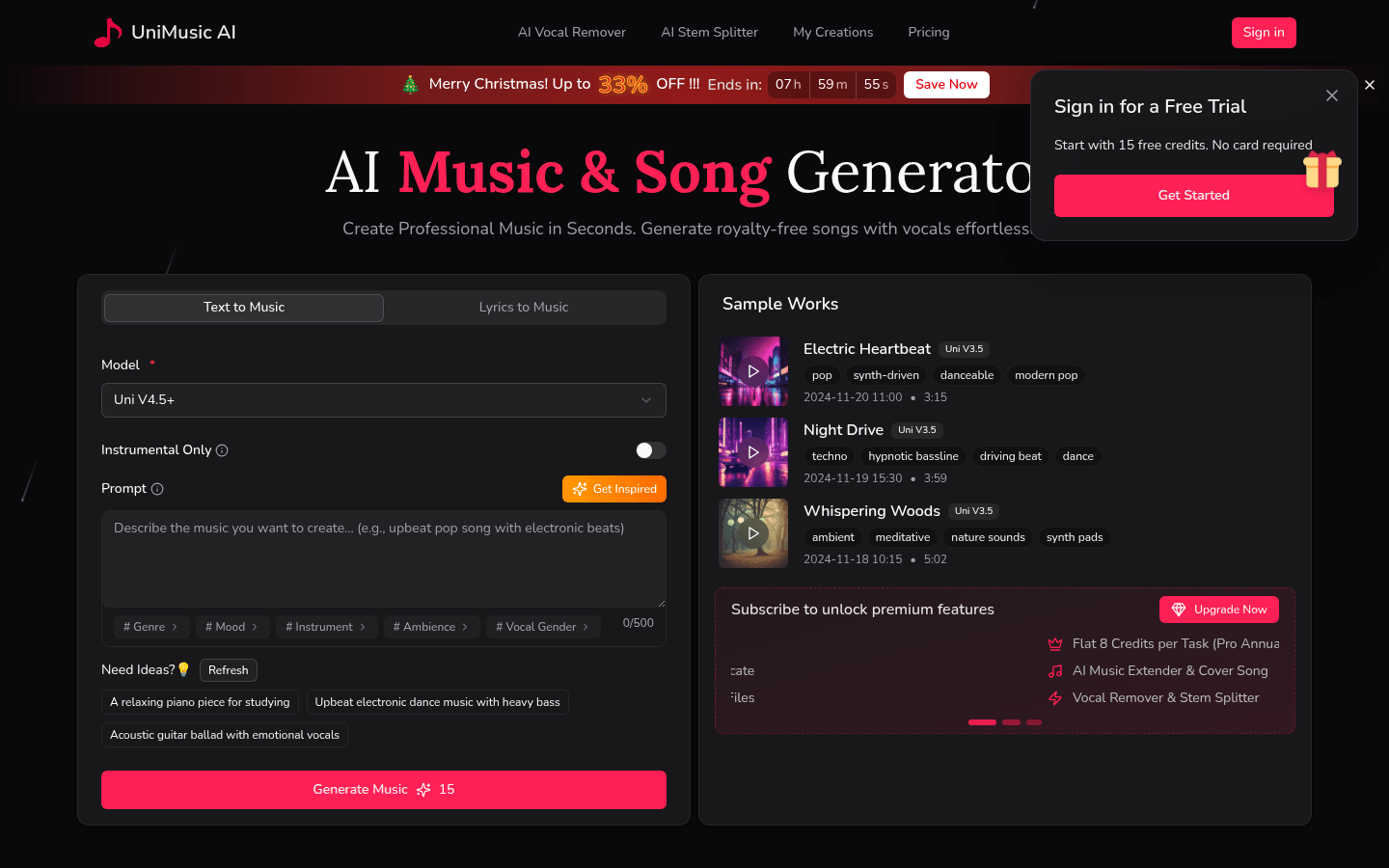
Screenshot archived from the listing page, for preview only.










