Ultra-Attention
Focus app for freelancers and remote workersBlock distractions and track your work time
Highlights
What you can do with it
- Running a deep work block with social sites blocked
- Logging billable hours across a freelance day
- Keeping a task list and a timer in one window
How to use it
- 1 Install the desktop application on your computer.
- 2 Set the sites you want blocked and the session length.
- 3 Start focus mode and work until the timer ends.
- 4 Review tracked time and finished tasks at the end of the day.
Who it is for
Pros
- Puts blocking, timing, and tasks in one place
- Built for people who work without an office structure
- Listed as free to start with reasonable paid pricing
Limitations
- Desktop only, so it does not cover mobile distraction
- Blocking can be bypassed if you control the machine
- Free tier rules and pricing can change over time
What Ultra-Attention is
Ultra-Attention is a desktop application built for freelancers and remote workers who need help concentrating. It brings four things together in one program: a focus mode, website blocking, time tracking, and task management. The idea is that you decide what a work session should cover, switch on focus mode so distracting sites stay closed, and let the timer record how the time actually went. Pricing is described as reasonable and suitable for individuals and teams, and the listing marks a free entry point.
What you can do with it
- Start a focus session that blocks interruptions by design.
- Block specific websites that pull your attention away.
- Track working periods and breaks so the day is measurable.
- Manage tasks and see progress against what you planned.
Who it is for
- Freelancers who set their own hours and lose momentum.
- Remote workers dealing with home and household distractions.
- Anyone who wants a record of billable or focused time.
- Small teams that want a shared approach to focus and tracking.
What to watch out for
It is a desktop tool, so it will not stop distraction on a phone or tablet unless you handle that separately. Website blocking on a machine you control can usually be worked around, which means it helps intent more than it enforces rules. The free entry point and paid pricing can change, so confirm current terms before committing. Tracking time and tasks also only pays off if you review the data, and that habit takes a couple of weeks to build. Free tiers and usage limits can change, so check the current rules on the official page before relying on it long term.
FAQ
What platforms does it run on?
It is described as a desktop application for individuals and teams.
Can it block websites?
Yes, website blocking is one of the listed features.
Is there a free option?
The listing marks it as free to start, with pricing described as reasonable.
Why it is free
What the official page says: for free
Free limits, trial length and features are decided by the official site and can change at any time.
Product preview
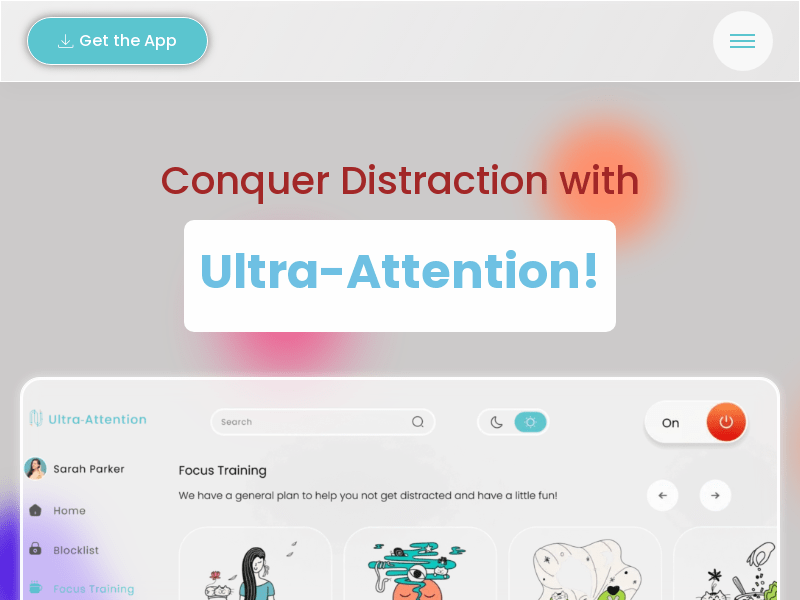
Screenshot archived from the listing page, for preview only.











