
UGCVideo.ai
AI UGC advertising video generator for e-commerceTurn product links into high-converting UGC videos
Highlights
What you can do with it
- A skincare brand tunes skin texture to make review videos feel authentic
- Amazon sellers paste product URLs and spin up multiple TikTok seeding videos in minutes
- Lifestyle brands record supplement ads with a tired-eye look that resonates with shift workers
How to use it
- 1 Register and log in on the UGCVideo.ai site
- 2 Choose AI Avatar or UGC Template to set the visual style
- 3 Paste a product URL or write a script and let AI pull the selling points
- 4 Customize gestures, voice language, and skin detail parameters
- 5 Generate, preview, and download the MP4 for social publishing
Who it is for
Pros
- Removes the shoot, the creator fee, and the editing round trip
- Skin detail controls help avoid the plastic AI look
- Script writing and voiceover are handled in the same tool
Limitations
- Only a free trial is available; paid plans start at $27.3 per month
- Digital human output may still read as synthetic to picky viewers
- Results depend on your product photos and the script you supply
What UGCVideo.ai is
UGCVideo.ai is an AI video generation tool aimed at e-commerce and performance marketing. Traditional video production often runs past $2000 per video and takes about seven days. This platform compresses that into a browser workflow: paste a product link or type a script, and it generates a UGC-style ad. There is a free trial, a starter plan at $27.3 per month, and a commercial plan at $147.
What you can do with it
- Paste a product detail page URL and let AI analyze features and build the ad.
- Adjust skin detail such as redness, pores, and under-eye circles so models look less synthetic.
- Pick from an AI influencer library across races, genders, and ages, in full or half body.
- Use the built-in script writer to generate hooks, then add multilingual voiceover.
- Add gestures and lip sync so the presenter reads as engaged.
- Clone the structure of a TikTok or Reels hit and re-cut it for your product.
Who it is for
- E-commerce sellers who need volume creative for TikTok and Meta.
- Performance marketers running rapid hook and angle tests.
- Brands that cannot afford on-camera creators or studio time.
What to watch out for
The free access is a trial, not a permanent plan. Output quality hinges on the product photos and script you bring, and digital humans can still look artificial to a sharp-eyed audience. Treat generated ads as testable creative rather than finished brand films. Free tiers and usage limits can change, so check the current rules on the official page before relying on it long term. Processing speed depends on file size and network conditions, so retry later if a task stalls during peak hours.
FAQ
Do I need to film anything?
No. You can paste an Amazon or Shopify product URL and the AI extracts selling points and builds the video.
How much does it cost?
There is a free trial, a starter plan at $27.3 per month, and a commercial plan at $147.
What languages does it support?
It provides multilingual natural-sounding voice synthesis for the generated videos.
Why it is free
What the official page says: free trial
Free limits, trial length and features are decided by the official site and can change at any time.
Product preview
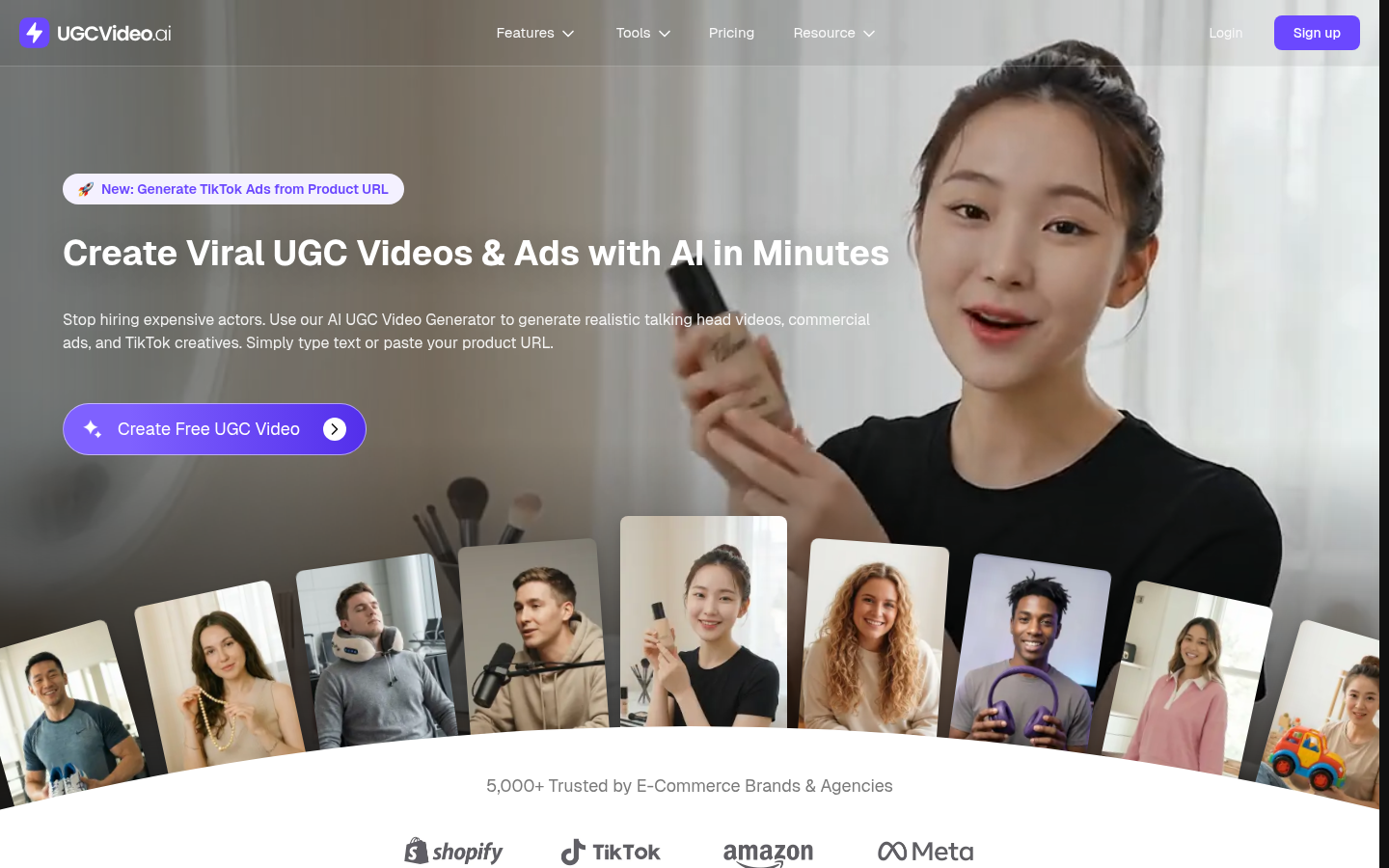
Screenshot archived from the listing page, for preview only.











