
TypeBoost
Mac writing toolkit with custom AI promptsApply saved AI prompts to any text, no copy paste
Highlights
What you can do with it
- Fix spelling and grammar in an email before sending
- Turn a rough draft into a short social post
- Translate a passage into English without leaving the page
How to use it
- 1 Download and install the TypeBoost Mac app
- 2 Select the text you want to process in any app
- 3 Press control and space to open the prompt menu
- 4 Choose a prompt such as fix spelling and grammar
- 5 Let TypeBoost apply it to the selected text, then review
Who it is for
Pros
- No copy and paste between apps to use a prompt
- Prompts are reusable, so instructions are written once
- Voice input helps when typing is awkward
Limitations
- Only a free trial is offered, then paid use applies
- Mac only, so Windows and Linux users are excluded
- Result quality depends on the prompts you write
What TypeBoost is
TypeBoost is a personal AI writing toolkit for macOS. You create and save your own AI prompts, then apply them directly to text you have selected in any Mac application. That removes the copy and paste loop where you explain the same instruction to a chatbot over and over. The listing says it covers scenarios from cold emails to social posts, supports voice input, and includes several text processing functions such as spelling and grammar correction, turning drafts into shorter posts, rewriting to specific rules, translation, and sales email polish. The control and space shortcut brings up the prompt menu over the selected text. A free trial is offered before paid use.
What you can do with it
- Apply a saved prompt to selected text without leaving the app
- Fix spelling and grammar in place before sending
- Rewrite a draft into a short post or a cleaner email
- Translate or polish copy directly on the page
Who it is for
- Freelancers who handle many kinds of copy in one day
- Entrepreneurs writing outreach and promotional email
- Independent hackers drafting release notes and documentation
What to watch out for
The free trial is temporary, so treat it as an evaluation period and check pricing before you depend on it for daily work. It is a Mac application, which means Windows and Linux users are not covered, and the control and space shortcut may conflict with other tools you have bound to the same keys. Output quality depends heavily on the prompts you write, so vague instructions give vague rewrites and you will still edit the result. Voice input is convenient but transcription errors happen, so proofread anything you dictate before it goes out.
FAQ
Which systems does TypeBoost support?
The listing describes it as a Mac application.
How do I trigger it?
Select text and press control and space to bring up the prompt menu, then pick the prompt you want.
Is it free?
A free trial is offered. Continued use means a paid plan, so check current pricing before committing.
Why it is free
What the official page says: for freefree trial
Free limits, trial length and features are decided by the official site and can change at any time.
Product preview
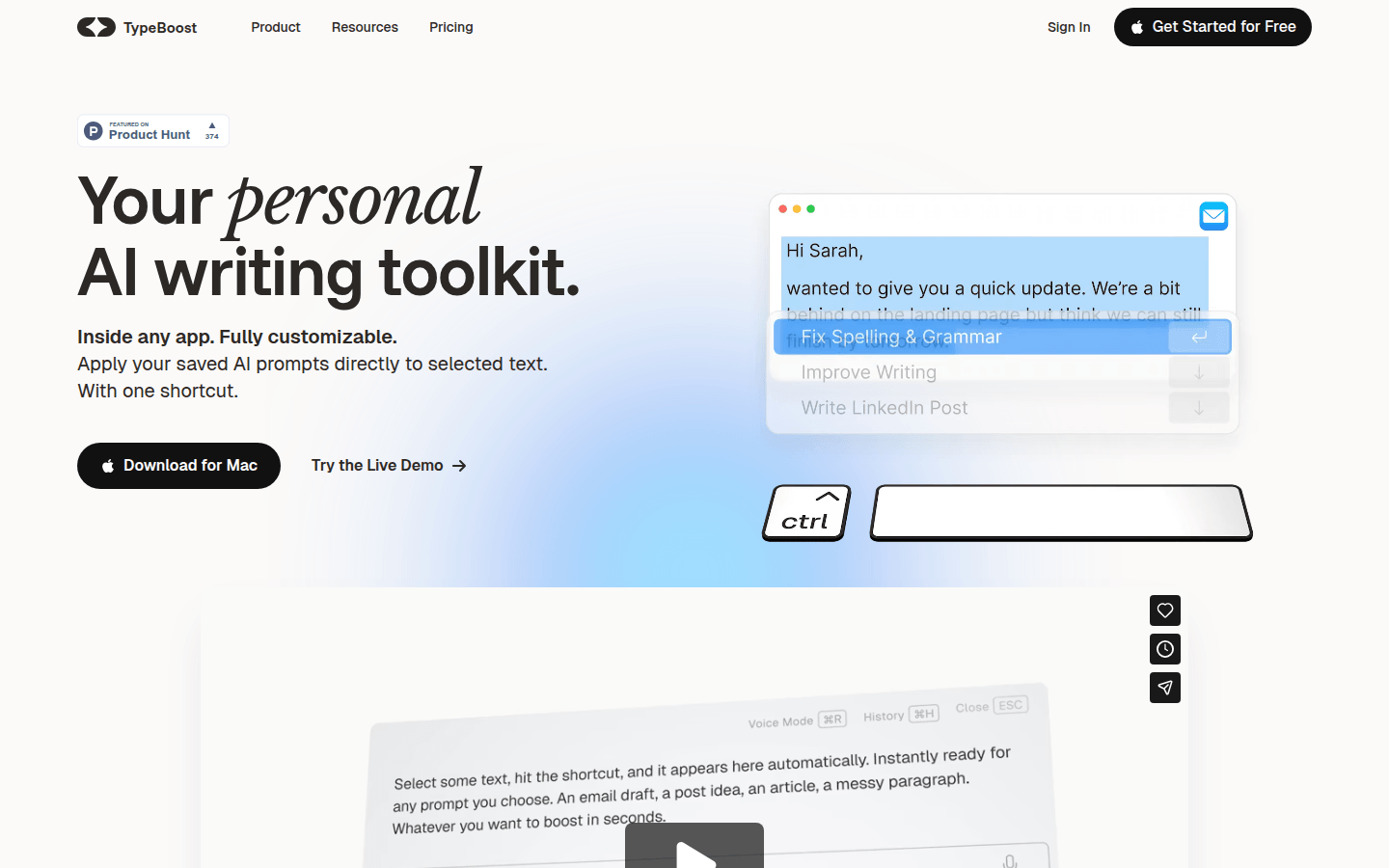
Screenshot archived from the listing page, for preview only.











