
Tyndall AI
AI toolkit for image and video creationGenerate, swap, upscale, and animate in one place
Highlights
What you can do with it
- A creator generates article illustrations and social visuals quickly
- A marketer turns product copy into short promotional videos
- A game developer builds character actions from reference footage
How to use it
- 1 Visit Tyndall AI and register or log in
- 2 Pick the tool you need, such as image or video generation
- 3 Enter a prompt or upload reference images or video
- 4 Select the model and set output parameters
- 5 Generate, review the result, then download or share it
Who it is for
Pros
- Many generation and editing tools in a single workspace
- Daily free credits lower the entry cost
- No professional editing skills needed for basic use
Limitations
- Face swap and watermark removal can violate platform rules, consent, and copyright, and the consequences fall on the user
- Ten daily credits go quickly on video work
- Upscaling and motion control quality depends on the source material
- Extra credits require purchase
What Tyndall AI is
Tyndall AI is an AI-native creative toolkit for image and video work. It brings generation and editing into one place: a text-to-image generator, a text-to-video generator with cinematic controls, face swap for photos, videos, and GIFs, image and video upscalers, watermark removal, and AI motion control that animates characters from reference footage. The site says it supports the latest models and provides 10 free credits every day, which is enough to test the workflow before buying more credits on the pricing page.
What you can do with it
- Generate images from text prompts and videos with a cinematic feel.
- Swap faces in photos, videos, and GIFs for creative or entertainment content.
- Sharpen and enlarge low-resolution video and images with the upscalers.
- Remove trademarks and text overlays from video for cleaner frames.
- Drive character actions from a reference video for animation and game projects.
Who it is for
- Content creators who need article art, thumbnails, and social visuals at volume.
- Marketers who want promotional video without hiring a production crew.
- General users who want simple tools for fun images and clips.
- Game developers who need character motion references turned into animation input.
What to watch out for
Two features carry real risk. Face swap and watermark removal can breach platform rules, consent, and copyright, and any consequences are borne by the user, so only use them on material you own or have permission to edit. The daily 10 credits are small for video work, so heavier use means buying credits. Upscaling and motion control depend heavily on the quality of the source file, and low-quality input will not become clean output. As with any generated media, review results before publishing.
FAQ
Are there free credits?
The site states that 10 free credits are provided daily.
What does the face swap tool do?
It swaps faces in photos, videos, and GIFs for fun or creative content.
Can it remove watermarks?
Yes, it can remove trademarks and text overlays from video, though that may conflict with the original owner's rights.
What is AI motion control?
It drives character actions based on a reference video, which helps with animation and game work.
Why it is free
What the official page says: free credits
Free limits, trial length and features are decided by the official site and can change at any time.
Product preview
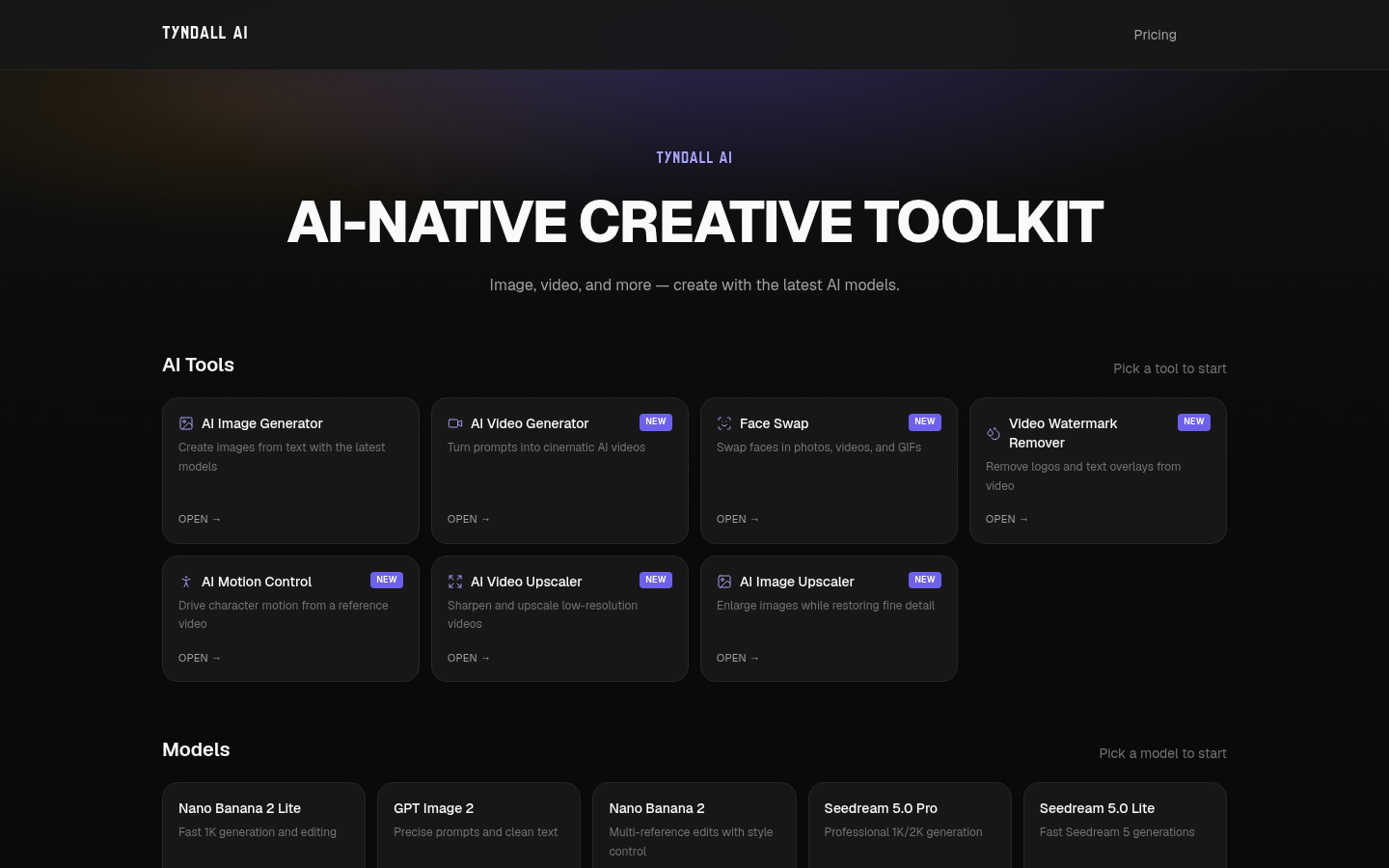
Screenshot archived from the listing page, for preview only.











