
TweetAI
AI tweet generator and rewriterSpark tweet ideas in seconds
Highlights
What you can do with it
- Generate fresh tweet ideas when stuck
- Draft replies to keep conversations going
- Rewrite posts for a clearer voice
How to use it
- 1 Open the TweetAI site and start the trial
- 2 Pick a topic or prompt for a tweet
- 3 Generate ideas, replies, or rewrites
- 4 Edit the result and post it
Who it is for
Pros
- Fast tweet, reply, and rewrite generation
- Saves time when you are out of ideas
- Free trial before subscribing
Limitations
- Free trial is limited and full use needs a subscription
- Generated tweets need a human touch to fit your voice
- Engagement and follower growth are not guaranteed
What TweetAI is
TweetAI is an AI-powered tweet generator. According to the site, it can inspire and compose tweets within seconds, saving a considerable amount of time and effort so you never run out of things to say. Besides generating original tweets, it can also produce reply ideas and rewrite existing tweet content, which makes it useful for keeping conversations alive. The site says it enhances tweet engagement and helps grow your follower base over time. A free trial is offered alongside paid subscription plans, and the tool is designed for individual users, social media agencies, and writers. In practice it is an idea engine, not an autopilot, and the posts still need your own voice before they go out.
What you can do with it
- Generate fresh tweet ideas when you are stuck or blocked
- Draft replies that keep existing conversations moving
- Rewrite existing tweets for a cleaner or stronger angle
- Save time on routine posting and content scheduling
Who it is for
- Individual users who post regularly and need ideas
- Social media agencies managing multiple client accounts
- Writers who need quick hooks and opening lines
- Anyone staring at a blank tweet box with nothing to say
What to watch out for
The free trial is limited and full use requires a paid subscription, so treat the trial as a test of whether the style fits you before you pay. Generated tweets are a starting point, and posting them untouched can feel generic, so edit heavily to keep your own voice and avoid sounding like everyone else. Engagement and follower growth are never guaranteed, and results depend far more on your audience and consistency than on any single tool. Because it writes public-facing content, review each post for accuracy and tone before publishing, since a bad automated tweet is public and hard to walk back.
FAQ
What does TweetAI generate?
It generates tweet ideas, reply ideas, and rewrites of existing tweets.
Is there a free trial?
Yes. The site offers a free trial plus paid subscription plans.
Who is it designed for?
The site lists individual users, social media agencies, and writers.
Why it is free
What the official page says: free trial
Free limits, trial length and features are decided by the official site and can change at any time.
Product preview
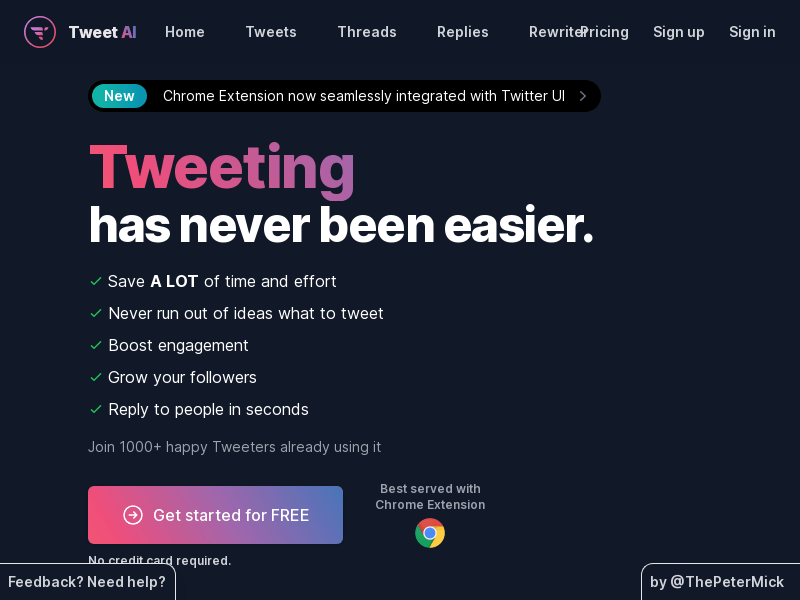
Screenshot archived from the listing page, for preview only.











