
Tunesona AI Music Agent
AI music creation agentMake music by talking to an AI agent
Highlights
What you can do with it
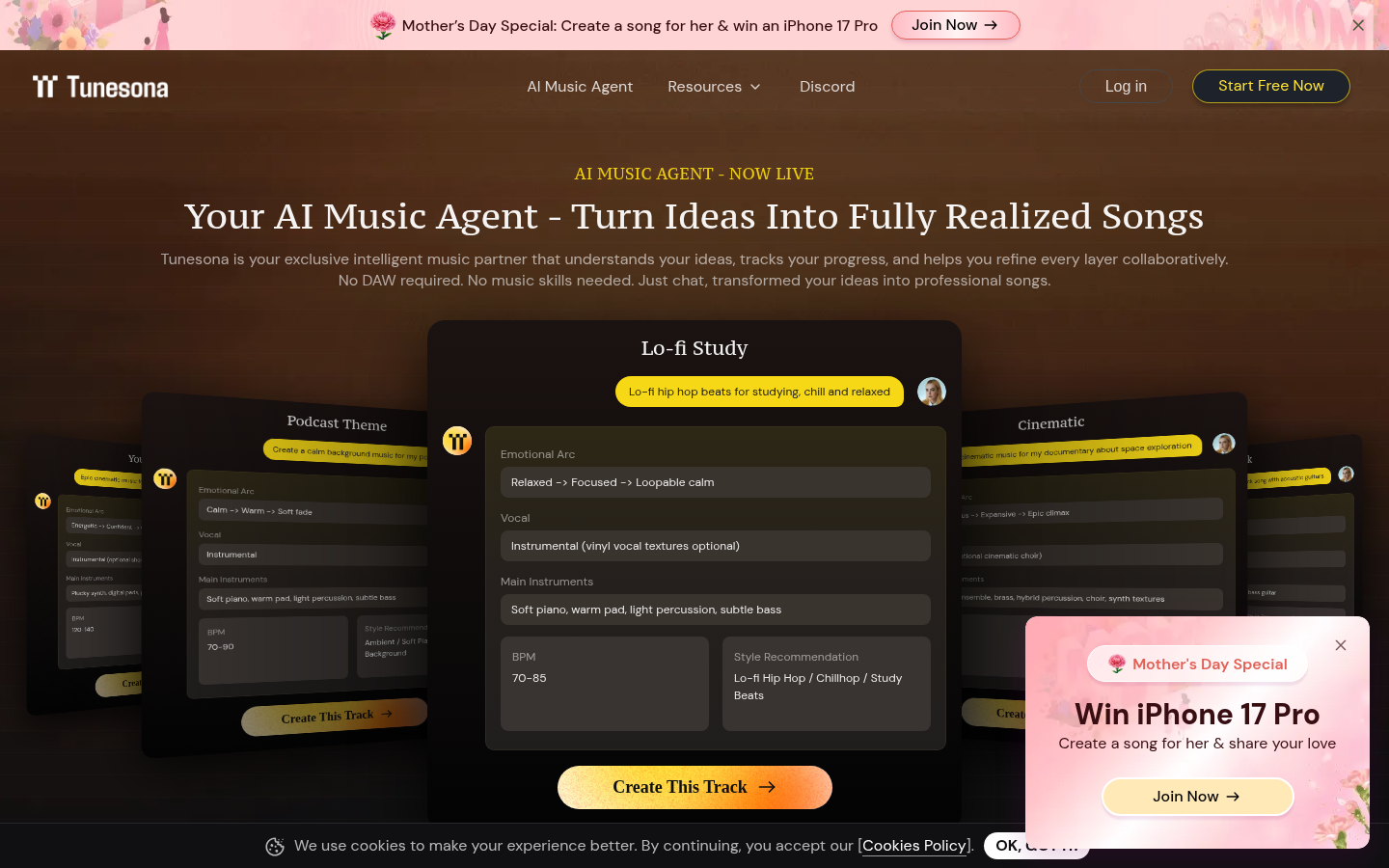
- A documentary producer scores a space exploration film with an arc from mystery to grandeur
- A podcast host creates calm background music with soft piano and warm pads
- A student generates lo-fi hip hop beats set to a loopable, focused state
How to use it
- 1 Register and log in on the Tunesona site, starting with the free option as a new user
- 2 Define your needs: style, emotional arc, instruments, and BPM
- 3 Enter your ideas in natural language in the creation interface
- 4 Watch the real-time progress panel while the music is generated
- 5 Edit the result, adjusting style, lyrics, and instruments until it fits
- 6 Save or download the finished track for your project
Who it is for
Pros
- No music production skills or software required to get a finished song
- Blueprint preview lets you approve the song structure before generation
- Editing and iteration after generation means you are not stuck with the first output
- Free quota is available for new users
Limitations
- Free quota size is not specified, and paid upgrade rules may change over time
- Output quality depends on how clearly you describe the mood, instruments, and tempo
- Editing is done through conversation, so fine control can take several rounds
- Results are original but generic; distinctive character still needs human finishing
What Tunesona AI Music Agent is
Tunesona is an AI music agent that creates and edits personalized music through conversation. Instead of opening a digital audio workstation, you describe the track you have in mind in plain language: the style, the emotional arc, the instruments you want, the tempo. The agent takes that description and returns a complete original song. Before it starts generating, the Plan mode shows you a full blueprint of the piece, including its sections, the emotional shape of each part, the instrument choices, and a lyric outline, so you can correct the structure before any audio is rendered. A real-time progress panel shows what the agent is doing at each step, which helps when a generation takes a while. Once the track exists you can edit it, changing style, rewriting lyrics, or swapping instrument configuration, and keep iterating with the agent until the result is what you wanted. The site says new users can start for free with a free quota.
What you can do with it
- Describe a song idea in natural language and get a complete original track back
- Review the song blueprint in Plan mode before generation begins
- Track generation progress in real time instead of guessing how long it will take
- Edit style, lyrics, and instruments after generation and iterate with the agent
- Work across styles such as Future Bass, Indie Rock, and K-pop ballad
Who it is for
- Music enthusiasts who have ideas but no production training or DAW access
- Content creators like documentary producers and podcast hosts who need custom scores
- Students and casual users making study or focus tracks to their own specification
- Marketing teams producing original background music for promotional material
What to watch out for
The listing mentions a free quota but does not say how large it is, and paid upgrade rules can change at any time, so verify current terms on the official page. Because the whole flow is conversational, the quality of your description matters more than any technical setting: vague instructions about mood or tempo will produce vague music. Editing by conversation also means fine adjustments can take several rounds rather than one slider move. The output is original and usable, but it tends to sound generic unless you finish it yourself, so treat Tunesona as a fast first draft rather than a finished master. If you need sample-accurate control, a traditional DAW is still the better tool.
FAQ
Do I need to know music production to use Tunesona?
No. You describe your idea in conversation and the agent writes and arranges the music.
Can I change the song after it is generated?
Yes. You can adjust the style, edit lyrics, and swap instrument settings, then iterate until you are happy.
Is there a free option?
The site says new users can start for free with a free quota. Check the current page for the exact allowance.
Why it is free
What the official page says: for freefree trial
Free limits, trial length and features are decided by the official site and can change at any time.
Product preview
Screenshot archived from the listing page, for preview only.