TTSVox
Free text to speech toolPaste text, hear it read
Highlights
What you can do with it
- Listening to study material instead of reading it
- Proofreading a document by ear
- Reading long text aloud for accessibility
How to use it
- 1 Open TTSVox in your browser.
- 2 Paste the text you want spoken.
- 3 Choose a language and a voice.
- 4 Adjust the rate and volume.
- 5 Play the audio and listen.
Who it is for
Pros
- Free to use with no paid tier listed
- Voice, language, rate, and volume controls in one place
- Works in the browser without an install
Limitations
- Free access can change without notice
- No editing or export details are published in the listing
- Voice quality and language coverage vary by language
What TTSVox is
TTSVox is a free online text-to-speech tool. You paste text into the page, choose a language and a voice, and it reads the text back in natural-sounding speech. The controls cover the basics that matter for listening: speech rate and volume, so you can slow a passage down for study or speed through a long document. The listing names education, professional settings, and accessibility as the main scenarios, which matches how the tool is usually used, from hearing course material aloud to proofreading by ear. It is described as free, with no paid tier mentioned, and it runs in the browser without an install.
What you can do with it
- Convert pasted text into spoken audio
- Switch between multiple languages and voices
- Slow down or speed up the speech rate
- Adjust volume for quiet or noisy settings
- Listen to long text instead of reading it
Who it is for
- Students and learners who prefer listening
- Professionals proofreading documents by ear
- Anyone who needs text read aloud for accessibility reasons
What to watch out for
The free status is how the listing describes it, and free tools can change their terms or add limits, so do not depend on it for a paid workflow without checking. The listing does not publish details on export formats, file downloads, or commercial use of the audio, so confirm those before you use output in a published project. Voice quality and language coverage are also uneven: test the specific language and voice you need rather than assuming it will sound the way the demo does, and be ready to try a couple of voices before you find one that is easy to listen to for a long stretch.
FAQ
Is TTSVox free?
Yes, the listing describes it as a free online text-to-speech tool.
What can I adjust?
Language, voice, speech rate, and volume.
What is it used for?
Education, professional work, and accessibility.
Why it is free
What the official page says: 免费
Free limits, trial length and features are decided by the official site and can change at any time.
Product preview
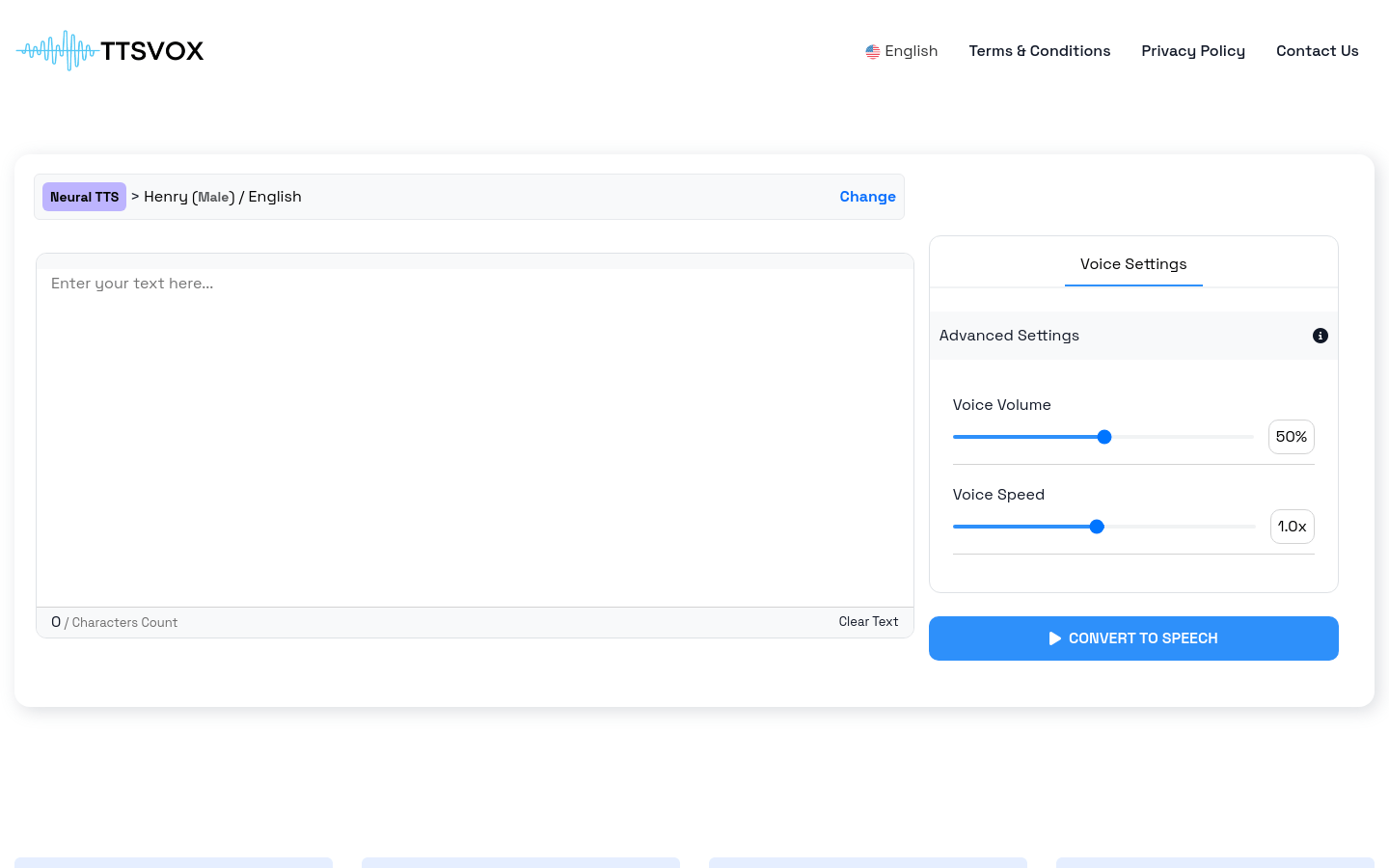
Screenshot archived from the listing page, for preview only.