Translate
Knowledge base with automated docs and videoBuild product documentation while you sleep
Highlights
What you can do with it
- Creating product documentation with automatic workflows
- Generating video tutorials without manual recording
- Sharing and embedding docs in multiple languages
How to use it
- 1 Visit the Minerva site and create an account.
- 2 Set up your documentation project.
- 3 Use automatic workflows, screenshots, and video tools.
- 4 Edit and customize the content as needed.
- 5 Share or embed the docs, upgrading for collaboration.
Who it is for
Pros
- Automates screenshots and video tutorials
- Multilingual support built in
- AI assistant helps generate content
Limitations
- Advanced collaboration needs paid versions
- Automated output still needs review
- Access to the site can change over time
What Translate is
Translate, the Minerva knowledge base platform, helps users quickly create, edit, and share product documentation. It offers automatic workflows, screenshots, and video generation features that simplify the documentation process, so you spend less time assembling pages by hand. Minerva also supports multilingual environments and provides an AI assistant to help automate content generation. Docs can be personalized, customized, and shared or embedded with ease. On pricing, Minerva offers both free and paid versions, and paid versions provide more advanced features and collaborative tools.
What you can do with it
- Create and edit product documentation quickly
- Generate automatic workflows, screenshots, and video tutorials
- Publish docs in multiple languages with AI help
- Share or embed documentation where your users need it
Who it is for
- Teams documenting a product or service
- Support teams building help centers and guides
- Companies that need documentation in several languages
What to watch out for
Automation speeds things up, but generated workflows, screenshots, and videos should still be reviewed for accuracy before release. The free version covers basics, while more advanced features and team collaboration sit behind paid plans, so check what your team needs. Because documentation changes with your product, expect to maintain pages over time. Availability and pricing can change, so confirm current details on the site. Run one full task end to end first, then expand once you are comfortable with the workflow and the result quality. Behavior may vary across browsers and devices, so test before production use and consult the help docs if errors appear. Name and archive exported files consistently so you can find and reuse them, and keep a backup copy of key data.
FAQ
What is Translate (Minerva)?
It is a knowledge base platform for creating, editing, and sharing product documentation.
Does it make video tutorials?
Yes, it offers automated video tutorial generation along with screenshots and workflows.
Is there a free version?
Yes, Minerva offers free and paid versions, with paid adding more advanced features and collaboration tools.
Why it is free
What the official page says: 免费
Free limits, trial length and features are decided by the official site and can change at any time.
Product preview
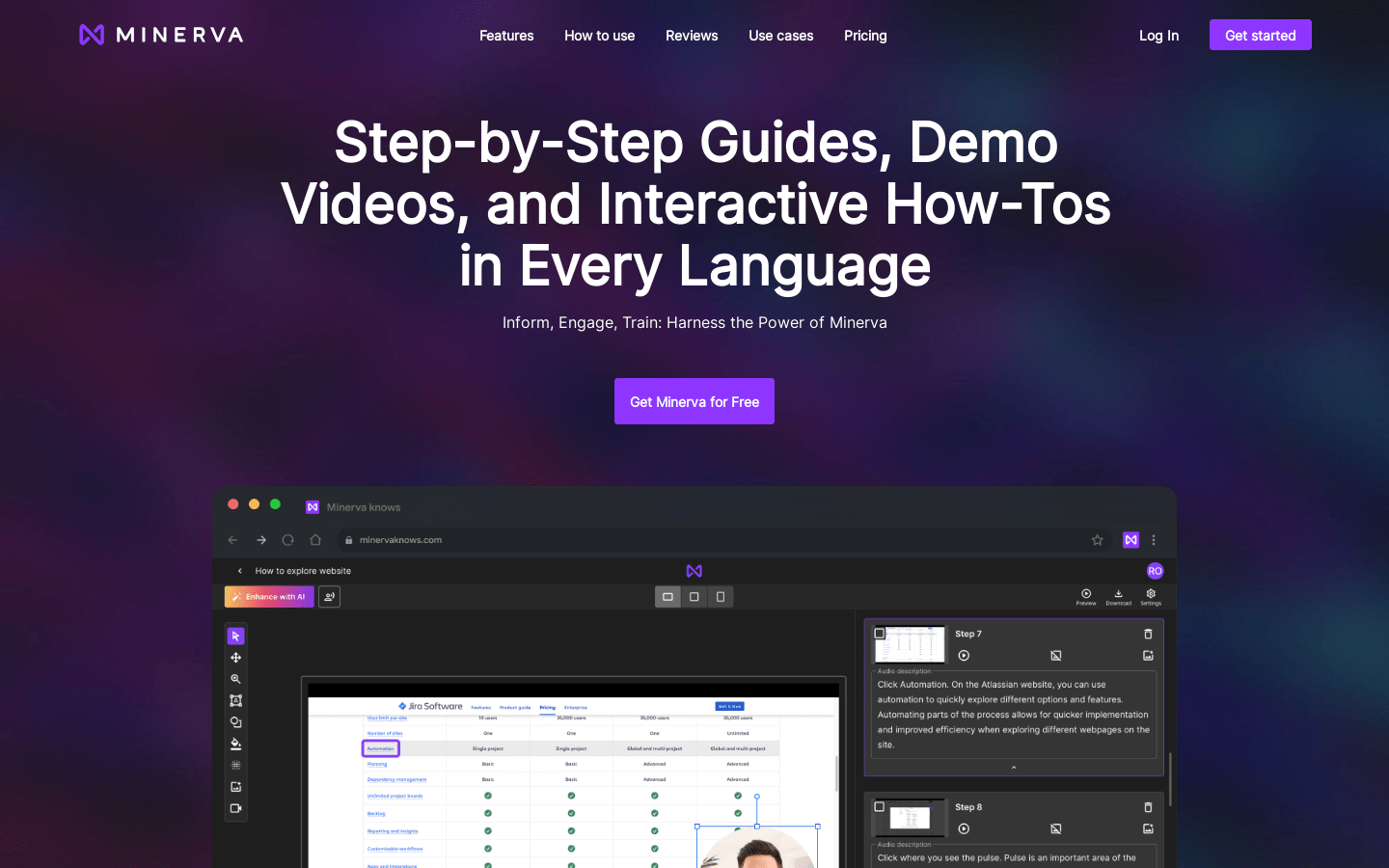
Screenshot archived from the listing page, for preview only.