
ToonBee AI
AI cartoon video generator with character consistencyTurn scripts into animated videos with the same characters
Highlights
What you can do with it
- A creator turns a fairy tale into a narrated 3D animated story for a kids channel.
- A startup makes a five second cartoon ad where the mascot stays consistent.
- A teacher turns a lesson script into a narrated educational animation.
How to use it
- 1 Register an account and claim the 100 free credits.
- 2 Choose story video for long form or cartoon clip for short material.
- 3 Paste a script or prompt and upload a character reference or first frame.
- 4 Set the aspect ratio, duration, style, and video model, then generate.
- 5 Preview the result, adjust the prompt if needed, and download for commercial use.
Who it is for
Pros
- Character consistency solves a common pain point in AI video.
- No drawing or editing skills are needed to get a finished video.
- Generated content includes commercial usage rights.
Limitations
- It runs on credits, and the 100 free credits are a trial that could change.
- Per scene pricing means longer videos cost more, so budget accordingly.
- AI voiceover and animation still need review to match your exact tone.
What ToonBee AI is
ToonBee AI is an online cartoon video generator built on generative AI. Its core job is to turn a script or a single prompt into an animated video, complete with storyboard, character animation, AI voiceover, and background music. The standout feature is character consistency: you upload a character reference image once, and the AI keeps the same face, clothing, and styling in every later scene, which fixes the character drift and face changes that plague many AI video tools. It ships several built in video models, such as ToonBee 1.0 and the Seedance and Wan families, plus more than ten cartoon styles, and it supports 9:16, 16:9, and 1:1 aspect ratios with short clip and long story modes. Registration gives 100 free credits, pricing is shown per scene, and generated content includes commercial usage rights.
What you can do with it
- Paste a script or prompt and get a fully animated, narrated video.
- Lock a character so the same face and outfit hold across all scenes.
- Pick from several video models and more than ten cartoon styles.
- Export in native vertical or square formats for different platforms, with commercial rights.
Who it is for
- Short video creators who need a steady stream of cartoon content.
- Educators and children's content authors making stories, lessons, and bedtime videos.
- Brands and marketers who want quick explainer and ad animations without a studio.
What to watch out for
It runs on credits, and the 100 free credits are a starting trial whose terms could change. Pricing is set per scene, so longer videos cost more and you should budget before you plan a series. AI voiceover and animation are good but not perfect, so expect to tweak prompts and review the tone before you publish. Because output depends on upstream video models, generation speed and quality can vary with demand, and results are best treated as a strong draft that you polish before release.
FAQ
How does character consistency work?
You upload a character reference image once, and the AI locks the same face, clothing, and styling across every later scene.
Do I get free credits to start?
Yes. Registering an account gives you 100 free credits to try the generator.
Can I use the videos commercially?
Yes. Generated content includes commercial usage rights, so it is safe for ads, client projects, and social media.
Why it is free
What the official page says: free creditsfree trial
Free limits, trial length and features are decided by the official site and can change at any time.
Product preview
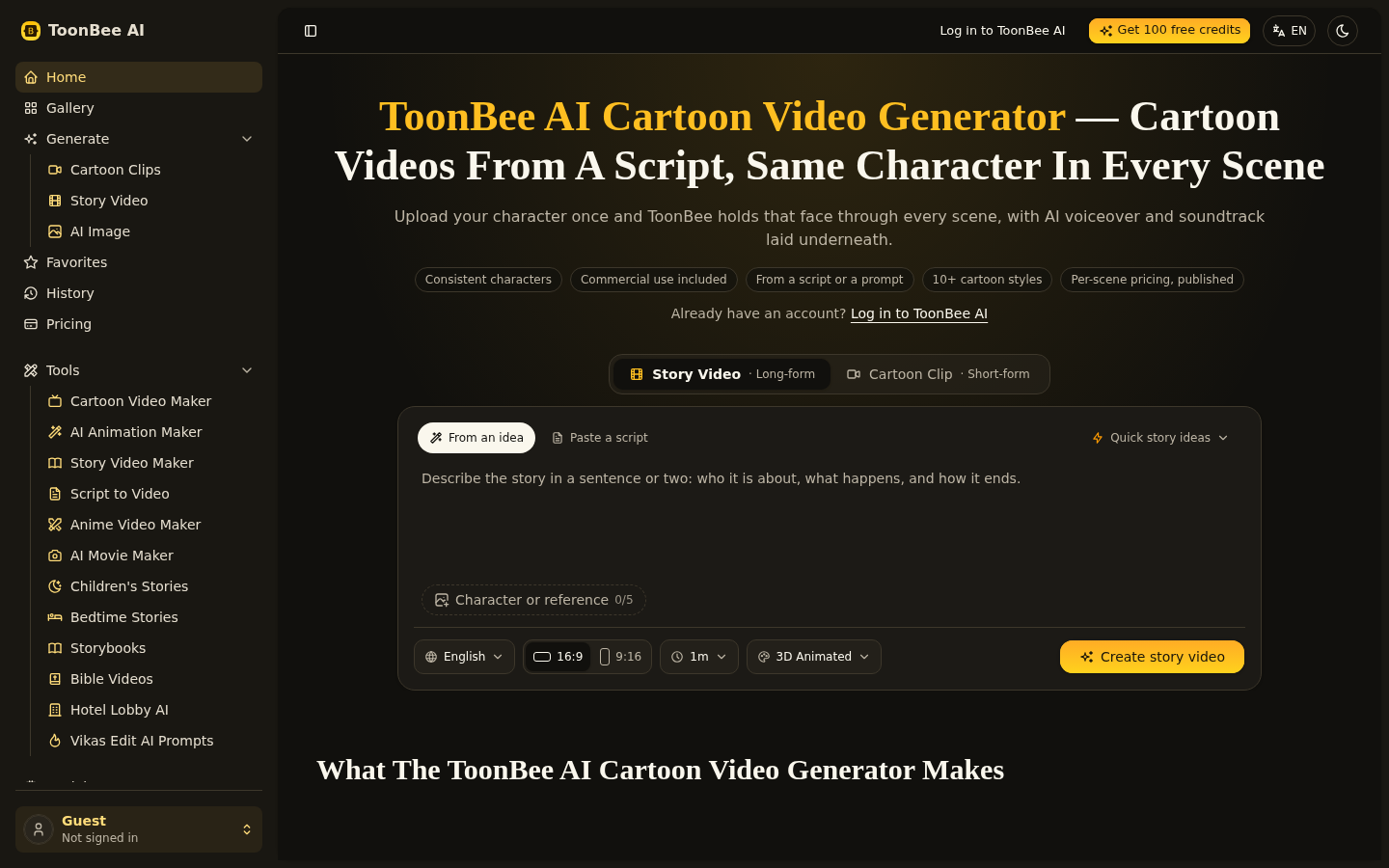
Screenshot archived from the listing page, for preview only.











