
Timi AI
Free AI prompt galleryCopy a prompt, generate in one click
Highlights
What you can do with it
- E-commerce sellers search the ads and product category for prompts that build 3D product scenes.
- Content creators pull portrait and illustration prompts to make avatars and wallpapers.
- Designers study brand and logo prompt logic to draft visual proposals.
How to use it
- 1 Open timi.ai in your browser.
- 2 Pick a category from the navigation, or type a keyword in the search bar.
- 3 Click any image in the gallery to open its prompt details.
- 4 Copy the full prompt text, or generate directly with the built in environment.
- 5 Save the work you like to build your own inspiration library.
Who it is for
Pros
- Completely free and open, with no registration required.
- A large prompt library saves you from writing descriptions from scratch.
- Generation happens inside the page, so the loop from idea to image is short.
- A clear category structure makes it easy to find prompts for a specific job.
Limitations
- It is a prompt and inspiration service, so results still depend on the underlying models.
- The site is new, so the depth of each category and the stability of the service can change.
- Free and unlimited access is the current promise, and those rules can change without notice.
- Long, specific prompts need editing before they fit your own idea.
What Timi AI is
Timi AI is a platform for AI image prompts and generation. It gathers prompt work from creators worldwide and puts it in one searchable gallery, with more than 10,000 prompts covering many visual styles. Its stated position is a free, registration free and unlimited inspiration library for AI art. The site leans on mainstream image models such as ChatGPT Image 2 and Nano Banana, and it also tags Midjourney work, so you can compare what each model produces from a similar kind of description. Everything is open right now at no cost.
What you can do with it
- Browse a large gallery and open any image to read the prompt behind it.
- Copy a prompt with one click and reuse it in the built in generator or your own tool.
- Filter by category such as ads and products, brands and logos, illustration and 3D, posters and portraits.
- Follow newest, featured and popular feeds to see which styles are trending.
- Like and save work, and check your browsing history to build a personal library.
Who it is for
- E-commerce sellers who need product images and promo visuals fast.
- Social media creators making avatars, wallpapers and viral images.
- Designers and illustrators who want prompt references instead of starting from a blank page.
What to watch out for
Timi AI is a prompt and inspiration layer, not a model of its own. The image you get still comes from the underlying model, so quality varies with the prompt, the model and your input. Because the site is new and currently free and unlimited, both the depth of the library and the access rules can shift over time, and free terms may change without notice. Some prompts are long and specific, so plan on editing them rather than pasting them unchanged into a project.
FAQ
Does Timi AI cost anything?
No. The site is completely free and open, and you do not need to register.
Which models can I use?
It classifies work and prompts for mainstream models such as ChatGPT Image 2, Nano Banana and Midjourney.
How do I use a prompt I like?
Open the image, copy the prompt text, then paste it into the built in generator or your own AI art tool.
Is there anything for e-commerce work?
Yes. There are ads and product categories with prompts built for product scenes and promotional images.
Why it is free
What the official page says: no registrationcompletely free
Free limits, trial length and features are decided by the official site and can change at any time.
Product preview
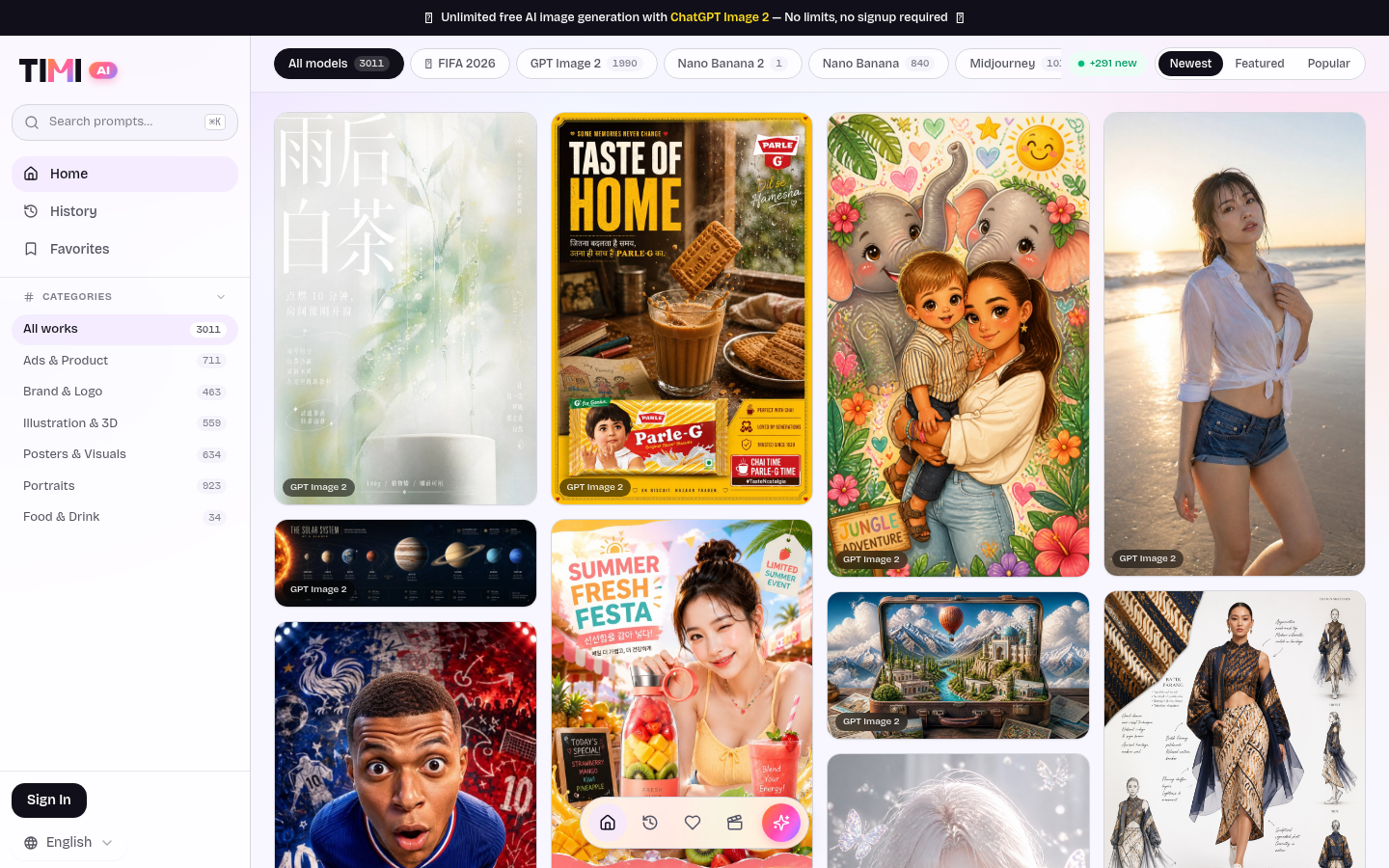
Screenshot archived from the listing page, for preview only.











