Tight Studio
Turns screen recordings into polished product demosRecord rough, export professional
Highlights
What you can do with it
- Create a product feature demo for customers
- Turn a data analysis process into a shareable video
- Produce a software tutorial for new users
How to use it
- 1 Download and install the Tight Studio desktop client
- 2 Start a screen recording
- 3 Use smart zoom to highlight key actions
- 4 Add AI voice-over or automatic subtitles
- 5 Add music and dynamic text, then trim the recording
- 6 Export using the free version, pro version or a custom package
Who it is for
Pros
- A free version is available
- Auto zoom and subtitles remove tedious editing
- AI voice-over avoids microphone and accent issues
- Desktop client keeps recording local
Limitations
- It is a desktop client, so installation is required
- Export options differ between the free version, pro and custom packages
- AI voice-over may not match your brand tone
- Recording quality still depends on a clean screen and steady pacing
What Tight Studio is
Tight Studio is a desktop client for creating product demonstration videos. The problem it targets is the gap between a rough screen recording and something you would actually send to a customer. It handles the tedious parts automatically: smart zoom follows your actions during recording and magnifies the key steps, professional subtitles are generated in seconds instead of typed out, and a clear AI voice-over adds narration without microphone setup or accent worries. You can layer in music and dynamic text to emphasise key points, import local media or generate it with AI, and crop the recording to remove dead time. A free version exists, pro costs $15 per month, and custom packages cover teams.
What you can do with it
- Record your screen and auto-zoom on key actions
- Generate professional subtitles automatically
- Add AI voice-over narration
- Add music and dynamic text overlays
- Trim, import or generate media, then export
Who it is for
- Product managers demonstrating features to customers
- Data scientists sharing analysis as video
- Software engineers producing tutorials
- Anyone who records their screen but hates editing it
What to watch out for
It is a desktop client, so you install it on each machine and keep it updated, which is more setup than a web tool. Export options differ between the free version, pro and custom packages, so confirm the tier you need before a deadline. AI voice-over is clean but generic, and it may not match your brand tone, so test it on a short clip first. Finally, the output still depends on a tidy screen and steady pacing during recording, since automation fixes framing and narration but not a messy workflow.
FAQ
What is Tight Studio?
It is a desktop tool that turns rough screen recordings into product demonstration videos with smart zoom, subtitles and AI voice-over.
Is there a free version?
Yes, there is a free version, a pro version at $15 per month, and custom packages.
What does smart zoom do?
During recording it follows your actions and magnifies key steps, which suits tutorials and product demos.
Can I add narration without recording my voice?
Yes, the tool provides a clear AI voice-over.
Why it is free
What the official page says: free version
Free limits, trial length and features are decided by the official site and can change at any time.
Product preview
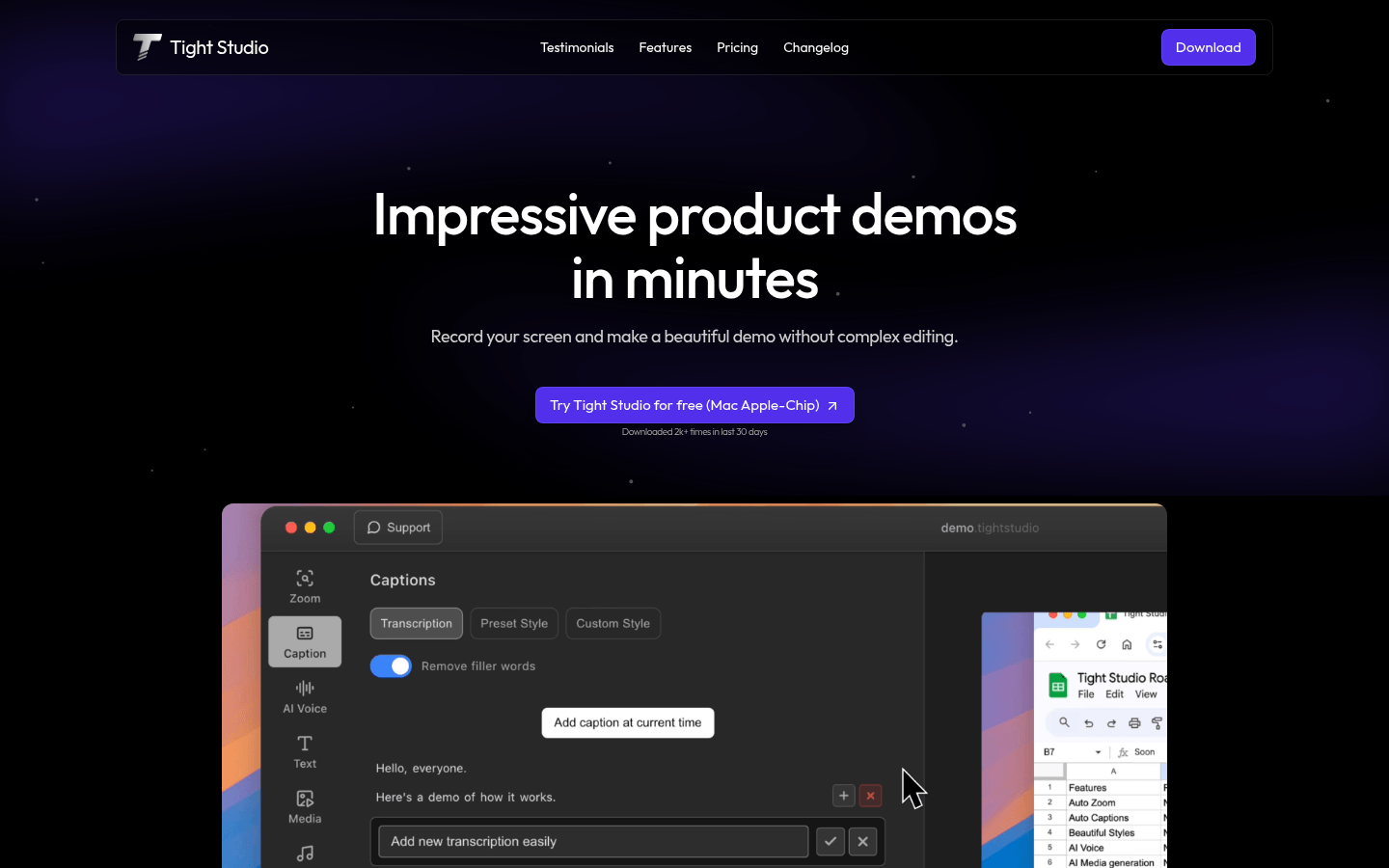
Screenshot archived from the listing page, for preview only.











