
TestFit
AI site planning for feasibilityTest site layouts against the numbers in minutes
Highlights
What you can do with it
- Compare FAR and unit mix options before buying land to test affordability
- Auto-arrange buildings, roads and parking during conceptual design
- Set different height and density parameters to produce massing models for public review
How to use it
- 1 Create a project with the site boundaries and land area
- 2 Set planning constraints such as FAR, density, height, setbacks, daylighting and parking
- 3 Enter economic parameters including sale prices, construction costs, rents and financing
- 4 Run the AI engine to generate multiple feasible layouts
- 5 Adjust building positions, storeys and unit mix while watching the numbers update
- 6 Compare scheme scores and export drawings, reports and models
Who it is for
Pros
- Design exploration and financial analysis live in one workflow
- Constraint checking cuts manual iteration on parking and daylighting
- Multi-scheme comparison makes trade-offs explicit for stakeholders
Limitations
- It is a B2B SaaS product: the free trial or demo is limited and full use is an enterprise subscription or per-project fee
- Output is a feasibility study, not a permit-ready design, and local codes still need expert review
- The financial numbers are only as good as the cost and price assumptions you enter
What TestFit is
TestFit is an AI site planning platform used in the pre-development stage of real estate projects. You give it a site boundary and a set of planning constraints, such as floor area ratio, building density, setbacks, height limits, daylighting spacing and parking ratio, and its generative engine returns several feasible building layouts within minutes. The part that changes the workflow is the live link to money: every layout adjustment instantly updates pro forma figures including gross floor area, sellable area, cost and revenue, so design and investment analysis stop being separate exercises. It is a B2B SaaS product that typically offers a free trial or demo, with the production version charged through enterprise subscription or per project.
What you can do with it
- Generate multiple site layouts from boundaries and planning conditions
- Adjust parameters and watch area, cost and revenue update in real time
- Check parking counts, entrances, driveways and daylighting requirements automatically
- Optimise unit mix and building typology for a target buyer segment
- Compare schemes side by side and export plans, massing models and financial tables
Who it is for
- Developers and investors testing what a parcel can carry before they bid
- Architects and planners running massing studies and master plan layouts
- Urban design agencies modelling height and density scenarios for public review
- Appraisal and consulting firms assembling data-driven feasibility evidence
What to watch out for
The free trial or demo is an evaluation window; production use is an enterprise subscription or a per-project charge, and pricing is not published. The output is a feasibility study, not a permit-ready drawing, so local zoning codes, engineering constraints and market assumptions still need professional review. The financial results are also only as strong as the cost, price and rent inputs you type in, so treat the numbers as scenario testing rather than a forecast.
FAQ
Is TestFit free?
It typically offers a free trial or demo. The production version is charged through enterprise subscription or per project.
What does it actually generate?
Multiple feasible site layouts with building positions, roads, parking and massing, plus the financial metrics attached to each scheme.
Which constraints can I set?
Floor area ratio, building density, setbacks, height limits, daylighting spacing, parking ratios and unit mix.
Who is it for?
Real estate developers, architects, planners, urban design agencies and appraisal or consulting firms working at the pre-development stage.
Why it is free
What the official page says: free trial
Free limits, trial length and features are decided by the official site and can change at any time.
Product preview
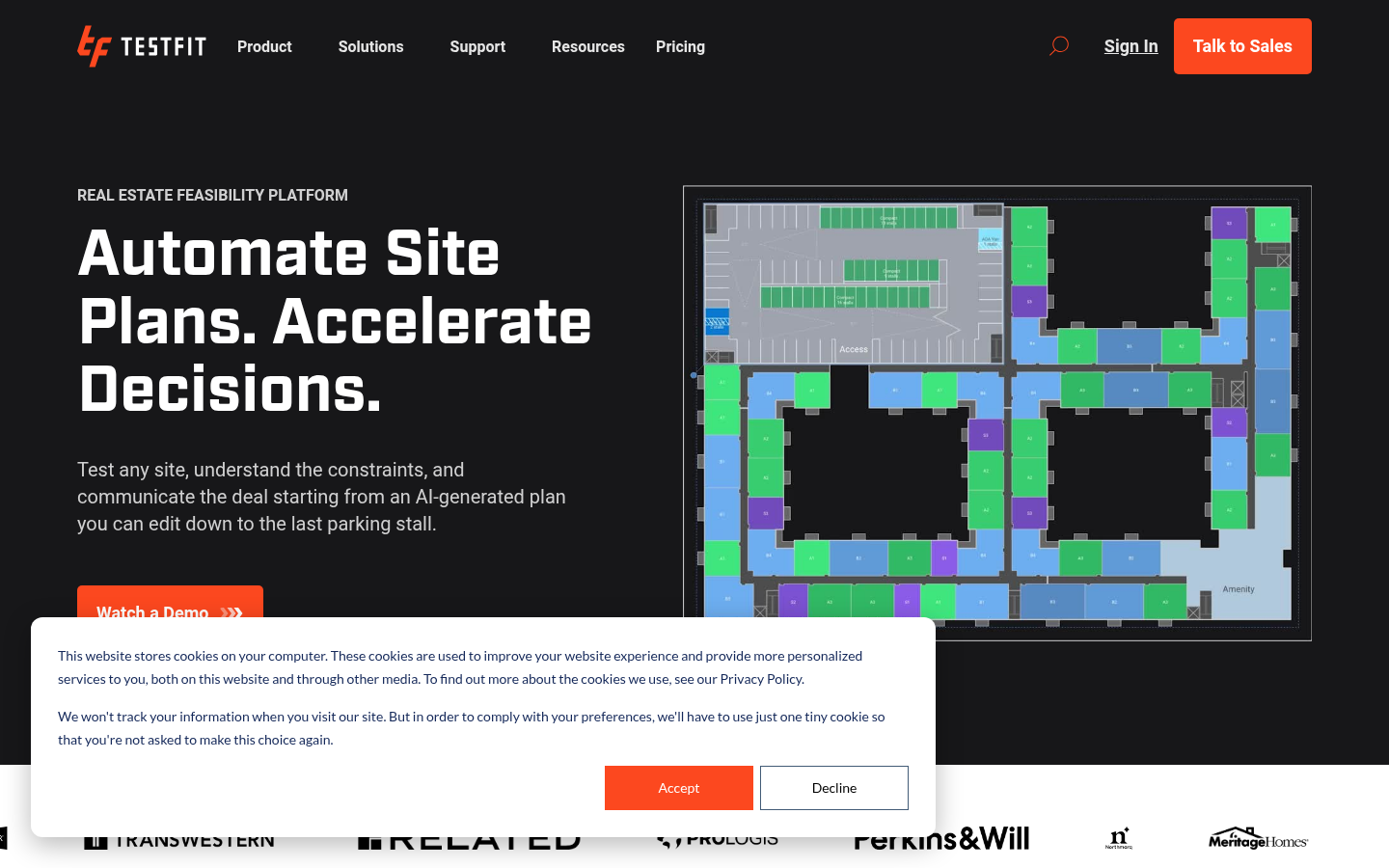
Screenshot archived from the listing page, for preview only.











