
Tag Assistant
Free batch image text tagging toolTurn images into training labels with GPT-4 Vision
Highlights
What you can do with it
- Researchers prepare annotated data for training machine learning models
- Data scientists batch process experimental images to speed up work
- Businesses build image annotations for product catalogs and search
How to use it
- 1 Visit the Tag Assistant website and enter your GPT-4 Vision API key.
- 2 Make sure the key is active and usable in your OpenAI account.
- 3 Upload the images that need annotation.
- 4 Set an image prefix to keep files organized.
- 5 Run the annotation, then review and edit the results.
- 6 Batch download the annotated text files.
Who it is for
Pros
- Free to use with a daily allowance of 100 runs
- Batch upload, edit, and download save time on large sets
- Says it does not store uploads or your API key
Limitations
- You must supply and pay for your own GPT-4 Vision API key
- Daily use is capped at 100 runs
- Automatic labels still need manual review for accuracy
What Tag Assistant is
Tag Assistant is a free online tool based on GPT-4 Vision that performs batch text annotation on images. Its main purpose is to provide labeled data for training models such as Stable Diffusion, which is why it is aimed at research and business users who handle large-scale image annotation. The workflow is simple: you supply your own GPT-4 Vision API key, upload images, set a prefix, and the tool writes annotations that you can review and correct by hand. Finished annotations download in bulk as text files named after each image, and the service states that it does not access or store your uploads or your key. A daily limit of 100 runs applies, so plan heavy jobs across days or accounts.
What you can do with it
- Label text across many images in one batch run
- Download annotations as text files that match each image name
- Add or strip annotation prefixes in bulk to keep datasets consistent
- Edit automatic labels by hand before you export the final set
Who it is for
- Researchers preparing annotated data for machine learning models
- Data scientists who batch process experimental images
- Teams building image annotations for product catalogs and search
What to watch out for
You need your own GPT-4 Vision API key, and usage is billed to your OpenAI account, so the free tool still carries an underlying cost. The daily cap of 100 runs can slow very large projects. Automatic labels are not perfect, so leave time to review and fix them, and confirm the current privacy wording before sending sensitive images anywhere. Free tiers and usage limits can change, so check the current rules on the official page before relying on it long term.
FAQ
Do I need an API key to use Tag Assistant?
Yes. You enter your own GPT-4 Vision API key, so usage is billed to your OpenAI account.
Is my uploaded data stored?
The tool states that user images are sent to OpenAI for processing and that it does not access or store uploads or your API key.
How many images can I annotate per day?
The daily limit is 100 uses, which the tool says meets everyday annotation needs.
Why it is free
What the official page says: 免费
Free limits, trial length and features are decided by the official site and can change at any time.
Product preview
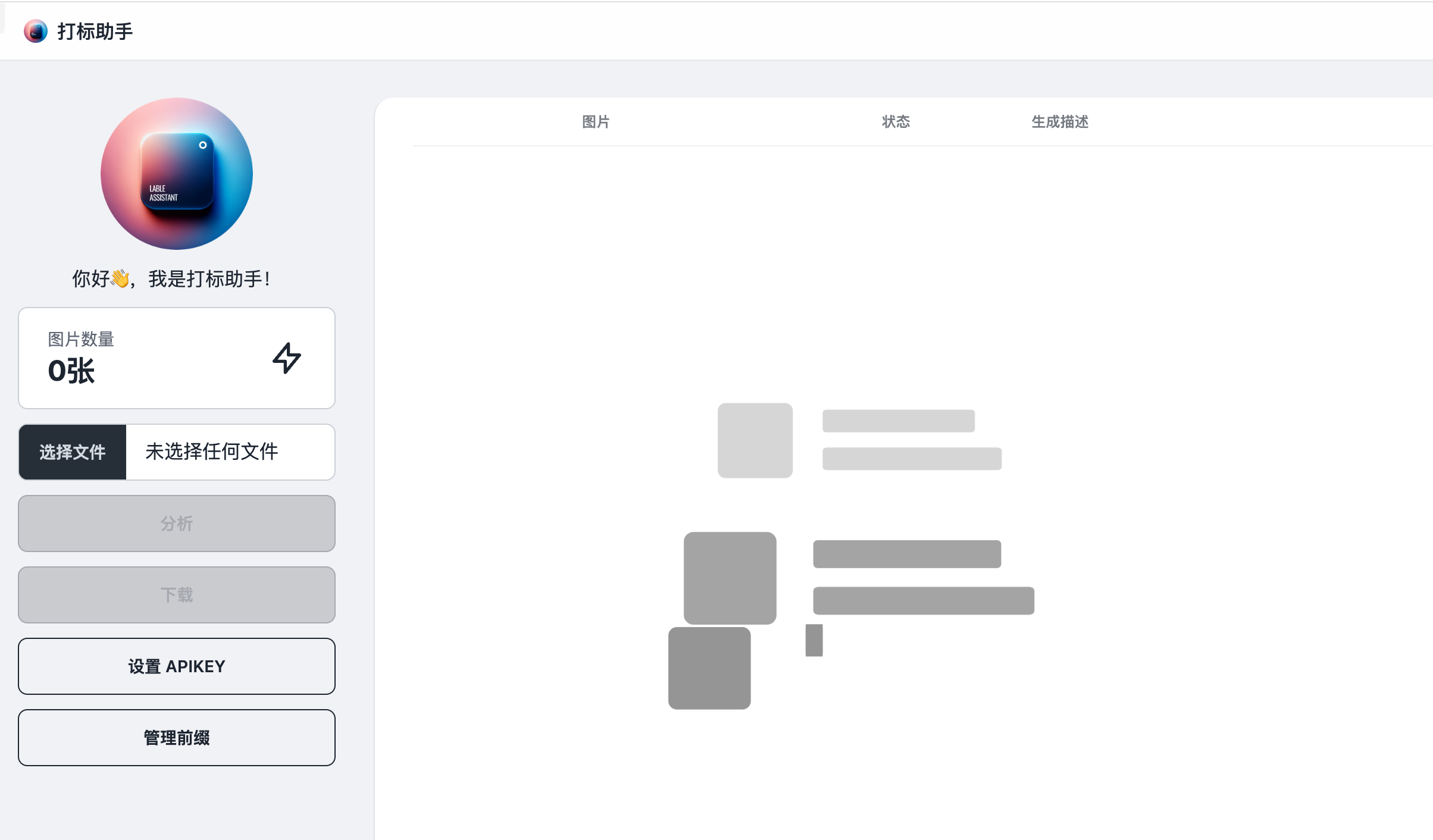
Screenshot archived from the listing page, for preview only.











